---
title: How To Create Your First Parametric Facade Design? Step by Step Tutorial
description: Learn how to make a parametric facade design with Rhino/Grasshopper, Revit/Dynamo & Ladybug. Step-by-step tutorial, optimization tips, and course options.
image: https://blog.novatr.com/hubfs/A%20parametric%20facade%20design%20with%20a%20symmetrical%20pattern.jpg
---
[Blogs](https://www.novatr.com/learning-hub)
- [Architecture & Construction](https://www.novatr.com/learning-hub?category=Architecture+%26+Construction)
- [BIM](https://www.novatr.com/learning-hub?category=BIM)
- [Computational Design](https://www.novatr.com/learning-hub?category=Computational+Design)
- [Company News](https://www.novatr.com/learning-hub?category=Company+News)
- [Expert Talks](https://www.novatr.com/learning-hub?category=Expert+Talks)
Explore Courses
[Just Launched  BIM Professional Program v.2026 Take your career to the next level by mastering the real-world application of BIM. Know More](https://www.novatr.com/courses/bim-professional-program)
[ Master Computational Design Course Break into an advanced career by learning to apply the power of computation to the art of design. Know More](https://www.novatr.com/courses/computational-design)
[Blogs](https://www.novatr.com/learning-hub)
Explore Blogs
- [Architecture & Construction](https://www.novatr.com/learning-hub?category=Architecture+%26+Construction)
- [BIM](https://www.novatr.com/learning-hub?category=BIM)
- [Computational Design](https://www.novatr.com/learning-hub?category=Computational+Design)
- [Company News](https://www.novatr.com/learning-hub?category=Company+News)
- [Expert Talks](https://www.novatr.com/learning-hub?category=Expert+Talks)
Courses
- [BIM Professional Program v.2026](https://www.novatr.com/courses/bim-professional-program)
- [Master Computational Design](https://www.novatr.com/courses/computational-design)
- [BIM/](https://www.novatr.com/learning-hub?category=BIM) [BIM/](https://www.novatr.com/learning-hub?category=BIM)
Featured Article
# How To Create Your First Parametric Facade Design? Step by Step Tutorial
.jpg)
Tanmay Gadade
September 19, 2025
6 min read
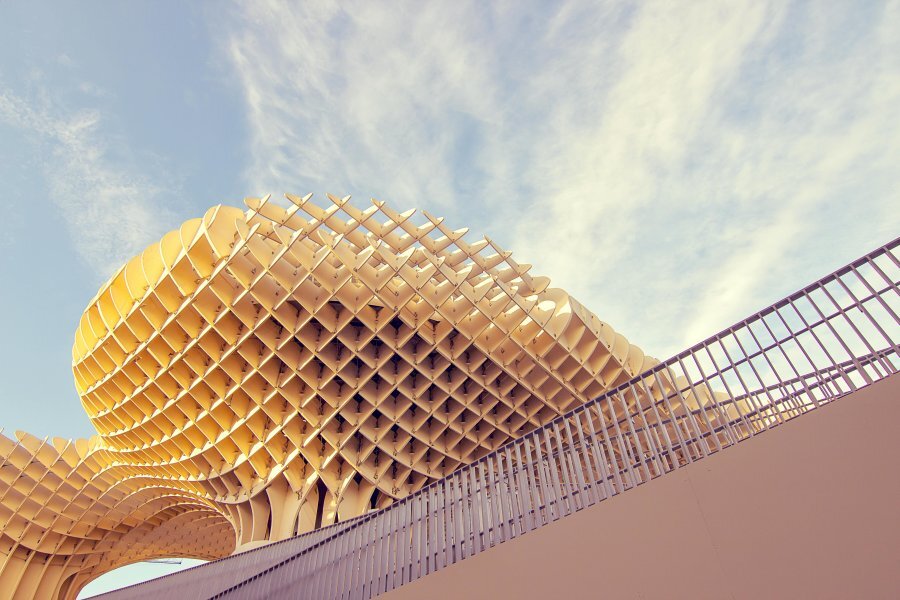

**Designing parametric facade** is all about creating rules and relationships between geometry, performance, and materials so the building skin can adapt and respond intelligently. Unlike static envelopes, a parametric system allows designers to test, adjust, and generate multiple solutions that balance form, energy, and construction needs. This matters because buildings are a major driver of energy use: they account for roughly 40% of total U.S. energy consumption and nearly 75% of electricity demand, according to the [U.S. Department of Energy](https://www.energy.gov/eere/buildings/data-and-analysis-buildings-sector-innovation?utm_source). With so much impact tied to facades, learning to design parametrically is no longer optional; it’s essential for sustainable practice.
Unlock High-Paying Careers With BIM
Master BIM workflows, software and skills on real projects.
Apply Now
\*Limited seats available
## Essential Software Tools You'll Need For Parametric Facade Design
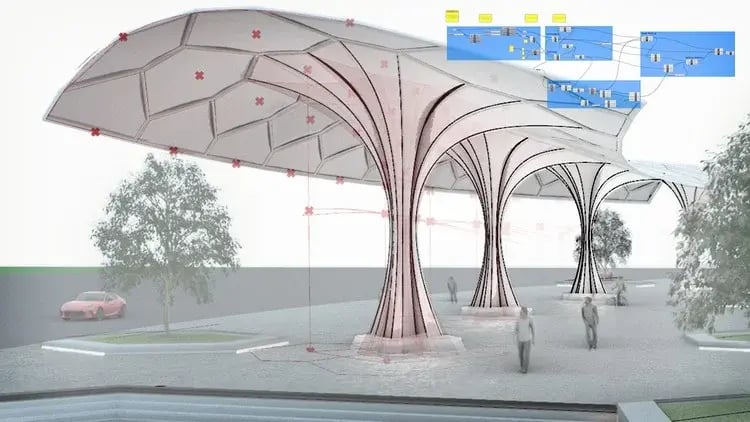
Every successful parametric architecture facade project starts with the right software. You’ll need tools that handle both creative geometry and rigorous data. Below are the core platforms and why each matters.
### 1. Rhino + Grasshopper
Rhino is one of the most flexible modeling tools available, and Grasshopper is its visual scripting environment. Together, [Rhino and Grasshopper](https://www.novatr.com/blog/rhino-grasshopper-in-parametric-design-modelling) form the backbone of parametric Grasshopper facade workflows. Designers can quickly generate complex modules, test iterations, and refine details without starting over.
#### Key skills to focus on include:
- Creating clean, modular Grasshopper definitions that can be reused.
- Managing data trees, which organize panel systems efficiently.
- Writing light scripts (Python or C#) for custom functions.
- Exporting geometry for fabrication, whether that means flattened 2D files or CNC toolpaths.
A Practical Example: Develop a parametric facade in Rhino that adjusts louver depth based on solar exposure. This not only controls glare but also reduces cooling loads in the summer.
### 2. Revit + Dynamo
While Rhino and Grasshopper are great for concept generation, [Revit and Dynamo](https://www.novatr.com/blog/dynamo-for-revit) ensure that a design can actually be documented and built. Revit provides the BIM framework, and Dynamo enables automation by scripting within that environment. This pairing is critical for translating conceptual geometry into a detailed parametric facade in Revit.
#### Core skills include:
- Building adaptive [Revit families](https://www.novatr.com/blog/revit-families-guide) with adjustable parameters.
- Using Dynamo to place or edit elements across large curtain wall systems.
- Exchanging geometry through [Rhino.Inside.Revit](https://www.novatr.com/blog/rhino-inside-revit)for smooth integration.
An application: import a Grasshopper-generated shading pattern into Revit as adaptive families, then use Dynamo to tag and schedule each unit for construction.
### 3. Simulation plugins (Ladybug, Honeybee, Kangaroo)
Simulation is what makes parametric workflows performance-driven. Tools like Ladybug and Honeybee analyze daylight, solar radiation, and thermal comfort. Kangaroo helps test structural feasibility, particularly for tensile or free-form skins.
#### Key applications:
- Ladybug for solar analysis to adjust shading density.
- Honeybee for daylight simulations to reduce artificial lighting demand.
- Kangaroo for form-finding in tensile or kinetic structures.
With these plugins, you can link environmental feedback directly into your parametric facade pattern logic, making the design both beautiful and functional.
Also Read: [How to Use Grasshopper + Ladybug Tools for Building Performance Optimization](https://www.novatr.com/blog/how-to-use-grasshopper-ladybug-tools-for-building-performance-optimization)
## Step-by-Step Tutorial for Your First Parametric Architecture Façade
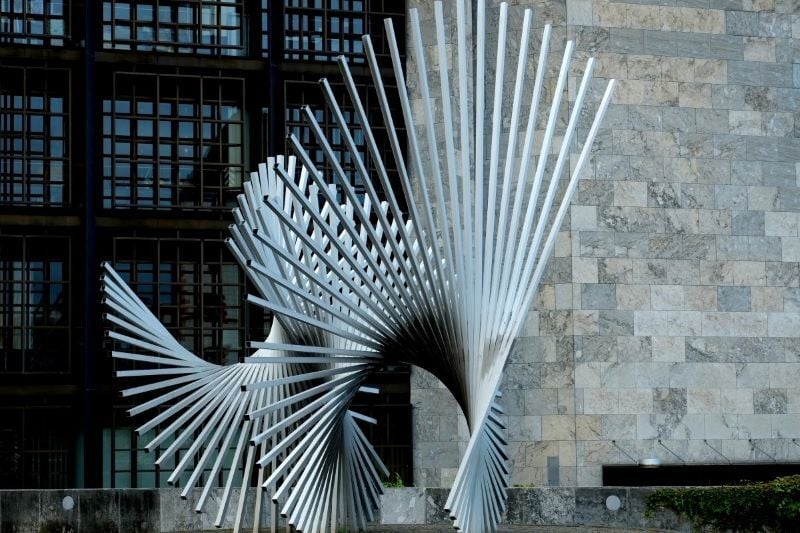
Learning how to make a parametric facade design becomes manageable when broken down into clear steps:
### 1. Define goals and constraints
Establish what your parametric building facade needs to achieve. Common goals include daylight optimization, reduced heat gain, or enhanced ventilation.
### 2. Model the base form
Bring in your building mass, orientation, and context to Rhino or Revit. This ensures facade decisions respond to real site conditions.
### 3. Set control parameters
Choose a handful of inputs, such as panel rotation, density, or offset.
### 4. Create a repeatable module
Use Grasshopper to design a panel or shading unit. Test how changes in the parameters affect the overall look and performance.
### 5. Link to simulations
Run daylight and solar analyses using Ladybug and Honeybee. Adjust panel porosity or depth to strike the right balance between comfort and efficiency.
### 6. Use optimization tools
Apply evolutionary solvers like Galapagos or Wallacei to find the best-performing facade setups.
### 7. Translate to BIM
Import the chosen system into Revit with Dynamo or Rhino.Inside.Revit.
### 8. Prepare fabrication data
Extract panel geometry, dimensions, and attachment points for shop drawings.
By following this workflow, you create a parametric facade Grasshopper script that is not only design-driven but also performance-tested and ready for construction documentation.
Also Read: [Complete Guide to Parametric Energy Modeling: From Concept to Optimization](https://www.novatr.com/blog/complete-guide-to-parametric-energy-modeling-from-concept-to-optimization)
## Best Parametric Optimization Strategies for Better Facade Performance
A parametric facade pattern is only as good as the logic behind it. Optimization ensures your design doesn’t just look dynamic but also performs well. Here are strategies to guide the process:
- **Set clear, measurable targets -** Decide whether the goal is a specific daylight factor, shading coefficient, or energy-use reduction. Vague goals lead to endless iterations.
- **Keep parameters manageable -** Focus on 3–6 main variables. Too many sliders dilute results and make optimization inefficient.
- **Use staged optimization -** Start with broad sweeps to explore possibilities, then fine-tune promising results.
- **Balance aesthetics with performance -** Performance-driven facades can be beautiful, but they should not compromise constructibility or maintenance.
- Validate across tools - Test promising outcomes in both [Grasshopper and Dynamo](https://www.novatr.com/blog/why-architectural-designers-should-master-grasshopper-dynamo) to confirm buildability before finalizing.
These facade optimization strategies help designers move from experimentation to results that balance design, sustainability, and construction feasibility.
## Common Mistakes Beginners Make & How to Avoid Them
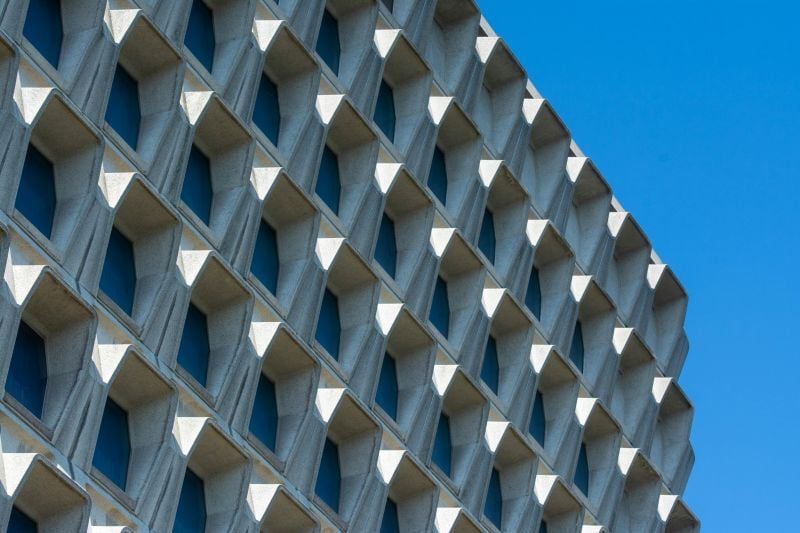
Designing a parametric building facade is a learning curve, and beginners often stumble on the same issues. Being aware of them can save hours of rework:
- **Overcomplicated scripts:** Start with simple Grasshopper definitions, test each component incrementally, and add complexity only once the base logic is stable.
- **Ignoring data trees:** Structure data trees carefully from the outset, label branches, and ensure panels and modules follow organized hierarchies to avoid misalignment or duplication.
- **Unrealistic parameters:** Set input ranges based on fabrication limits, material behavior, and installation constraints to ensure your parametric facade in Rhino or Revit can be realized.
- **Neglecting BIM workflows:** Align parametric modules with Revit families early, use Dynamo to automate placements, and verify integration through Rhino.Inside.Revit to avoid documentation bottlenecks.
- **Overlooking performance:** Integrate simulations with Ladybug and Honeybee as part of each design iteration, checking daylight, solar, and thermal impacts so your parametric facade Grasshopper script is both expressive and efficient.
## Learn Basics of Parametric Facade Design & Master Essential Tools
Building strong foundations in parametric workflows is easier when guided by structured learning. The Master Computational Design (MCD) program offers practical training in Rhino, Grasshopper, Revit, Dynamo, and simulation plugins, exactly the skills needed for a professional [parametric architecture facade workflow](https://www.novatr.com/blog/parametric-facade-design-tools-and-workflows-for-architects).

### Key advantages of the program include:
- A curriculum designed by industry experts with hands-on projects.
- Mentorship from professionals working at leading architecture and engineering firms.
- Real-world workflows that bridge parametric facade in Rhino designs with Revit documentation.
- Career support and portfolio-building opportunities for applying parametric building facade knowledge.
If you want to move from experimenting in Grasshopper to delivering high-performance facades in practice, the MCD program is an effective way to accelerate that transition.
Master BIM and Get Hired Faster
Join a community of 8500+ Architects and Engineers.
Explore Now
\*Limited seats available
## Conclusion
Creating a **parametric architecture facade** begins with understanding the logic that connects geometry to performance. By setting goals, building parametric definitions, testing with simulation tools, and optimizing systematically, designers can deliver facades that are both expressive and efficient. When carried into BIM platforms, these systems become buildable, ensuring that your **parametric facade pattern** doesn’t just remain a concept but turns into a realized project.
Gain industry-ready parametric design skills with the [Master Computational Design](https://www.novatr.com/courses/computational-design) Course by [Novatr](https://www.novatr.com/) and transform your facade projects from concept to construction. Visit our [resource page](https://www.novatr.com/learning-hub) to get started and receive expert guidance on advancing your career.
Was this content helpful to you
Like Yes
Dislike No

TABLE OF CONTENTS
BIM Is The New Standard. Are You Certified?
Get Certified in BIM
SHARE ON YOUR SOCIALS
Link Copied Successfully
Related articles
[ How to Use Anemone for Iterative Design in Facades? 13 October 2025 5 min read](https://blog.novatr.com/blog/how-to-use-anemone-for-iterative-facade-design-in-grasshopper-step-by-step-guide) [ Building Information Modelling How to Become a Registered Architect in India: A Step-by-Step COA Registration Guide 16 April 2025 4 min read](https://blog.novatr.com/blog/step-by-step-coa-registration-process) [ Parametric Facade Design: Tools and Workflows for Architects 15 September 2025 5 min read](https://blog.novatr.com/blog/parametric-facade-design-tools-and-workflows-for-architects) [ Structural Optimisation in Architecture: Top Tools, Techniques & Workflows 22 September 2025 4 min read](https://blog.novatr.com/blog/structural-optimisation-in-architecture-top-tools-techniques-workflows)
Download Syllabus
## BIM Professional Program
Next Cohort
June 2026
Program Duration
7 Months
Premium Program benefits
8 Credentials from Autodesk, NSDC, Novatr
1 program. 10 career paths. Infinite Growth.
40+ ISO 19650 & RIBA real-world projects to practice
1-on-1 guidance. Access 400+ industry experts.
Access the biggest AEC-Tech community on the planet. 8500+ and counting
Curated for you by 100+ global BIM leaders.
Lifelong access to course content
Enter your details to download the program syllabus.
##### BIM Professional Program
June 2026, 7 Months
Your Name Invalid name.
Phone Number Enter a valid phone number
Email Please enter a valid email address.
Select years of experience\* Currently studying 0-1 years 1-2 years 2-4 years 4-8 years 8-10 years 10-12 years 12+ years Invalid selection.
Specialisation Select your background\* Architecture Civil Engineering Mechanical Engineering Electrical Engineering Invalid selection.
Are you professionally trained in interior design?
Yes
No
I agree to the [Terms of Use](https://www.novatr.com/terms-and-conditions) and [Privacy Policy](https://www.novatr.com/privacy-policy), and consent to be contacted by Email, Call, WhatsApp, or SMS.
Submit
Ready to skyrocket your career?
Begin your next chapter in AEC
with Novatr!
We are here to help you take the industry by storm with advanced, tech-first skills.
[Explore Courses](https://www.novatr.com/#courses)
Join our newsletter
Submit
Thank you for signing up.
We’ll send you a nice letter once per week. No spam.

Dare to Disrupt.
Join thousands of people who organise
work and life with Novatr.
Company
- [About Us](https://www.novatr.com/about)
- [BIM Professional Program v.2026](https://www.novatr.com/courses/bim-professional-program)
- [Masters Computational Design](https://www.novatr.com/courses/computational-design)
- [Become a Mentor](https://www.novatr.com/apply-as-mentor)
- [Hiring from Us](https://www.novatr.com/hire-from-us)
- [Careers at Novatr](https://www.novatr.com/career)
Resources
- [Blog](https://www.novatr.com/learning-hub)
- [Media Room](https://www.novatr.com/media-room-home-page)
- [Career Builder](https://www.novatr.com/career-navigator)
- [Events & Webinars](https://www.novatr.com/webinars)
- [FAQs & Support Center](https://www.novatr.com/contact-us)
- [Contact Us](https://www.novatr.com/contact-us)
- [Privacy Policy](https://www.novatr.com/privacy-policy)
- [Terms of Use](https://www.novatr.com/terms-and-conditions)
©2023 Oneistox Network Pvt. Ltd.
All Rights Reserved
```json
{
"@context" : "https://schema.org",
"@type" : "BlogPosting",
"author" : {
"@type" : "Person",
"name" : "Tanmay Gadade",
"url" : "https://blog.novatr.com/blog/author/tanmay"
},
"dateModified" : "2025-09-19T07:01:57.438Z",
"datePublished" : "2025-09-19T06:59:10.000Z",
"headline" : "How To Create Your First Parametric Facade Design? Step by Step Tutorial",
"image" : [ "https://blog.novatr.com/hubfs/A%20parametric%20facade%20design%20with%20a%20symmetrical%20pattern.jpg" ],
"mainEntityOfPage" : {
"@id" : "https://blog.novatr.com/blog/how-to-create-your-first-parametric-facade-design-step-by-step-tutorial",
"@type" : "WebPage"
},
"publisher" : {
"@type" : "Organization",
"logo" : {
"@type" : "ImageObject",
"url" : "https://blog.novatr.com/hubfs/Novatr%20Prev%20OX-2.svg"
}
}
}
```