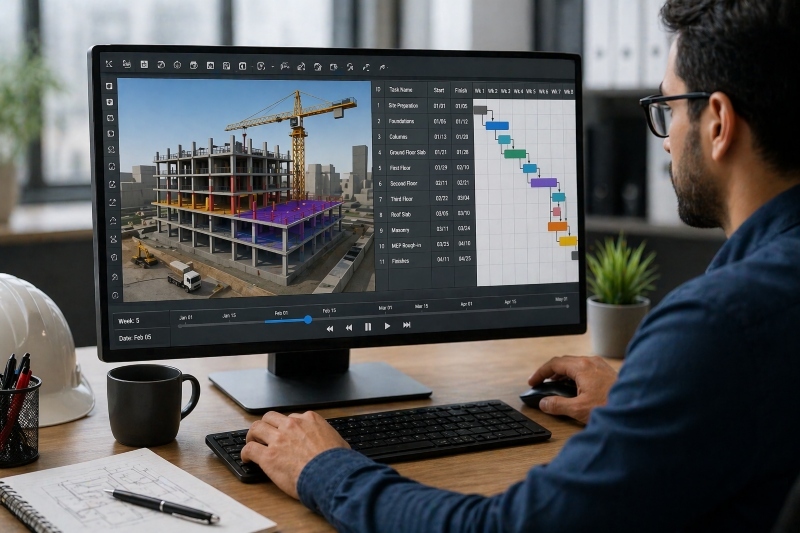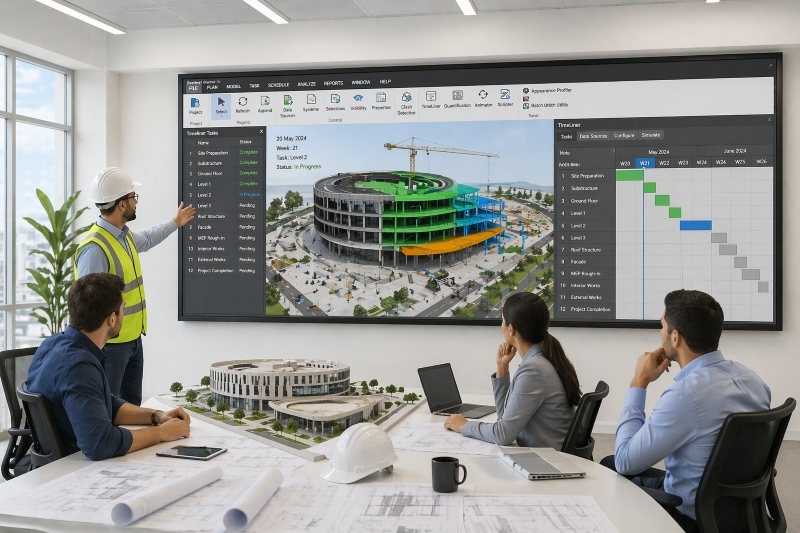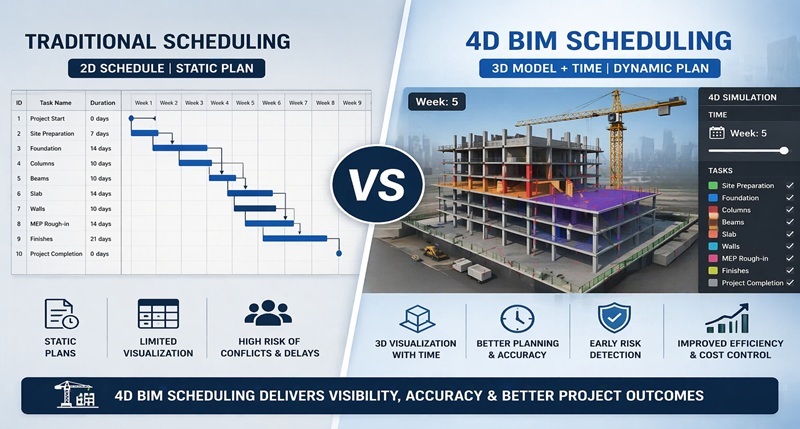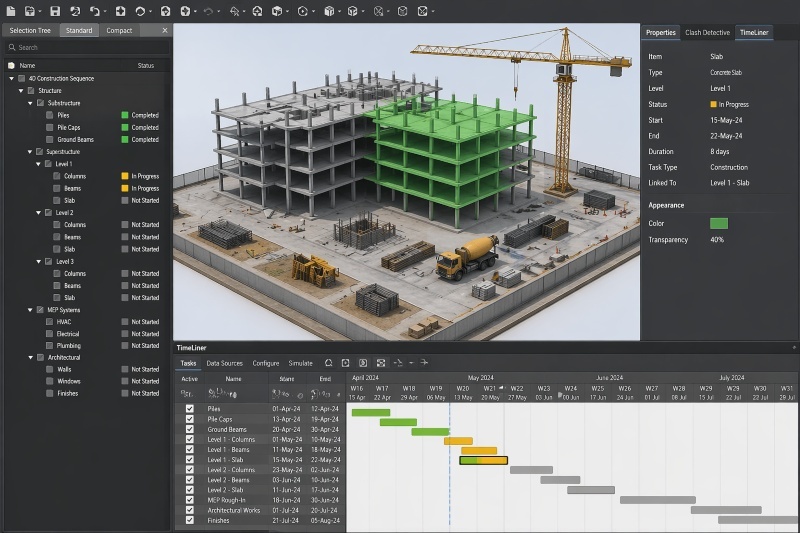

Construction sequencing in BIM refers to the process of planning and visualizing the order of construction activities using digital models linked with time. It allows teams to simulate project execution before work begins, improving coordination and reducing delays.
According to the UK Government’s Construction Strategy, digital construction methods such as BIM can reduce project costs by up to 20% and significantly improve delivery timelines by enhancing planning accuracy.
As construction projects become more complex, traditional scheduling methods often fail to capture dependencies between tasks. BIM-based sequencing enables teams to visualize workflows, identify risks early, and optimize execution across all project stages.
What is Construction Sequencing?
Construction sequencing is the process of defining the order in which construction activities are performed on-site. It ensures that tasks are executed in a logical and efficient manner, avoiding conflicts and delays.
In traditional workflows, sequencing is managed using schedules such as Gantt charts. However, these schedules are often difficult to interpret visually and may not clearly represent how different activities interact in real space.
With project sequencing construction, the goal is to align activities such as excavation, structural work, and finishing in a way that minimizes disruptions and maximizes efficiency. This requires careful planning of dependencies, resources, and timelines.
When sequencing is not properly defined, projects may face delays, rework, and coordination issues. This is why modern construction increasingly relies on BIM to enhance sequencing accuracy.
Also Read: Top Benefits of 4D BIM in Large-Scale Construction Projects
How BIM Enables Construction Sequencing
![image2[1]](https://blog.novatr.com/hs-fs/hubfs/image2%5B1%5D.png?width=1060&height=964&name=image2%5B1%5D.png)
BIM enhances sequencing by integrating 3D models with time-based data, enabling teams to simulate construction processes visually. This integration is often referred to as BIM and 4d planning, where time becomes an additional dimension in the model.
Through BIM 4d modelling, each element in the model is linked to a specific activity in the schedule. This allows teams to see how the project evolves over time rather than relying only on static schedules.
One of the key advantages of scheduling using BIM is the ability to visualize dependencies between tasks. For example, structural elements must be completed before MEP systems can be installed. BIM makes these relationships clear and easy to analyze.
Additionally, 4d simulation construction enables teams to test different sequencing scenarios and identify potential conflicts before construction begins. This improves decision-making and reduces risks during execution.
Step-by-Step Construction Sequencing Process
To understand how sequencing works in practice, it is helpful to break the process into clear steps. Each step builds on the previous one to create a complete sequencing workflow.
Step-by-Step process:
1. Develop the 3D Model
Create a detailed BIM model that represents all project components, including structure, architecture, and MEP systems.
2. Create the Project Schedule
Define activities, durations, and dependencies using scheduling tools such as Primavera or MS Project.
3. Link Model Elements to Activities
Assign each model component to a corresponding task in the schedule to create a 4d BIM scheduling framework.
4. Simulate Construction Sequence
Use BIM tools to visualize how the project will be built over time, enabling 4d simulation construction.
5. Analyze and Optimize the Sequence
Identify conflicts, overlaps, or inefficiencies and adjust the sequence to improve workflow efficiency.
Benefits of BIM-Based Sequencing
BIM-based sequencing offers several advantages that improve planning, coordination, and project outcomes.
The key benefits include:
- Improved Visualization
Teams can clearly see how construction progresses over time, making complex sequences easier to understand. - Better Coordination Across Disciplines
By integrating models and schedules, BIM and 4d planning ensures that all teams work in alignment. - Reduced Delays and Rework
Early identification of conflicts through 4d BIM scheduling helps prevent disruptions during construction. - Enhanced Safety Planning
4d BIM for construction safety planning allows teams to identify risks and plan safer workflows before execution. - Efficient Resource Allocation
Accurate sequencing helps optimize the use of labor, materials, and equipment.
These benefits show how BIM improves not only planning accuracy but also overall project performance.
Tools Used for Construction Sequencing
Several tools are used to support sequencing workflows in BIM. These tools enable integration of models and schedules, forming a reliable system for planning and execution.
The commonly used tools include:
- Autodesk Navisworks – Widely used for linking models with schedules and running simulations. It is one of the leading 4d BIM tools for project sequencing.
- Synchro 4D – A specialized tool designed for sequencing and simulation. It provides advanced capabilities for 4d simulation construction and planning optimization.
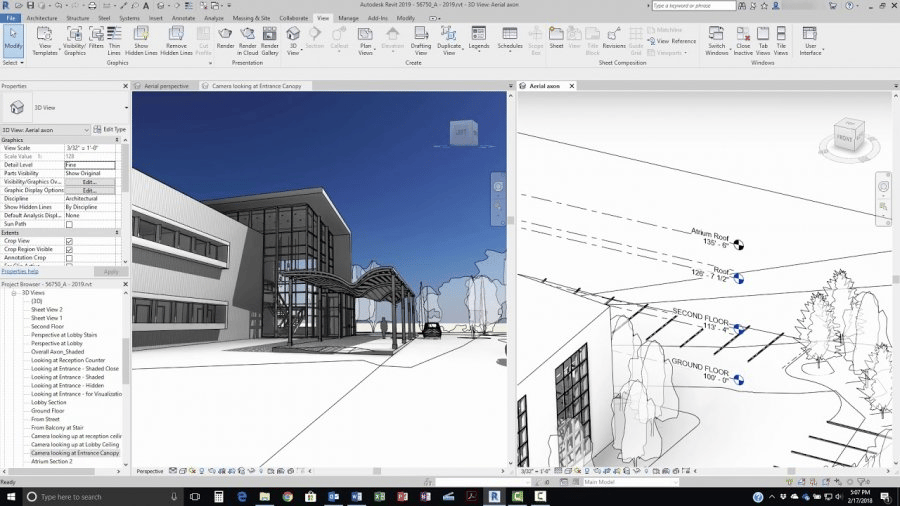
- Autodesk Revit – Used to create detailed 3D models that serve as the base for sequencing workflows.
- Bentley OpenBuildings – Supports infrastructure projects with integrated modeling and sequencing capabilities.
- Primavera P6 (Integration) – A scheduling tool that integrates with BIM platforms to enable scheduling using BIM.
These tools collectively form an ecosystem that supports efficient sequencing and coordination in construction projects.
Common Challenges in Sequencing
Despite its advantages, construction sequencing comes with several challenges, especially when traditional methods are used.
Some of the key challenges include:
- Limited Visualization in Traditional Scheduling
Static schedules do not clearly represent how activities interact in real space. - Complex Dependencies Between Tasks
Managing multiple dependencies can be difficult without visual tools. - Frequent Design Changes
Updates in design require adjustments in sequencing, which can be time-consuming. - Coordination Issues Across Teams
Lack of integration between disciplines can lead to misalignment. - Data Integration Challenges
Linking models and schedules requires accurate and consistent data.
These challenges highlight the importance of using BIM to improve sequencing workflows and reduce risks.
How to Learn BIM-Based Sequencing?
Developing expertise in BIM-based sequencing requires understanding how models, schedules, and coordination workflows are connected in real projects. Professionals need to learn how to apply BIM 4d modelling and sequencing techniques in practical scenarios.
Take your civil engineering career to the next level with Novatr’s BIM Professional Course for Civil Engineers, a project-based program that prepares you to plan, design, and manage construction projects using 12+ industry software and essential BIM plugins.
Learn how to work with Autodesk Revit, Navisworks, construction cloud and key plugins like DiRoots.One, pyRevit, EF-Tools, ProSheets, Issue and Model Checker for Revit to improve automation, accuracy, and project efficiency.
Here’s what you’ll gain:
- End-to-end understanding of BIM workflows - modeling, estimation, coordination, sequencing, and documentation.
- Hands-on training aligned with ISO 19650 standards and real residential + commercial projects, helping you apply sequencing workflows in real-world scenarios.
- Globally recognized certifications:
- Novatr Course Certificate
- Autodesk User Certification
- NSDC Skill Certificate
- Novatr Specialization Certificate, if opted
After completing the core modules, learners can also choose 2 additional specializations, including:
- Visual Programming with Dynamo – for automation and parametric workflows
- 4D, 5D & 6D with BIM – focused on time-based planning, cost, and facility integration
- Tekla for RCC Modeling – for detailed steel and concrete modeling
- Civil 3D for Infrastructure – for roadways, railways, and utilities
- Project Strategy & Optimization with Plannerly - Plan, structure, and audit BIM execution plans
This structured approach helps professionals build hands-on skills in sequencing, simulation, and coordination using BIM.