


.png)

What Are the Most Important Autodesk Construction Cloud Features for Architects in 2026?

There are a lot of features in the cloud that architects have that can be used to streamline construction projects. The tools are designed to be utilized throughout design and construction.
Key features are:
-
Centralized Data Platform: Ease of access and management of files: All project data is available in the Autodesk cloud in one location.
-
Integrated Collaboration Tools: Collaboration tools will make it easier to work as a team in real time to ensure better team communication.
-
Advanced Project Tracking: Project tracking tools can track projects and their deadlines and tasks across teams.
-
BIM Integration: BIM tools and support are high, so that the coordination and model accuracy is improved.
-
Cross-platform compatibility: The system can be integrated with other AEC software, in order to provide a seamless workflow.
These skills will answer the following questions: what are key features of Autodesk Construction Cloud and what does it do for the design process today.
Why Is Centralized Document Management a Core Feature Architects Rely On?
Centralized document management is one of the most beneficial Autodesk Construction Cloud features. It makes the job of the architect an easier task to handle, store and access the project files without being confused.
Key benefits include:
-
Single Source of Truth: No duplication and less errors to the documents stored in a single place.
-
Version Control: Teams always use the most up-to-date files instead of the old and outdated ones.
-
Easy Access Across Teams: Access to files is given to both architects, engineers and contractors at any time.
-
Better Data Security: Controlled access to sensitive data.
Structured information equals better workflow efficiency.
This feature explains how does Autodesk Construction Cloud help architects manage large projects with multiple stakeholders collaborating. It also identifies what are benefits of construction cloud software in reducing uncertainty and boosting accuracy.
What Role Do AI-Powered Features Like Autodesk Assistant and Construction IQ Play?

AI-powered tools are essential in the construction cloud platforms of today. Assisted by features from Autodesk Assistant, Construction IQ, to name a few, teams can make better decisions.
Their role includes:
-
Smart Issue Detection: Construction IQ has the ability to detect risks and forecast potential problems, by analyzing the data.
-
AI Review: AI analyzes the information on a project and gives suggestions for making it better.
-
Quick Answering and Guidance: Autodesk Assistant provides quick answers and guidance in the platform.
-
Data-Driven Decisions: Teams make better decisions with data via Insights.
Early warnings reduce project risks, avoid delays, and costly non-workouts.
Also Read: 6 BIM Certifications You Can Get for Career Advancement
How Do Model Coordination and Clash Detection Features Support BIM Workflows?
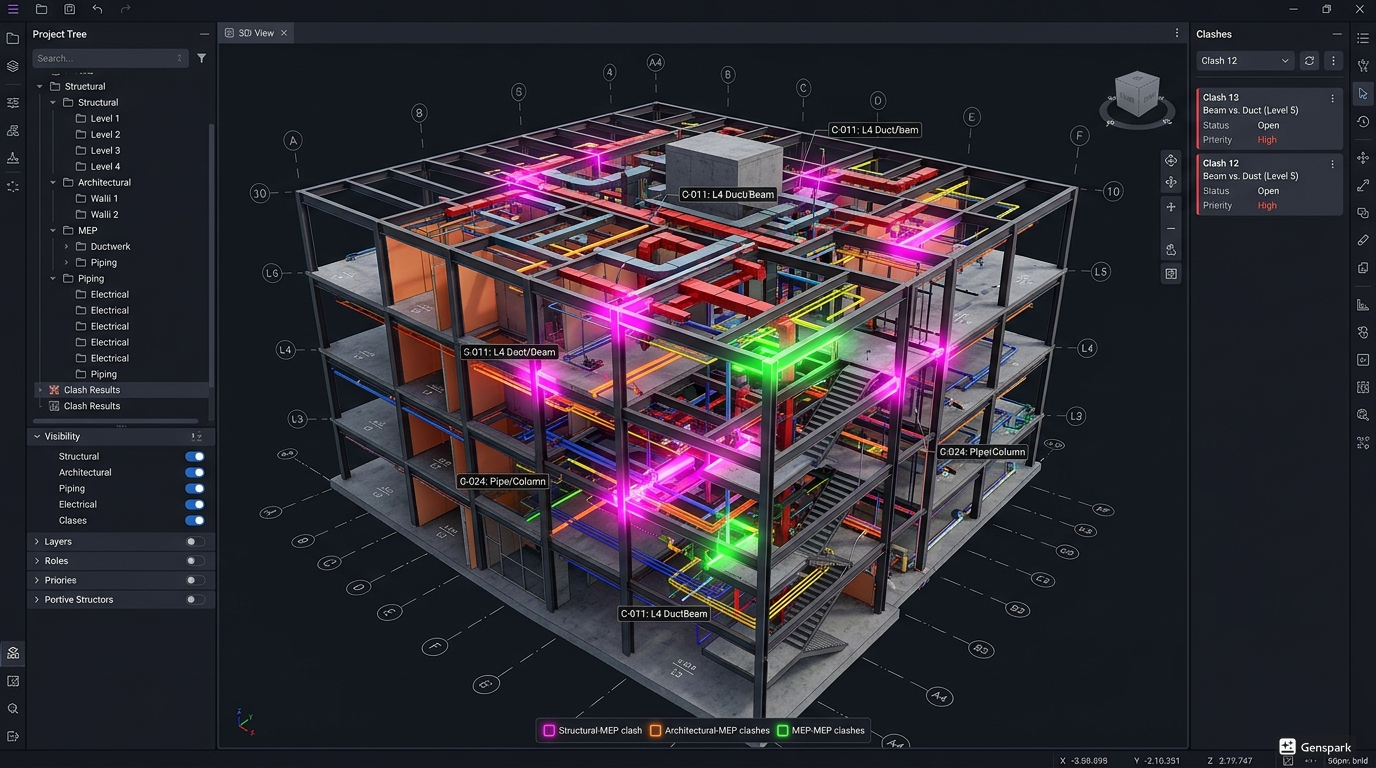
For the architects who use BIM tools, model coordination and clash detection are vital aspects of their job. These attributes on the construction cloud will help members of the construction team pinpoint and solve design conflicts early in the process.
They help you complete workflows in the following ways:
-
Draft Analysis: Creates a report in the drafting stage of the architectural, structural and MEP models.
-
Improved coordination: Teams can talk through and work out issues prior to construction.
-
Improved Design Accuracy: Minimizes drawing & model inaccuracies.
-
Automated check coordination and quicker.
-
Better Collaboration: Collaborative, real-time team working with common models.
These capabilities will be essential to understanding the features for which architects will rely on the Autodesk Construction Cloud to improve BIM processes. They also decide which ACC tools are most beneficial for design teams who are members of the ACC.
Which Automation and Workflow Features Save Time for Architects?
In the Autodesk cloud, there are a lot of tools at the architect's fingertips, but there's no more useful than automation. This reduces repetitive actions, and improves efficiency.
Main functions of automation are:
-
Approval & sharing workflows: Predefined workflows to approve and share documents.
-
Task Management: The project management software is built-in are used to manage tasks and responsibilities.
-
Automated Notifications: Teams are automatically notified about changes and deadlines.
-
Data Synchronization: Any changes made in any of the systems get reflected in all the systems.
-
Standardized Processes: Templates to standardize processes across the projects.
Also Read: How Much Does It Cost to Learn BIM in India? A Complete Breakdown!
What New 2026 Updates Should Architects Start Using Immediately?
Autodesk is constantly working to enhance its construction cloud to offer additional efficiencies and work better together in 2026.
Key updates include:
-
Improved Construction IQ: Improved AI capability – improved danger forecasting and understandings.
-
Improved tools integration: Improved link between design software and AEC software.
-
Improved UI/UX: The dashboards are more user-friendly, which means that users feel comfortable with the platform.
-
Advanced Analytics: Detailed Reporting provides analytics and insight into performance and any problems.
-
Mobile Access Improvements: Mobile access improvements, to enable teams to work in any location.
.png)
.png)
.png)
