


.png)

What Is AutoCAD and How Does It Work?
AutoCAD is a program that lets you make accurate digital drawings and models. It uses computer-aided design (CAD), making it faster and more accurate than hand-drawn drawings.
Here are some points that can help explain:
-
AutoCAD's vector graphics let you make drawings more extensive without losing quality.
-
It works with AutoCAD 3D models and 2D plans, sections, and elevation views
-
You can use layers, line widths, and blocks to organize architectural design data.
-
The user may easily make, change, add notes to, and measure designs with commands and tools.
-
Architects use AutoCAD for structural drawings to easily represent reinforcements and layouts.
In simpler terms, AutoCAD design makes a drawing accurate, shareable, editable, and executable from a concept. It is therefore a fundamental CAD program in the AEC industry.
Why Do Architects Prefer AutoCAD Over Manual Drafting?
Many architects prefer AutoCAD software over hand-drawing because it is faster, more accurate, and more flexible.
Here are some reasons to use CAD:
-
CAD takes a lot less time than drawing architectural plans by hand.
-
It's easy to fix mistakes without having to redo all the sheets.
-
CAD drawing efficiency improves by duplicating similar elements.
-
There is flexibility in scaling, modifying, and sharing drawings digitally.
While manual drafting builds conceptual clarity, AutoCAD for architectural design ensures practical execution. That's why most firms transitioned fully to CAD software decades ago and continue to depend on it.
What Types of Drawings Can Architects Create in AutoCAD?
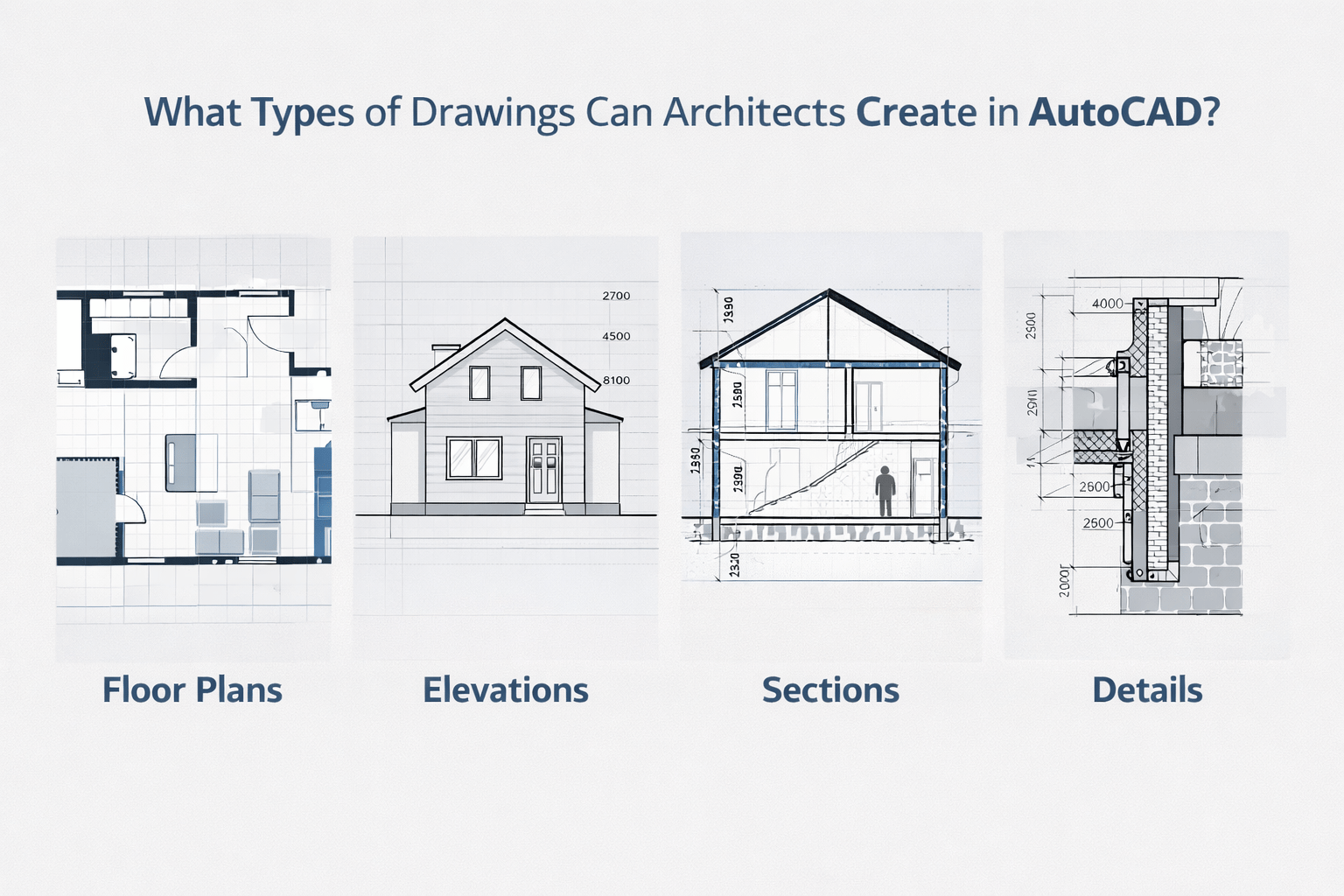
Architects use AutoCAD drawings for a wide range of technical and design outputs across project stages.
The various purposes professionals use AutoCAD are:
-
Floor plans, site plans, and layout drawings for architectural design
-
Sections and elevations forming part of architectural working drawings
-
Detailed joinery, staircase, and façade drawings
-
Structural layouts using AutoCAD for structural drawings
-
Basic 3D visualizations using autocad 3d
-
Electrical, plumbing, and service coordination drawings
These outputs make AutoCAD software a standardized construction documentation software.
More importantly, how do architects use AutoCAD on real projects? They primarily use it for documentation, detailing, and coordination, as well as for drawings that guide contractors during construction.
How Does AutoCAD Improve Accuracy and Efficiency in Architectural Design?
AutoCAD is still widely used because it is accurate and works well.
The following AutoCAD features and techniques could help ensure accuracy in designs:
-
Snap tools and coordinate systems help ensure that the parts in an AutoCAD drawing are in the correct positions.
-
When the design changes, the dimensioning features update automatically.
-
When blocks are reused, drafting is faster as it eliminates repetitive activities.
-
Layer control in complex architectural design drawings makes every detail clear.
Also, how architects use AutoCAD daily involves regular editing, refinement, and coordination of drawings. It increases workflow effectiveness and reduces execution errors. In summary, the role of AutoCAD in architectural design workflow is to convert ideas into workable drawings.
Is AutoCAD Still Relevant in Modern Architecture Workflows?
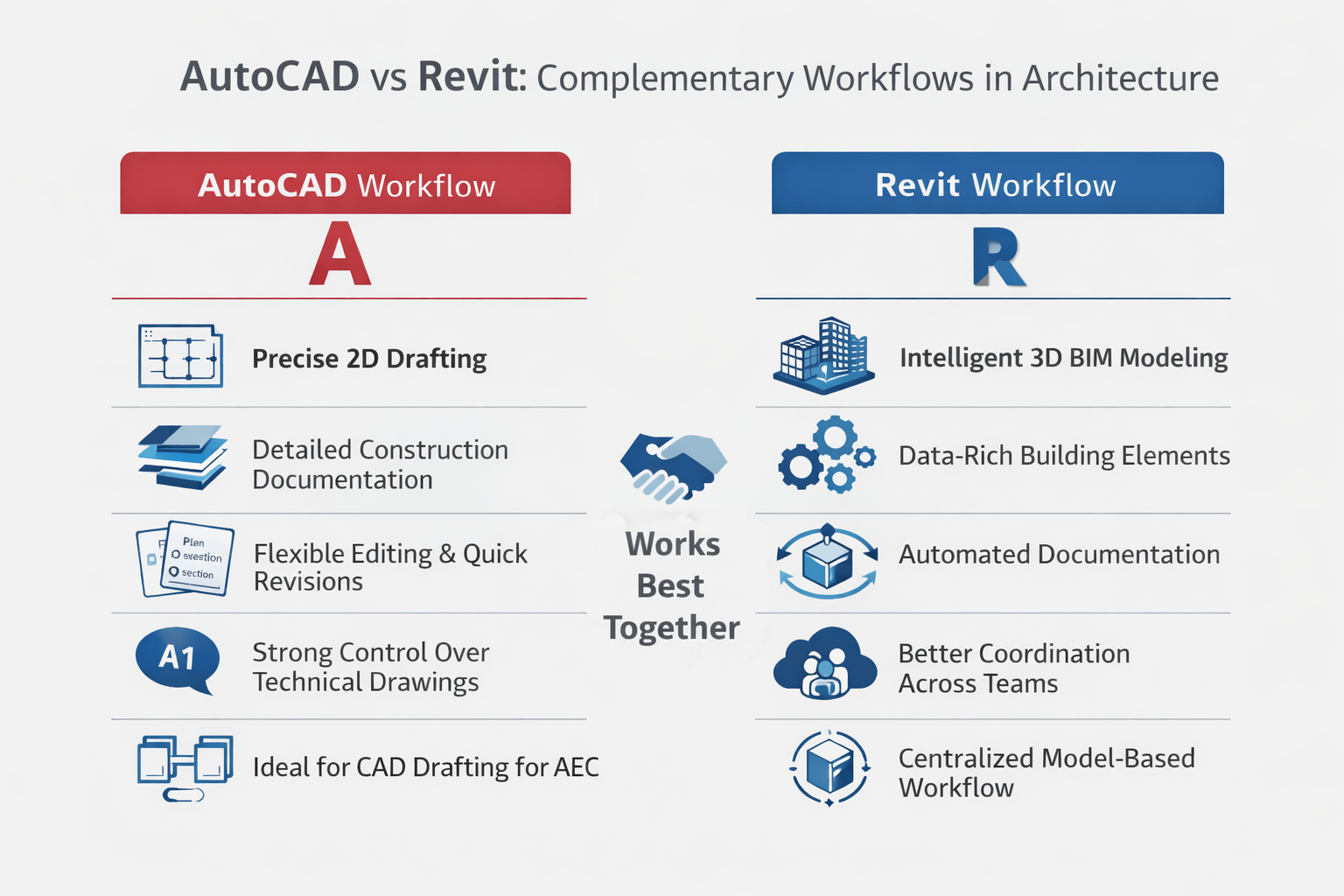
Many people are starting to wonder if AutoCAD is still useful as BIM software becomes more popular. You may figure out how important it is by looking at these facts:
-
Because it can be used in so many ways, it's an important piece of building documentation software.
-
Many companies still use AutoCAD for 2D drafting, even though BIM solutions are available. It is because AutoCAD is easier to change.
-
It is widely used by small-scale organizations that have not yet adopted BIM.
-
It is compatible with other CAD software applications.
Also, there is a debate about AutoCAD vs. Revit. Every user of both software should know that the key difference lies in their purposes. Revit is for BIM modeling and information, while AutoCAD is for drafting.
So, AutoCAD vs. Revit for architects isn't about replacement; instead, it's about complementary use. It tells why architects like AutoCAD for construction drawings: it's fast and accurate.
How Does AutoCAD Integrate With Other Architecture Tools Like Revit and SketchUp?
Tool integration is necessary for an effective workflow, and, among others, AutoCAD software plays an integral part in this process.
Below are the integration possibilities with AutoCAD:
-
AutoCAD design drawings can be used for BIM modeling and, therefore, imported into Revit.
-
SketchUp models can be exported and improved for use in AutoCAD drawings.
-
It is widely accepted in the AEC CAD drafting process since it accepts file formats such as DWG.
-
It works well with AutoCAD Architecture, which is designed specifically for architects.
-
It connects technical documentation with conceptual design.
AutoCAD's integration features ensure that documentation is completed quickly and doesn't get in the way of ongoing work by allowing drawings and models to work together smoothly.
What Should Beginners Know Before Learning AutoCAD for Architecture?
Beginners often focus on commands, but the true value lies in learning to generate precise, well-structured drawings for practical use.
Some of the important factors to consider include:
-
Understanding the basics of the commands and the user interface.
-
Focusing on 2D drawing before delving into other features, such as AutoCAD 3D.
-
Learning about layers, line weights, and annotations.
-
AutoCAD can be used to draw practical structures.
-
Understanding how different it is from others in its working process.
"What is AutoCAD used for in real practice?" is frequently asked by novices. The answer is simple: it is used to make, change, and finish designs that are suitable for construction.
Knowledge of AutoCAD will provide learners with a strong foundation for more sophisticated technologies.
.png)
.png)
.png)
