
What Is BIM Automation?
Understanding what is BIM automation requires looking at how BIM has evolved from simple 3D modeling into a process that manages data across the entire project lifecycle. BIM automation refers to the use of scripts, rules, and integrated tools to handle repetitive tasks efficiently.
The process of BIM automation typically involves identifying manual steps in workflows and replacing them with automated actions. For example, instead of manually updating model parameters or generating drawings, automation tools can complete these tasks instantly based on predefined rules.
One important application is BIM automation in quality check, where automated systems review models to identify errors such as clashes or missing data. This helps teams resolve issues early and maintain consistent quality. Similarly, BIM document automation allows drawings, schedules, and reports to be generated quickly and remain aligned with model updates.
Automation also improves coordination across teams. When workflows are standardized, stakeholders can rely on consistent data, reducing confusion and delays. This leads to better collaboration and more predictable project outcomes.
What Does a BIM Automation Specialist Do?
A BIM automation specialist job description involves creating and managing automated workflows that improve efficiency across BIM processes. These professionals work closely with design teams, ensuring that automation aligns with project requirements and improves overall productivity.
To understand the role clearly, it is useful to examine the core BIM automation roles and responsibilities that define their work. These responsibilities combine technical execution with coordination and process improvement.
A BIM automation specialist typically performs the following tasks:
- Developing automated workflows for repetitive tasks
They design scripts that handle tasks such as updating model elements, generating schedules, and organizing data. This reduces manual effort and improves consistency across projects. - Ensuring model accuracy through validation processes
Using BIM automation in quality checks, they implement rule-based systems that identify errors and ensure compliance with project standards. - Managing data across different platforms
They ensure that information flows smoothly between various BIM automation tools, allowing teams to work with reliable and updated data. - Creating custom tools and scripts for project needs
Specialists develop solutions tailored to specific project requirements, which helps improve efficiency and reduce repetitive work. - Supporting teams through collaboration and guidance
They work closely with engineers and designers, helping them adopt automated workflows and improve their day-to-day processes. - Streamlining documentation processes
Through BIM document automation, they ensure that drawings and reports are generated accurately and remain consistent with the BIM model.
In many organizations, a BIM automation engineer also contributes to improving long-term digital strategies. As digital adoption increases, BIM automation jobs are expanding across multiple sectors, creating opportunities for professionals with the right skill set.
This role continues to evolve, with specialists playing an important part in improving efficiency and supporting better decision-making in projects.
Also Read: How to Become BIM Automation Specialist?
Key Skills Required To Become BIM Automation Specialist

To succeed in this field, professionals need a combination of technical knowledge and strong interpersonal skills. The BIM automation specialist job description emphasizes the importance of both, as the role requires managing tools as well as working with teams.
Technical Skills
A strong technical foundation is necessary for building and managing automation workflows effectively.
- Proficiency in BIM software platforms
Knowledge of tools such as Revit and Navisworks is essential for creating and managing BIM models and automation processes. - Understanding of scripting and visual programming tools
Tools like Dynamo and Python are widely used in the process of BIM automation, allowing professionals to create customized workflows. - Knowledge of BIM standards and workflows
Understanding industry standards helps ensure that automation processes align with project requirements. - Ability to manage and integrate data across tools
Working with multiple BIM automation tools requires the ability to handle data efficiently and ensure smooth integration. - Experience with automation in documentation and validation
Skills in BIM document automation and validation processes help maintain accuracy and reduce manual errors.
Soft Skills
Soft skills play an equally important role in ensuring that automation strategies are implemented effectively.
- Strong problem-solving ability
Identifying inefficiencies and designing solutions requires logical and structured thinking. - Clear communication skills
Professionals must explain automation processes in a way that is easy for teams to understand and adopt. - Adaptability to new technologies
As tools and workflows evolve, professionals need to update their knowledge continuously. - Attention to detail in workflows
Precision is critical, especially when working on BIM automation in quality check processes. - Ability to collaborate with multidisciplinary teams
Working with architects, engineers, and project managers ensures that automation aligns with project goals.
Developing these skills enables professionals to progress into advanced BIM automation jobs and take on more strategic responsibilities.
Most Used BIM Automation Specialist Softwares
BIM automation specialists rely on a range of tools to improve efficiency and reduce manual effort. These tools are designed to handle complex workflows and support better project coordination.
Below are five widely used BIM automation tools along with how they are applied in real workflows:
- Autodesk Revit
Revit serves as the core BIM platform where most modeling and automation activities take place. It supports plugins and scripting, allowing specialists to automate repetitive modeling and documentation tasks. - Dynamo
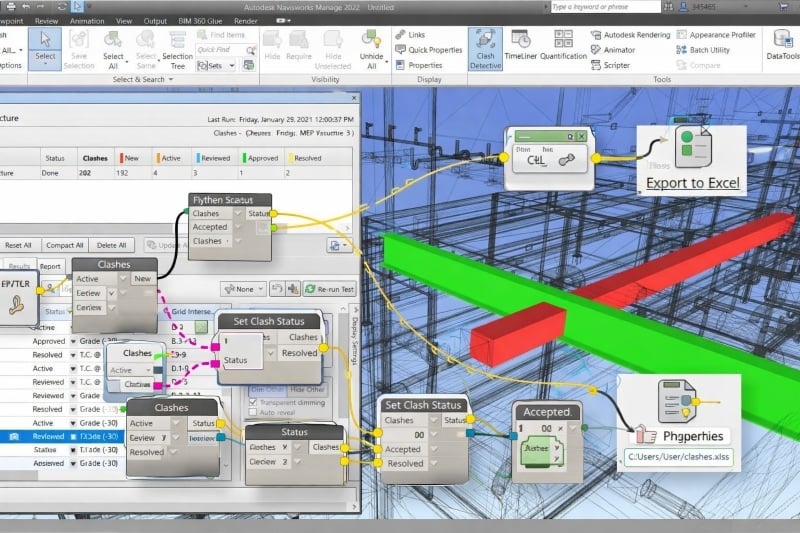
Dynamo is a visual programming tool that works with Revit. It enables users to create automated workflows through node-based logic, making it easier to automate tasks without deep coding knowledge. - Navisworks
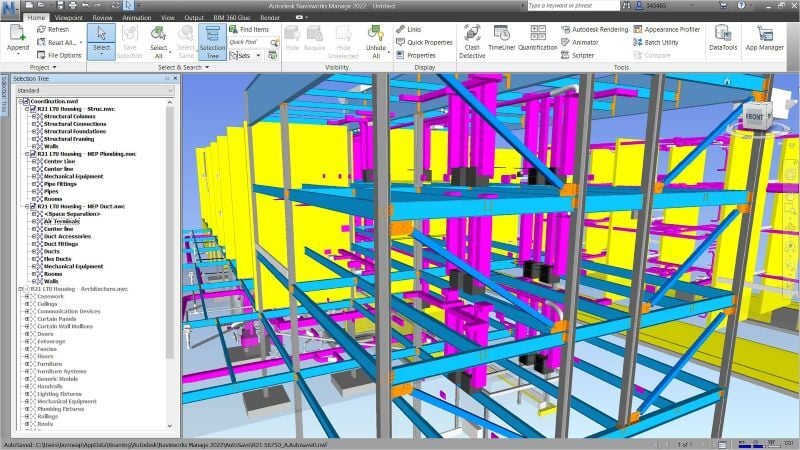
Navisworks is widely used for model coordination and clash detection. When integrated with automation processes, it helps identify issues early and supports smoother project coordination. - pyRevit
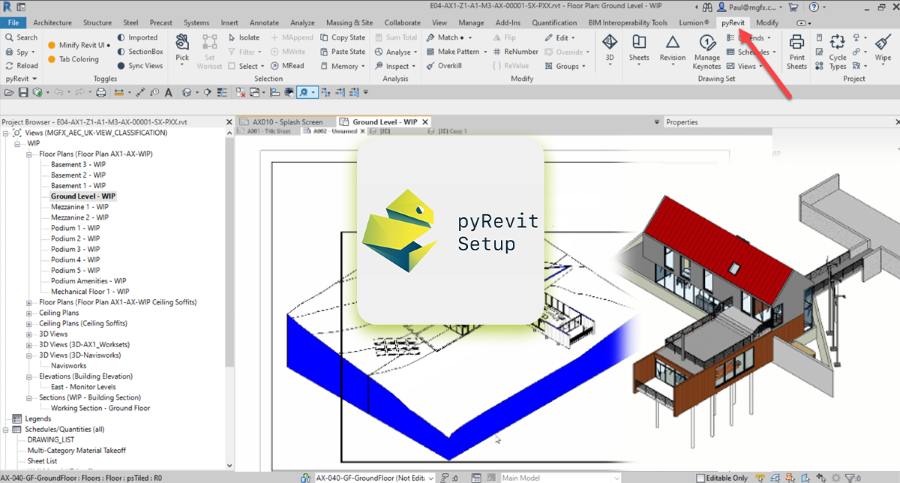
pyRevit is an open-source plugin that allows advanced customization within Revit. It enables specialists to create scripts and tools that improve workflow efficiency. - DiRoots Tools
DiRoots offers a set of utilities that support automation in documentation, data management, and model organization. These tools help reduce repetitive manual work.
These tools define the daily workflow of a BIM automation engineer, helping improve productivity and accuracy across projects.