


.png)

What Does a Typical MEP BIM Course Syllabus Look Like Week-by-Week?
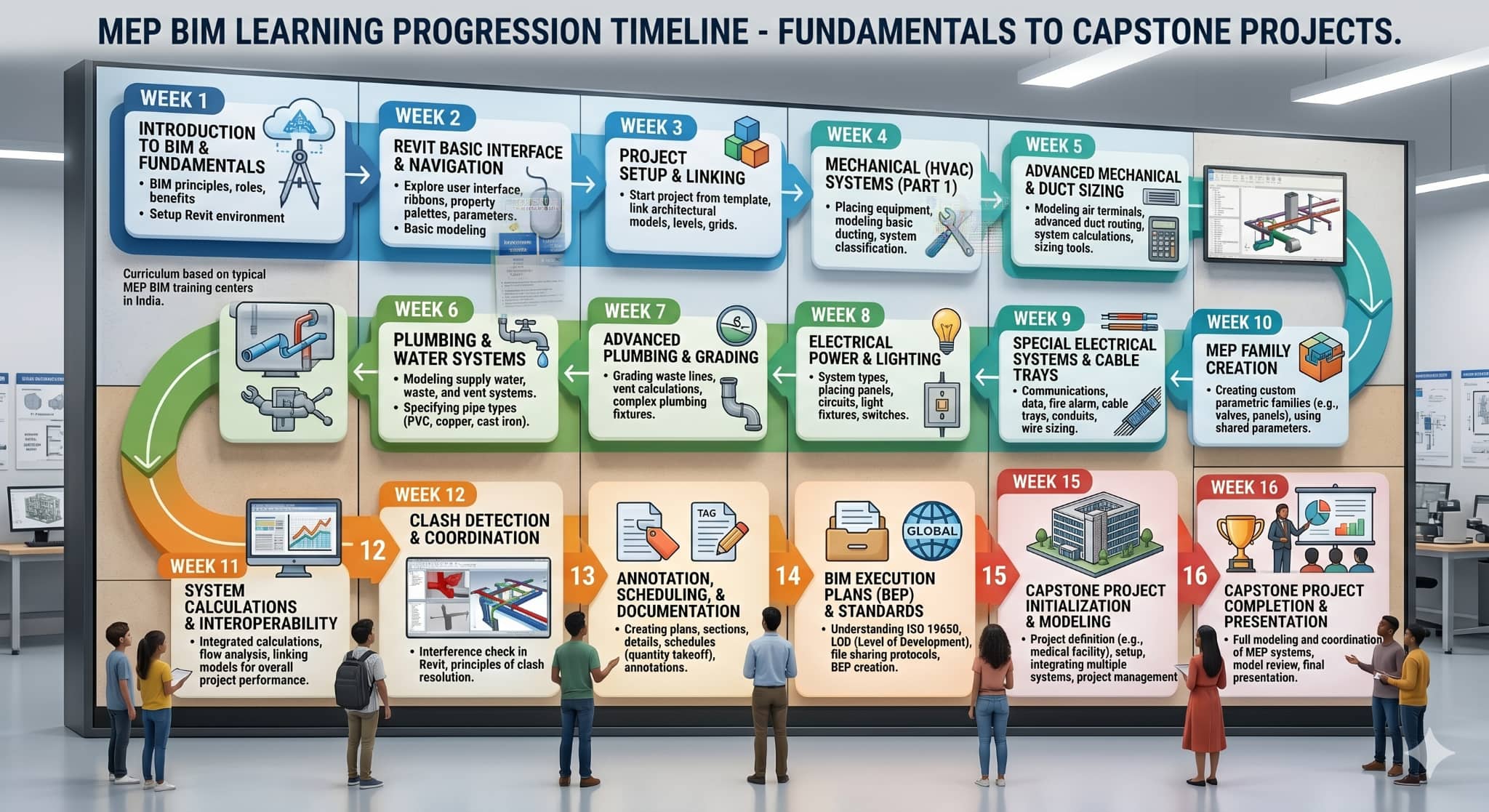
Most beginners entering an MEP design course are not immediately introduced to advanced coordination workflows. The learning process usually starts slowly because understanding building systems first makes software easier later.
During the first phase, learners are introduced to the basics of services used inside buildings and this is how MEP course is structured for beginners:
Weeks 1–2
-
Understanding what is MEP and how services function together
-
Basics of HVAC, plumbing, electrical, and fire systems
-
Reading simple construction drawings
-
Introduction to the role of an MEP engineer
-
Understanding construction terminology
Weeks 3–4
-
Introduction to BIM workflows
-
Difference between CAD drafting and BIM-based modeling
-
Basics of coordinated building models
-
Understanding digital documentation
-
Introduction to BIM MEP collaboration workflows
-
At this stage, BIM becomes easier to relate to practical coordination.
Weeks 5–7
-
HVAC duct layouts
-
Plumbing and piping systems
-
Electrical routing basics
-
Schedules and annotations
-
Topics generally included in a Revit MEP course
-
This is often where learners spend the most time practicing. Routing services through limited ceiling space begins to show why coordination matters so much in projects.
Weeks 8–9
-
Clash detection basics
-
Introduction to Navisworks
-
Coordination review workflows
-
Understanding routing conflicts
-
Multi-disciplinary coordination practices
Weeks 10–12
-
Integrated BIM projects
-
Quantity extraction
-
Documentation workflows
-
Sheet preparation
-
Final project reviews and presentations
This structure helps learners clearly understand what do you learn in MEP course week by week through a more practical learning approach. It also explains how MEP courses are structured for beginners entering BIM-based workflows for the first time.
How Do Foundational Modules Build Core MEP and BIM Understanding?
Training in MEP generally starts with building systems and not software systems. Students will learn how services are designed according to the nature of the building itself.
Common basic modules include:
-
Ventilation and HVAC air flow
-
Plumbing and drainage
-
Electric loads
-
Fire protection systems
-
Water supplies
Construction drawings are also introduced early in the course, including:
-
Plans, sections, and elevations
-
MEP layouts
-
Drafting symbols
-
Coordinated service drawings
-
Documentation standards
Most programs also introduce BIM basics during this stage, such as:
-
BIM workflows
-
CAD vs BIM
-
coordinated building models
-
discipline coordination
-
digital collaboration basics
The course may also touch on practical industry topics like:
-
Construction project stages
-
Site coordination
-
Consultant and engineer roles
-
Project communication
-
Coordination challenges during execution
These modules help explain what is included in MEP course syllabus before advanced workflows begin.
Also Read: Predicting MEP System Failures Using Real-Time Sensor Data
What Skills Are Developed in Core, Collaboration, and Capstone Phases?
In the latter stages of the course, learners move away from learning theory to learning through project management. Learners begin handling coordinated BIM tasks instead of only practicing software tools.
Core Technical Skills
This part of the training may include:
-
HVAC layouts
-
Plumbing and piping workflows
-
Electrical system modeling
-
Equipment scheduling
-
BIM documentation
-
Service coordination basics
Collaboration and Coordination Skills
In most projects, multiple teams work on the same building model. Because of this, coordination becomes an important part of MEP engineering workflows.
This stage often includes:
-
Clash detection
-
Shared BIM workflows
-
Routing conflict resolution
-
Coordination reviews
-
Team communication
-
Multi-disciplinary coordination
Capstone and Project Delivery Skills
Capstone projects are generally planned around practical project conditions.
Learners often work on:
-
Integrated building simulations
-
Coordinated service layouts
-
Documentation preparation
-
Quantity schedules
-
BIM sheet organization
-
Final project presentations
This phase introduces learners to coordinated project conditions. It also gives a clearer answer to what skills will you gain from MEP course before entering internships or professional roles.
Which Software, Tools, and Workflows Are Covered in a BIM MEP Course?

Software training forms a major part of BIM MEP learning because most modern projects now rely on coordinated digital workflows instead of isolated drafting methods.
Autodesk Revit MEP
This is generally the primary software covered during MEP training.
Learners usually work on:
-
HVAC modeling
-
Plumbing layouts
-
Electrical systems
-
Schedules and annotations
-
Coordinated routing
-
BIM documentation workflows
A large part of the course is spent inside Revit because it is widely used across coordinated building projects.
Navisworks
Navisworks is generally introduced during coordination stages.
Typical workflows include:
-
Clash detection
-
Model navigation
-
Coordination analysis
-
Multi-disciplinary integration
-
Coordination reviews
This is often where coordination workflows begin feeling much closer to actual construction projects.
AutoCAD
Even with BIM adoption increasing, AutoCAD still remains relevant in many projects.
The course may also include:
-
Basic 2D drafting
-
Layout preparation
-
Service detailing
-
Construction reference drawings
Learners are also introduced to shared models, coordination reviews, file management, and communication between teams during BIM projects.
Also Read: Top 10 MEP Engineering Courses in India
How Do Real Projects and Simulations Translate Into Job-Ready Skills?
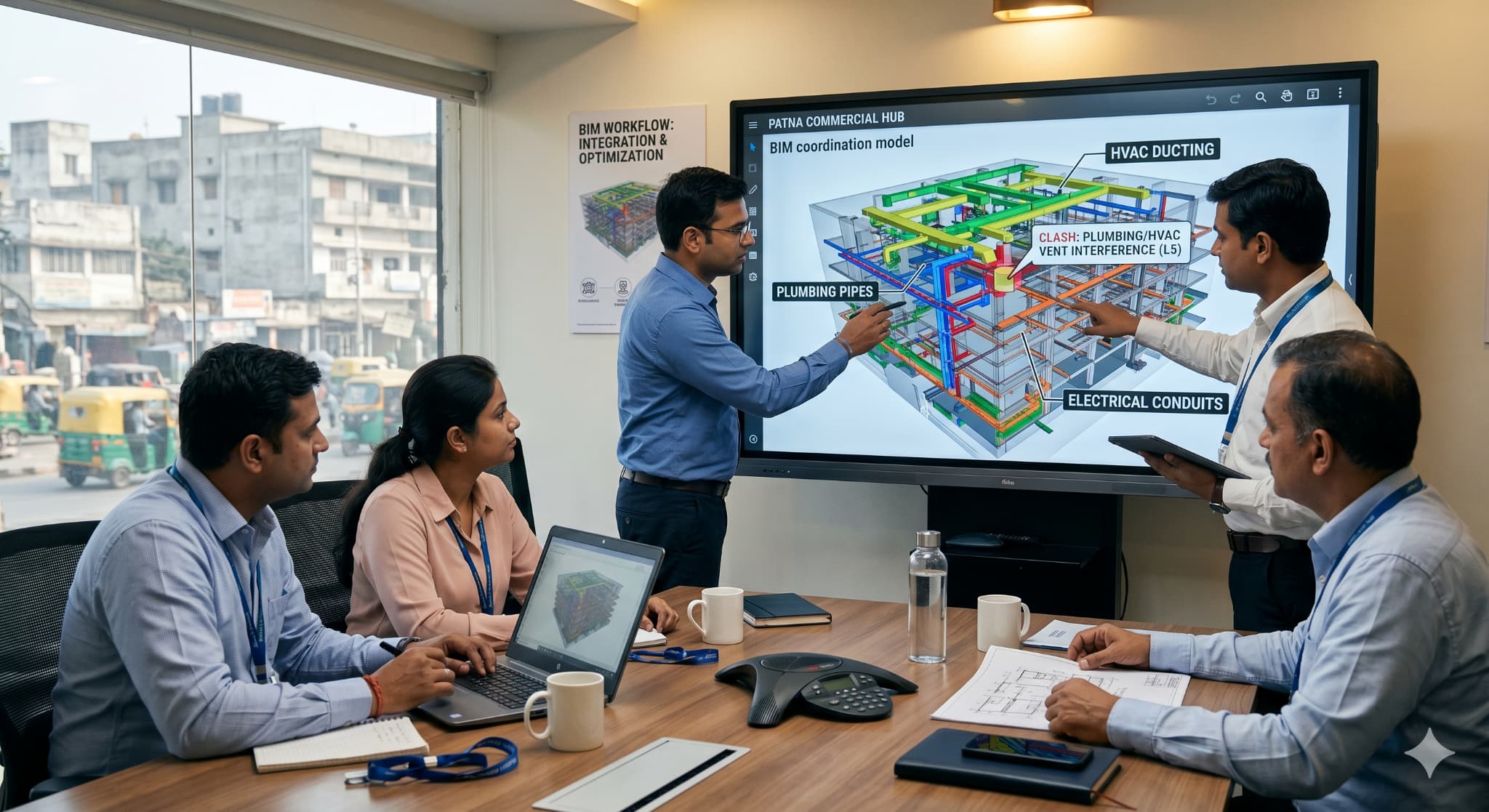
Most learners understand coordination better once they begin working on project-based exercises instead of isolated software tasks. That is why simulations, coordination tasks, and model-based assignments are included in many MEP course programs.
In this stage, learners may work on:
-
Residential and commercial building models
-
Service routing and coordinated layouts
-
Clash detection between systems
-
BIM sheets and working drawings
-
Quantity extraction and documentation
-
Model updates and revision tracking
These exercises are useful because they show how small coordination decisions can affect installation space, construction timelines, and other disciplines working on the same project.
By the final stage, many learners are more comfortable handling coordinated BIM workflows instead of isolated drafting tasks.


.png)
.png)
