---
title: MEP Modelling in Revit for Faster System Design 2026
description: Learn how MEP modelling in Revit improves speed, accuracy, and coordination in system design with smarter workflows and BIM tools.
image: https://blog.novatr.com/hubfs/Blog%20Image%20(20).png
---
[Blogs](https://www.novatr.com/learning-hub)
- [Architecture & Construction](https://www.novatr.com/learning-hub?category=Architecture+%26+Construction)
- [BIM](https://www.novatr.com/learning-hub?category=BIM)
- [Computational Design](https://www.novatr.com/learning-hub?category=Computational+Design)
- [Company News](https://www.novatr.com/learning-hub?category=Company+News)
- [Expert Talks](https://www.novatr.com/learning-hub?category=Expert+Talks)
Explore Courses
[Just Launched  BIM Professional Program v.2026 Take your career to the next level by mastering the real-world application of BIM. Know More](https://www.novatr.com/courses/bim-professional-program)
[ Master Computational Design Course Break into an advanced career by learning to apply the power of computation to the art of design. Know More](https://www.novatr.com/courses/computational-design)
[Blogs](https://www.novatr.com/learning-hub)
Explore Blogs
- [Architecture & Construction](https://www.novatr.com/learning-hub?category=Architecture+%26+Construction)
- [BIM](https://www.novatr.com/learning-hub?category=BIM)
- [Computational Design](https://www.novatr.com/learning-hub?category=Computational+Design)
- [Company News](https://www.novatr.com/learning-hub?category=Company+News)
- [Expert Talks](https://www.novatr.com/learning-hub?category=Expert+Talks)
Courses
- [BIM Professional Program v.2026](https://www.novatr.com/courses/bim-professional-program)
- [Master Computational Design](https://www.novatr.com/courses/computational-design)
- [MEP/](https://www.novatr.com/learning-hub?category=BIM)
Featured Article
# MEP Modelling in Revit: Faster and Smarter System Design

Neha Singh
May 12, 2026
5 min read
.png)

MEP modelling is an important part of a building project today that enables mechanical, electrical and plumbing engineers to design the systems in a co-ordinated manner. Using tools such as Revit MEP, teams can define accurate system layouts, minimize clashes, and bring projects to fruition in a timely manner.
The adoption of BIM has proven to be a game-changer in the construction industry, as evidenced by recent industry reports that show it can optimize projects up to 20-30%. Professionals can gain more control of highly complex systems through the use of BIM modelling and smart tools.
The process of understanding how Revit supports this process will help the team to build a system that will deliver faster and more reliable designs.
## **Key Takeaways**
- Modelling in MEP for Revit is used efficiently for design and management of building systems.
- Revit families and Revit parameters enhance accuracy and speed.
- The use of BIM tools can help to improve coordination and minimize errors.Using BIM tools can improve coordination and the minimisation of errors.
- Structured Revit workflow, enhances team productivity.
- In projects that involve BIM, having close coordination brings better results.
Unlock High-Paying Careers With BIM
Master BIM workflows, software and skills on real projects.
Apply Now
\*Limited seats available
## **What Is MEP Modelling in Revit and How Does It Work?**
Professionals use Revit MEP for designing HVAC, lighting, piping and fire protection systems. These systems are not only drawings but also intelligent systems with data.
### **How it works:**
- The Revit design tools are used by engineers to draw system layouts.
- The components are added by means of Revit families.
- Revit parameters are used to control data.
- The systems are connected and analyzed in the model.
This process will facilitate a parametric design, which will enable automatic updating of similar parts when changes occur in one part. This aids to reduce manual tasks and consistency.
## **How Do Families and Parameters Improve Productivity in Revit MEP?**

The use of Revit families and Revit parameters can be key to efficiency in MEP design. These assist users in normalizing parts and in repetitive processes.
### **The goal of Revit Families is to:**
- Ordering of parts that are built to order like duct, pipe, and fixtures.
- Support Revit families for MEP system design
- Develop consistency among projects.
### **The role of Revit parameters is to:**
- Manage size, material and performance data
- Explain what are parameters in Revit MEP.
- Provide for rapid updating throughout the model
### **Productivity Benefits:**
- More models in less time, using reusable elements.
- Standardisation to minimise errors
- Enhanced ease of change for changes in design.
It also helps in improving MEP productivity using Revit, by minimizing manual data entry.
## **How Does Revit Enable Faster and More Accurate MEP System Design?**
By combining design and data in one place, Revit accelerates and enhances speed and accuracy. This helps the teams to work more efficiently than regular teams.
### **Key advantages:**
- Automated updates: changes will be reflected immediately in the model
- Conflict detection: Spot conflicts between systems early on
- Correct calculations: Carries out load analysis and system sizing
- Sustained application of the system: links Revit design and documentation
BIM tools can be used to simulate the performance of the system before construction, which helps teams make better decisions.
### **Affects MEP Design:**
- Faster project delivery
- Reduced rework
- Improved design quality
This is why Revit workflow is so critical when it comes to MEP design workflows today.
## **Why Is MEP Coordination Critical in BIM-Based Projects?**
In the case of BIM-based projects, multiple teams work on the same model.
The MEP modelling of systems ensures that it fits in the building structure.
### **Importance of coordination:**
- Avoids duct and pipe conflicts with structure
- Enhances team communications
- Avoids need to change things on site that are expensive
- Ensures systems are designed to meet the requirements
### **How Revit can be used for coordination:**
- Common schemas for all subjects.
- Instant team-to-team updates
- Good visibility of system layouts.
**BIM modelling** brings to coordination a more structured and efficient approach. This means fewer construction problems and better results of the projects.
## **What Tools and Features in Revit Improve MEP Workflow Efficiency?**
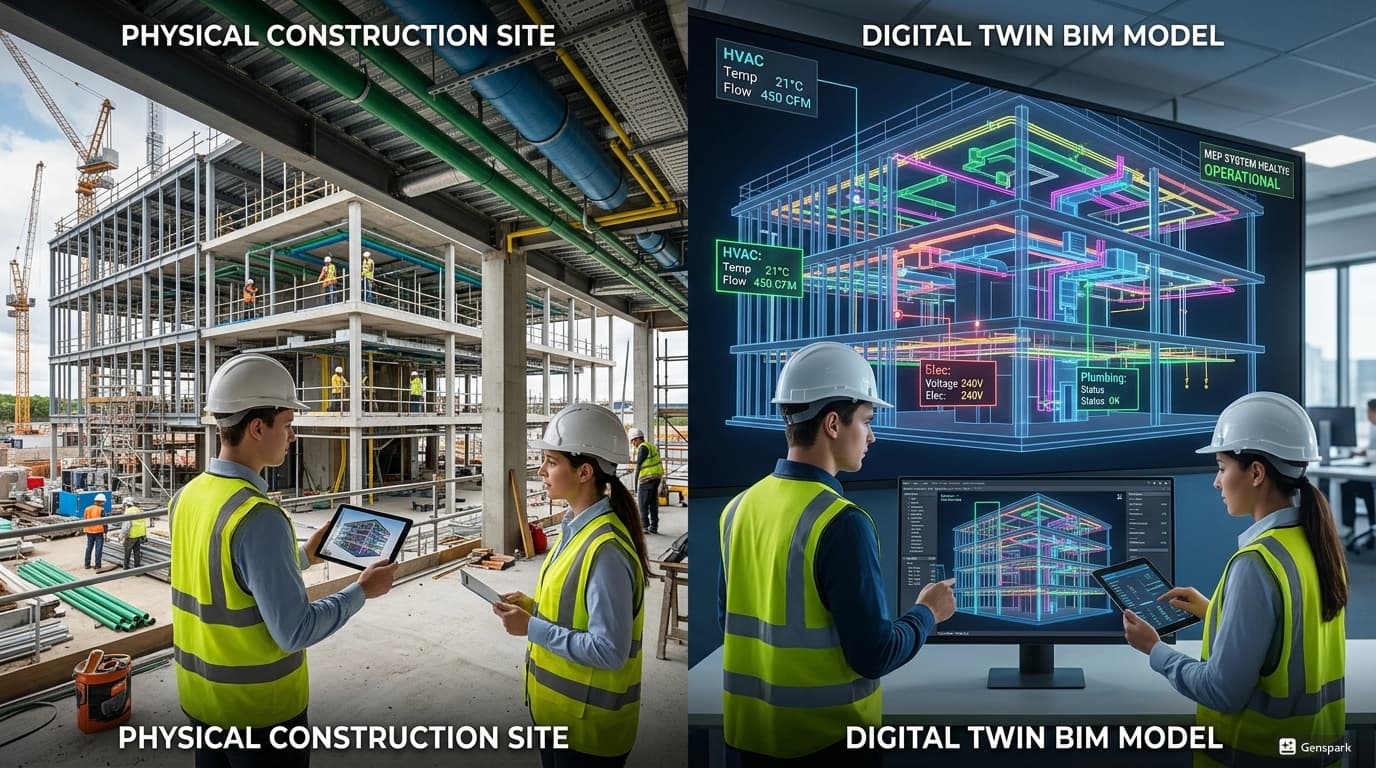
The key tools and features are:
### **1. System Creation Tools**
- Develop HVAC, piping and electrical systems.
- Automate connections between components
### **2. Clash Detection Tools**
- Be able to recognize conflicts between systems
- Minimize coordination problems at an early stage
### **3. Scheduling Tools**
- Develop material and equipment plans
- Work to improve planning and costing.Work to enhance planning and cost estimating.
### **4. Parametric Design Capabilities**
- Provide assistance with parametric design for flexibility of modeling.
- Make it easier to make a design change.
### **5. Templates and Standards**
- Identify families that can help how to standardize MEP design using families.
- Have consistency in projects.
### **Workflow Benefits:**
- They're faster than they used to be with the models and updates.
- Better data management
- Improved collaboration
The ability to how to use families and parameters in Revit enables a team to take full advantage of these features and improve team productivity.
## **What Common Challenges Do Professionals Face in MEP Modelling in Revit?**
MEP modelling can provide a lot of advantages, but there may be some issues for professionals to face in implementing it.
### **Common challenges:**
It can be difficult to keep track of large and detailed models.Large and complex models can be a challenge to work with.
- **Workflow Inconsistencies:** Revit families aren't used consistently throughout the workflow.
- **Coordination Issues:** Conflict and delays due to lack of communication
- It takes time to know the parameters of Revit and how to use them, and it takes time to learn to use them.
- **Performance Issues:** If there is a lot of model data it can impact performance.
### **Here are some solutions to these problems:**
- Please fill out standard forms and family sheets.
- Adhere to Revit workflow within Revit.
- Provide ongoing training to teams on BIM tools.
- Communicate between teams effectively to ensure every team member is on the same page.
These issues can be addressed to enhance efficiency and optimize the project.
Master BIM and Get Hired Faster
Join a community of 8500+ Architects and Engineers.
Explore Now
\*Limited seats available
## **Conclusion**
MEP modelling speeds up and reduces the errors in building systems design in Revit. Revit families, Revit parameters, and organized workflows help minimize error and enhance coordination.The tools available in Revit MEP help to facilitate efficient system design and improve project outcomes.
These are the skills which are increasingly vital in the BIM industry as more and more people are adopting BIM. For developing expertise take a [BIM Course for MEP Engineers](https://www.novatr.com/courses/bim-for-mep-engineers) from [Novatr](https://www.novatr.com/), focusing on real-world projects and practical skills.
Visit the [resource page](https://www.novatr.com/learning-hub) to discover more about BIM, Revit and industry workflows.
## **FAQs**
### **1. What is MEP modelling in Revit?**
MEP modelling in Revit is the process of building digital models of mechanical, electrical and plumbing systems with BIM.It helps to design, research and operate systems for buildings in an effective way.
### **2. How does MEP modelling work in Revit?**
This is achieved by generating system layouts with Revit MEP tools, adding components via Revit families and handling data with Revit parameters which enable real time updates and coordination.
### **3. Why is MEP modelling important in building design?**
It supports the development of a clear design of the systems without any clashes to enhance coordination and provide a project with the assistance of BIM modelling and advanced BIM tools.
Was this content helpful to you
Like Yes
Dislike No
.png)
TABLE OF CONTENTS
BIM Is The New Standard. Are You Certified?
Get Certified in BIM
SHARE ON YOUR SOCIALS
Link Copied Successfully
Related articles
[ MEP How BIM Integrates with Smart Building Systems in MEP Projects? 13 May 2026 5 min read](https://blog.novatr.com/blog/bim-integration-with-smart-building-systems-in-mep) [.png) MEP Optimizing HVAC System Design Using BIM Models 13 May 2026 4 min read](https://blog.novatr.com/blog/optimizing-hvac-system-design-using-bim-models) [.png) MEP What’s Missing in Most BIM MEP Courses? (Red Flags to Watch Out For) 21 May 2026 4 min read](https://blog.novatr.com/blog/bim-mep-course-gaps-what-to-avoid) [.png) MEP Digital Twin for MEP Engineers: Extending BIM into Building Operations 14 May 2026 6 min read](https://blog.novatr.com/blog/digital-twin-for-bim-operations)
Download Syllabus
## BIM Professional Program
Next Cohort
June 2026
Program Duration
7 Months
Premium Program benefits
8 Credentials from Autodesk, NSDC, Novatr
1 program. 10 career paths. Infinite Growth.
40+ ISO 19650 & RIBA real-world projects to practice
1-on-1 guidance. Access 400+ industry experts.
Access the biggest AEC-Tech community on the planet. 8500+ and counting
Curated for you by 100+ global BIM leaders.
Lifelong access to course content
Enter your details to download the program syllabus.
##### BIM Professional Program
June 2026, 7 Months
Your Name Invalid name.
Phone Number Enter a valid phone number
Email Please enter a valid email address.
Select years of experience\* Currently studying 0-1 years 1-2 years 2-4 years 4-8 years 8-10 years 10-12 years 12+ years Invalid selection.
Specialisation Select your background\* Architecture Civil Engineering Mechanical Engineering Electrical Engineering Invalid selection.
Are you professionally trained in interior design?
Yes
No
I agree to the [Terms of Use](https://www.novatr.com/terms-and-conditions) and [Privacy Policy](https://www.novatr.com/privacy-policy), and consent to be contacted by Email, Call, WhatsApp, or SMS.
Submit
Ready to skyrocket your career?
Begin your next chapter in AEC
with Novatr!
We are here to help you take the industry by storm with advanced, tech-first skills.
[Explore Courses](https://www.novatr.com/#courses)
Join our newsletter
Submit
Thank you for signing up.
We’ll send you a nice letter once per week. No spam.

Dare to Disrupt.
Join thousands of people who organise
work and life with Novatr.
Company
- [About Us](https://www.novatr.com/about)
- [BIM Professional Program v.2026](https://www.novatr.com/courses/bim-professional-program)
- [Masters Computational Design](https://www.novatr.com/courses/computational-design)
- [Become a Mentor](https://www.novatr.com/apply-as-mentor)
- [Hiring from Us](https://www.novatr.com/hire-from-us)
- [Careers at Novatr](https://www.novatr.com/career)
Resources
- [Blog](https://www.novatr.com/learning-hub)
- [Media Room](https://www.novatr.com/media-room-home-page)
- [Career Builder](https://www.novatr.com/career-navigator)
- [Events & Webinars](https://www.novatr.com/webinars)
- [FAQs & Support Center](https://www.novatr.com/contact-us)
- [Contact Us](https://www.novatr.com/contact-us)
- [Privacy Policy](https://www.novatr.com/privacy-policy)
- [Terms of Use](https://www.novatr.com/terms-and-conditions)
©2023 Oneistox Network Pvt. Ltd.
All Rights Reserved
```json
{
"@context" : "https://schema.org",
"@type" : "BlogPosting",
"author" : {
"@type" : "Person",
"name" : "Neha Singh",
"url" : "https://blog.novatr.com/blog/author/neha-singh"
},
"dateModified" : "2026-05-13T04:59:42.689Z",
"datePublished" : "2026-05-12T10:41:27.000Z",
"headline" : "MEP Modelling in Revit for Faster System Design {{year}}",
"image" : [ "https://blog.novatr.com/hubfs/Blog%20Image%20(20).png" ],
"mainEntityOfPage" : {
"@id" : "https://blog.novatr.com/blog/mep-modelling-in-revit-for-faster-system-design",
"@type" : "WebPage"
},
"publisher" : {
"@type" : "Organization",
"logo" : {
"@type" : "ImageObject",
"url" : "https://blog.novatr.com/hubfs/Novatr%20Prev%20OX-2.svg"
}
}
}
```