
What Is Solibri?
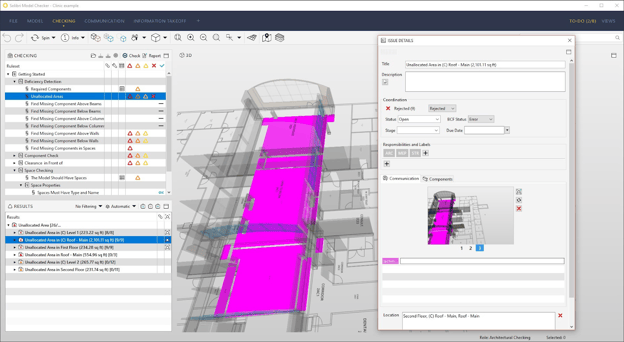
To clearly define what is solibri in a BIM context, Solibri is a software platform designed specifically for checking, validating, and coordinating BIM models created in other authoring tools. It does not produce drawings, geometry, or parametric elements. Instead, it evaluates whether existing models meet predefined rules, standards, and information requirements.
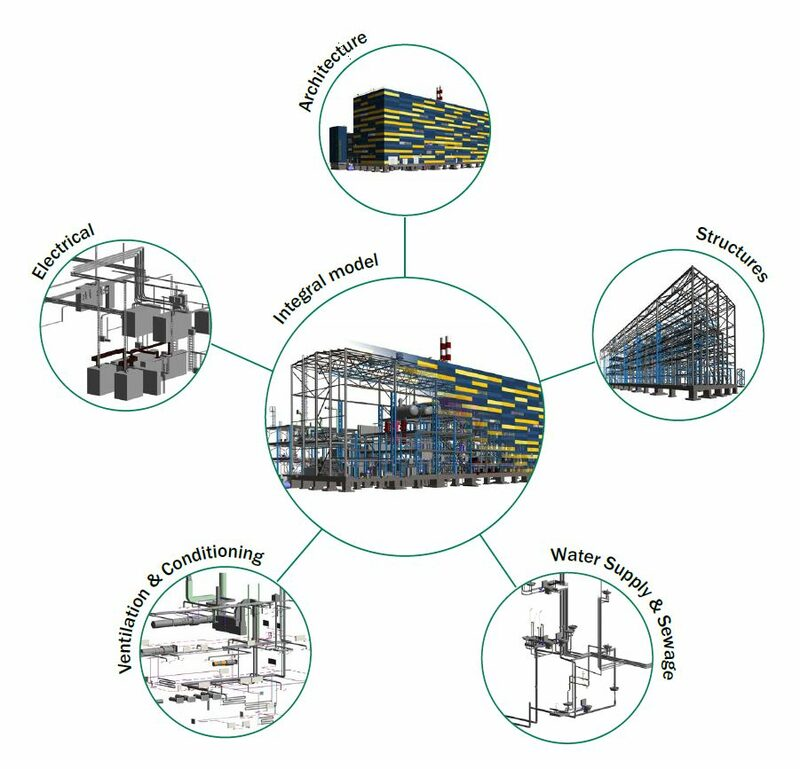
As a Solibri model checker, the software reviews IFC-based models for data completeness, spatial coordination, logical consistency, and compliance with project-specific requirements. This makes Solibri especially useful on complex projects where architectural, structural, and MEP models are developed simultaneously by different teams.
Within broader BIM Solibri workflows, Solibri acts as a neutral environment for structured model review. Design teams submit models for checking, while BIM coordinators and engineers assess quality and coordination without modifying original files.
Who Uses Solibri in a BIM Project?
Solibri is primarily used by professionals responsible for coordination, validation, and compliance rather than direct model authoring. These roles typically operate between design production and construction planning, ensuring that information handed over is reliable and coordinated.
Common users include:
- BIM coordinators managing interdisciplinary coordination
- BIM managers overseeing standards, audits, and deliverables
- Engineers reviewing models for constructability and compliance
- Owner or consultant teams conducting independent model reviews
In projects where Revit is used for authoring, revit solibri workflows are common. Models are exported to IFC and reviewed in Solibri to keep coordination checks independent from the design environment and aligned with OpenBIM practices.
Because Solibri also functions as a solibri bim viewer, it allows non-authoring stakeholders such as project managers, client representatives, and reviewers to participate in model reviews. This improves transparency and reduces communication gaps during coordination meetings.
Key Use Cases of Solibri for BIM Coordinators and Engineers
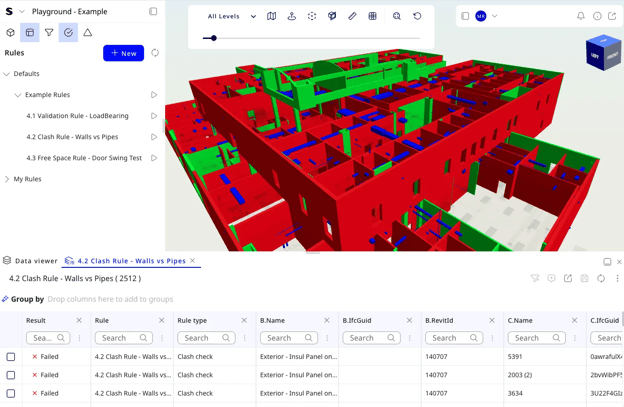
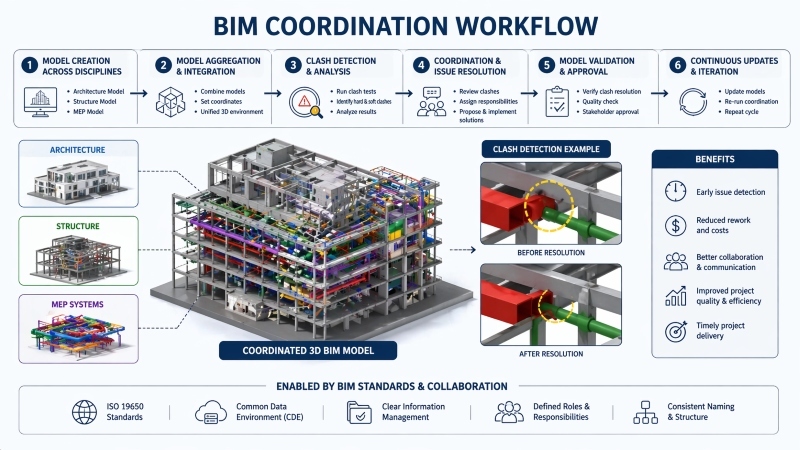
Image: AI-generated
Alt text: Clash detection in the Solibri software.
Solibri is applied across multiple stages of the BIM lifecycle, from early coordination through pre-construction validation. The following use cases explain how it supports BIM coordinators and engineers in practice.
1. BIM Model Quality Checking
BIM coordinators use Solibri to confirm that models follow agreed project standards before they are shared further. This includes checking element classification, required attributes, naming conventions, and model structure. As an IFC viewer Solibri, the platform ensures that shared models remain structured, readable, and usable across software environments.
2. Clash Detection and Coordination
Solibri supports clash detection solibri workflows by identifying physical conflicts, clearance issues, and spatial overlaps between disciplines. Instead of relying on raw geometry intersections, Solibri applies rule-based logic that helps teams focus on meaningful coordination problems.
3. Rule-Based Compliance Checks
Engineers use Solibri to validate models against project-specific rules, internal standards, or regulatory criteria. These checks can address accessibility requirements, minimum clearances, fire safety constraints, and coordination rules that are difficult to verify through manual review.
4. Issue Tracking and Communication
Detected issues are grouped, categorized, and documented within Solibri. Each issue includes references to model elements, locations, and rule violations. This structured issue management allows BIM coordinators to communicate feedback clearly and consistently to design teams.
5. Progressive Model Review
As models evolve through design development, Solibri is used repeatedly to confirm that updates do not introduce new coordination or compliance issues. This progressive review process improves consistency across milestones and supports smoother approvals during later project stages.
Why Navisworks Is a Better Alternative?
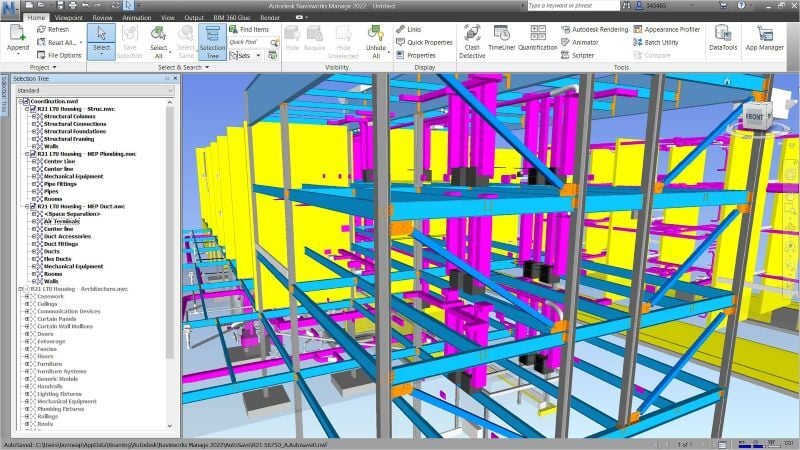
In certain project scenarios, Navisworks may be considered a better alternative depending on coordination objectives. Comparisons such as Navisworks vs Solibri often arise during BIM execution planning.
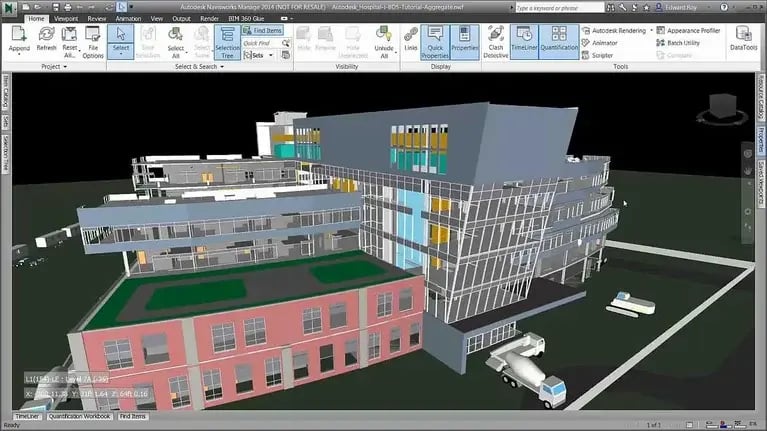
Navisworks is frequently preferred on construction-driven projects where visualization, sequencing, and contractor coordination are priorities. Its ability to aggregate models, simulate construction timelines, and support 4D workflows makes it well suited for site-focused coordination.
In discussions around Solibri vs Navisworks, the distinction is functional rather than competitive. Solibri focuses on rule-based validation, compliance checking, and OpenBIM workflows. Navisworks emphasizes model aggregation, visualization, and construction sequencing.
Understanding these differences allows teams to select tools based on project delivery needs rather than assuming one platform replaces the other.
Best Way To Learn Navisworks and Upskill Your BIM Career
As BIM roles continue to evolve, professionals benefit from understanding both validation-focused and construction-focused coordination tools. Learning how Solibri and Navisworks complement each other improves long-term adaptability and career flexibility.
Effective upskilling typically involves:
- Building a strong foundation in BIM coordination principles
- Learning model checking and validation concepts through Navisworks
- Developing construction coordination and visualization skills using Navisworks
Structured learning programs like Novatr BIM Professional Course for Civil Engineers emphasize applied workflows help professionals move beyond software-specific tasks. Training built around real project scenarios enables learners to understand how coordination decisions influence design quality, risk management, and construction efficiency.
This balanced skill set is increasingly expected in BIM coordinator and BIM manager roles.