
What Is Nemetschek Software?
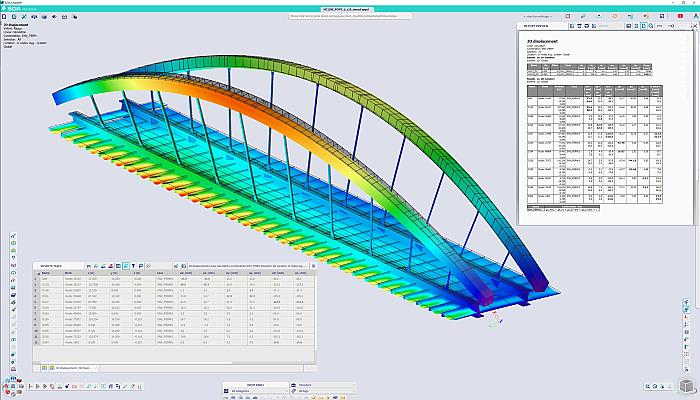
Nemetschek Software refers to a group of specialized BIM and construction technology platforms designed to support different phases of the built environment lifecycle. Instead of a single, centralized system, Nemetschek follows a modular structure where each application focuses on a specific function such as modeling, validation, or documentation.
For civil engineers, this structure aligns well with real project delivery models. Infrastructure projects often involve separate consultants for design, review, and construction supervision. OpenBIM standards such as IFC allow each stakeholder to work within their preferred tool while maintaining data continuity.
This separation of responsibilities reduces dependency on a single software environment and improves transparency during audits, approvals, and design reviews. As a result, Nemetschek tools are commonly adopted on projects that prioritize long-term asset performance and regulatory compliance.
Main Capabilities of Nemetschek Tools for Civil Engineering
|
Capability Area |
Function |
|
BIM Modeling |
Parametric infrastructure and site modeling |
|
OpenBIM Exchange |
IFC-based data sharing |
|
Model Validation |
Rule-based quality checks |
|
Documentation |
Drawing reviews and revisions |
|
Collaboration |
Multi-team coordination |
By distributing responsibilities across purpose-built tools, Nemetschek supports structured decision-making throughout the project lifecycle.
Also Read: What's the Difference between Autodesk and Nemetscheck, And Which Should Engineers Use?
Key Nemetschek Software Civil Engineers Use and Why?
Civil engineering workflows extend beyond drawing creation. Engineers must coordinate geometry, data attributes, and constructability requirements while meeting regulatory standards. Nemetschek tools are selected because they address these layered responsibilities without forcing teams into rigid, closed ecosystems.
Key reasons for multi-tool adoption include:
- Infrastructure projects span long timelines and multiple approval stages
- Independent model checking is often required by public authorities
- Construction teams rely on clear documentation rather than complex models
These factors explain why the Uses of Nemetschek Software for Civil Engineers are structured across design, validation, and execution stages rather than concentrated in a single application.
1. Allplan for Civil and Infrastructure Modeling
Allplan is widely used for BIM-based infrastructure and site modeling. Many professionals ask what is Allplan, particularly when transitioning from traditional CAD tools.
Allplan BIM software combines precise geometry with BIM intelligence, allowing engineers to model roads, bridges, retaining walls, and terrain while embedding construction data. In practice, Allplan in engineering supports both early design development and detailed construction documentation within a single model environment.
Allplan also enables engineers to manage complex geometries such as curved alignments, variable cross-sections, and layered assemblies. These capabilities are especially valuable in infrastructure projects where minor geometric inconsistencies can lead to major construction issues.
Typical Allplan Applications in Civil Projects
|
Project Type |
Application |
|
Roads and Highways |
Alignment and cross-section modeling |
|
Bridges |
Structural components and reinforcement |
|
Site Development |
Grading and terrain coordination |
|
Utilities |
Integrated drainage and utility layouts |
From an execution standpoint, Allplan construction workflows allow design intent to remain connected to quantities and detailing, improving cost planning and constructability reviews.
2. Solibri for Model Checking and Quality Control
Solibri is primarily used after design modeling to validate BIM data. As a Solibri model checker, it reviews IFC models against predefined rules related to geometry, data completeness, and regulatory requirements.
Civil engineers use Solibri to conduct independent design checks without modifying the original model. Solibri is also effective for multidisciplinary coordination. When structural, architectural, and utility models are combined, Solibri identifies conflicts that may not be visible in isolated design environments. This improves coordination before drawings are issued for construction.
By shifting quality control earlier in the project lifecycle, Solibri reduces revision cycles and supports smoother construction approvals.
3. Bluebeam Revu for Drawing and Site Coordination
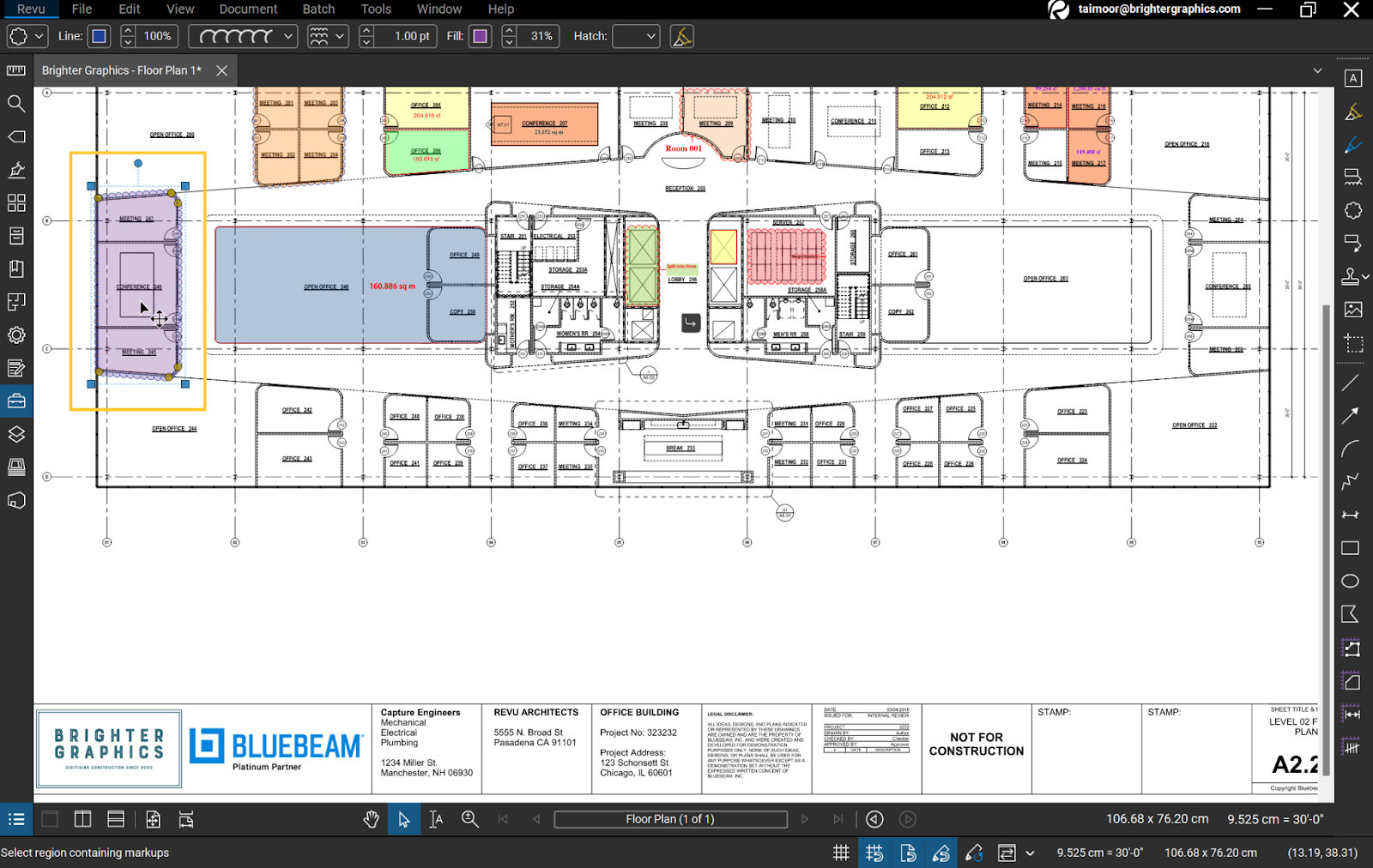
Bluebeam Revu supports document-based workflows that remain essential during construction. Bluebeam for civil engineers is commonly used to review drawings, manage RFIs, and coordinate site-level communication.
Unlike modeling tools, Bluebeam focuses on accessibility. Site engineers, contractors, and inspectors can review and annotate drawings without BIM expertise. This improves response times and reduces misinterpretation of design changes.
Bluebeam Use Across Project Phases
|
Phase |
Use Case |
|
Design Review |
Drawing markups |
|
Construction |
RFI and issue tracking |
|
Site Inspections |
Field annotations |
|
Handover |
As-built documentation |
Bluebeam bridges the gap between BIM data and field execution by translating complex design information into actionable documentation.
Typical Civil Engineering Workflow Using Nemetschek
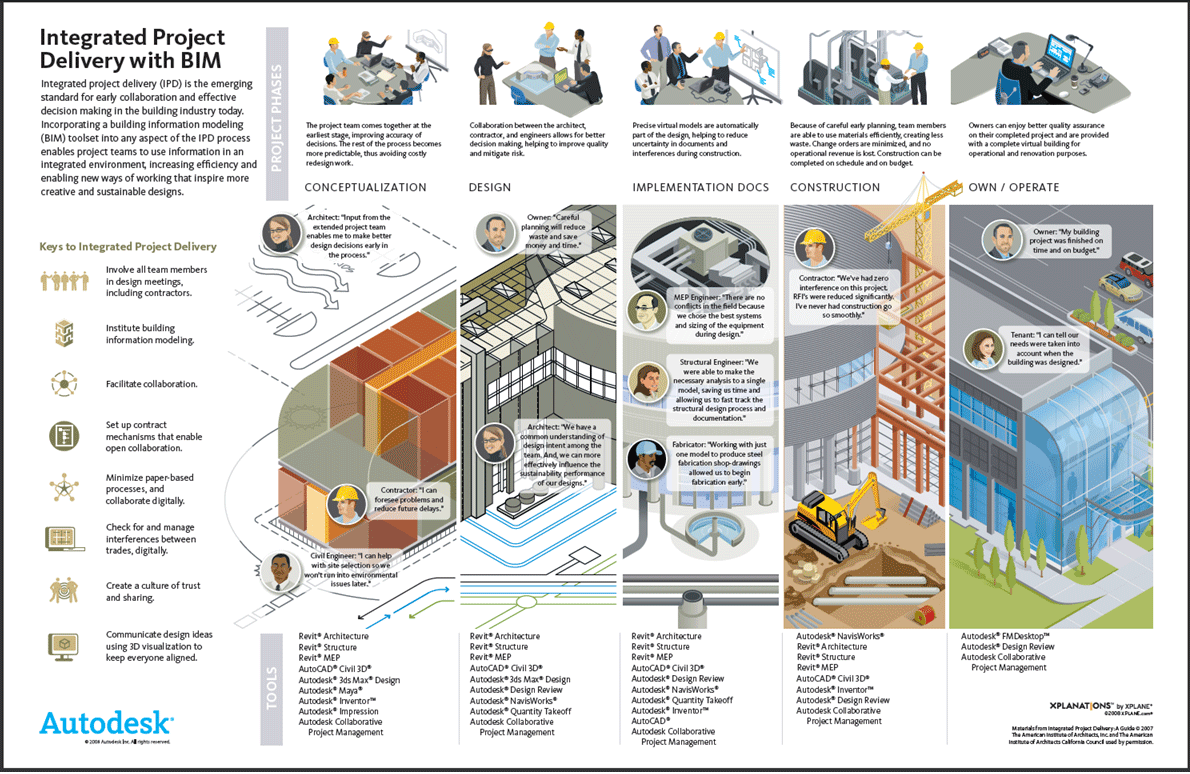
A Nemetschek-based workflow follows a structured BIM process that supports accuracy, accountability, and coordination. Each tool is applied at a specific stage, reducing overlap and confusion.
The workflow typically progresses as follows:
- Infrastructure and site modeling in Allplan
- Data exchange using IFC formats
- Model validation and coordination in Solibri
- Construction communication through Bluebeam
Step-by-Step Nemetschek Workflow:
|
Stages |
Tool |
Outcome |
|
1. Modeling |
Allplan |
Coordinated BIM model |
|
2. Data Exchange |
IFC |
Interoperable data |
|
3. Validation |
Solibri |
Compliance and clash resolution |
|
4. Coordination |
Bluebeam |
Clear construction communication |
This structured approach reinforces why the Uses of Nemetschek Software for Civil Engineers align closely with BIM maturity and project complexity.