.png)

What Is Clash Detection in MEP Projects and Why Does It Matter?
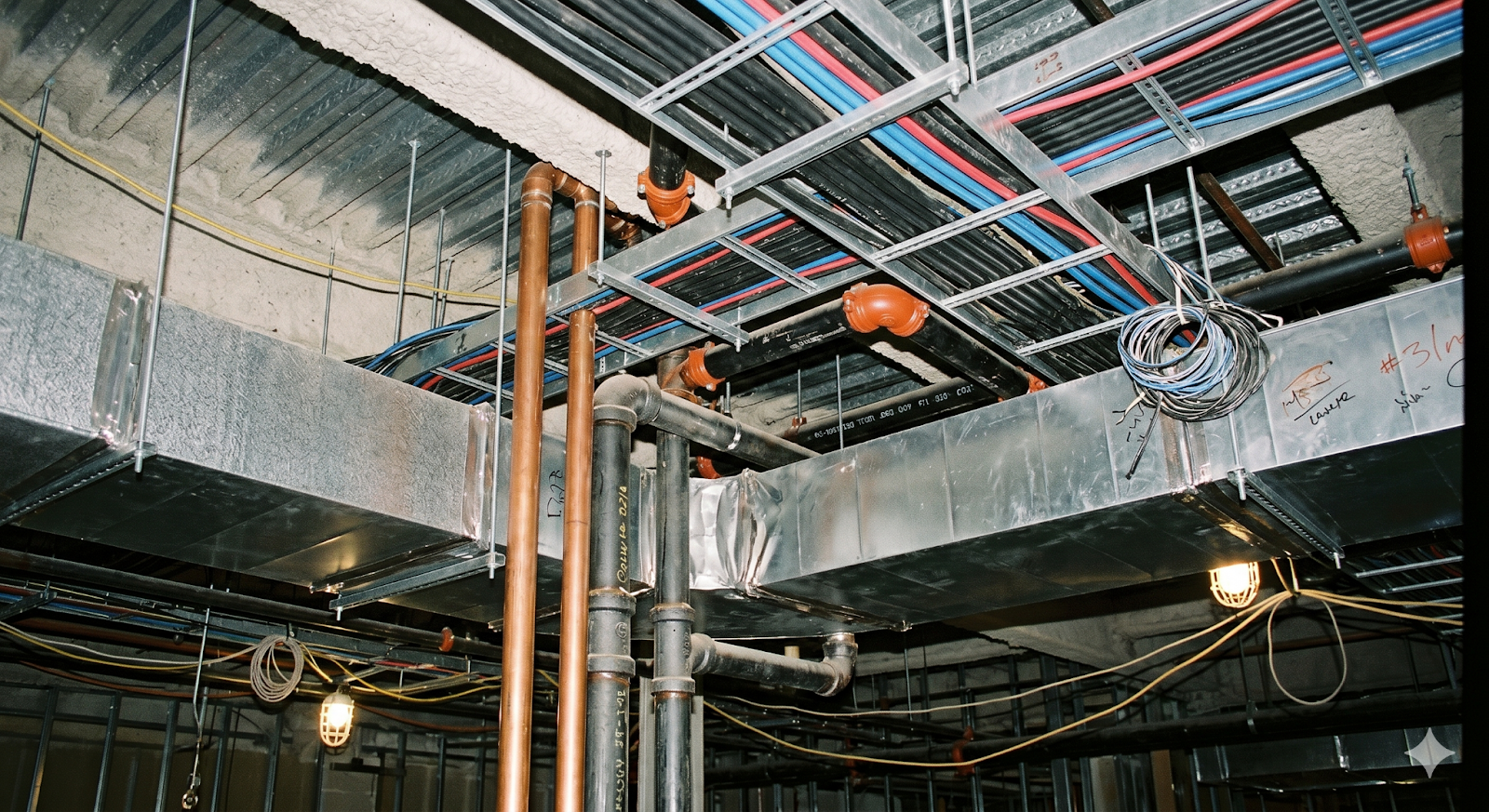
In MEP systems, services like HVAC, electrical, and plumbing usually end up sharing the same space, which often leads to overlaps. Clash detection in MEP projects is used to catch these issues early, before they affect construction.
A few typical situations where problems appear are:
-
Physical clashes between systems
These occur when elements occupy the same space, such as a duct crossing a beam or a pipe intersecting with a cable tray.
-
Space and clearance issues
Even without direct overlap, systems may not leave enough room for installation or maintenance.
-
Design coordination gaps
When teams work separately, layouts may not align properly across disciplines.
-
Impact on construction coordination
Unresolved clashes often lead to on-site adjustments, which affect timelines and costs.
-
Role in BIM workflow
Models from different disciplines are brought together, making it easier to review and coordinate systems.
In most projects, spotting these issues early helps reduce rework and keeps coordination smoother across MEP teams.
How Does Navisworks Automate Clash Detection Across MEP and Structural Systems?
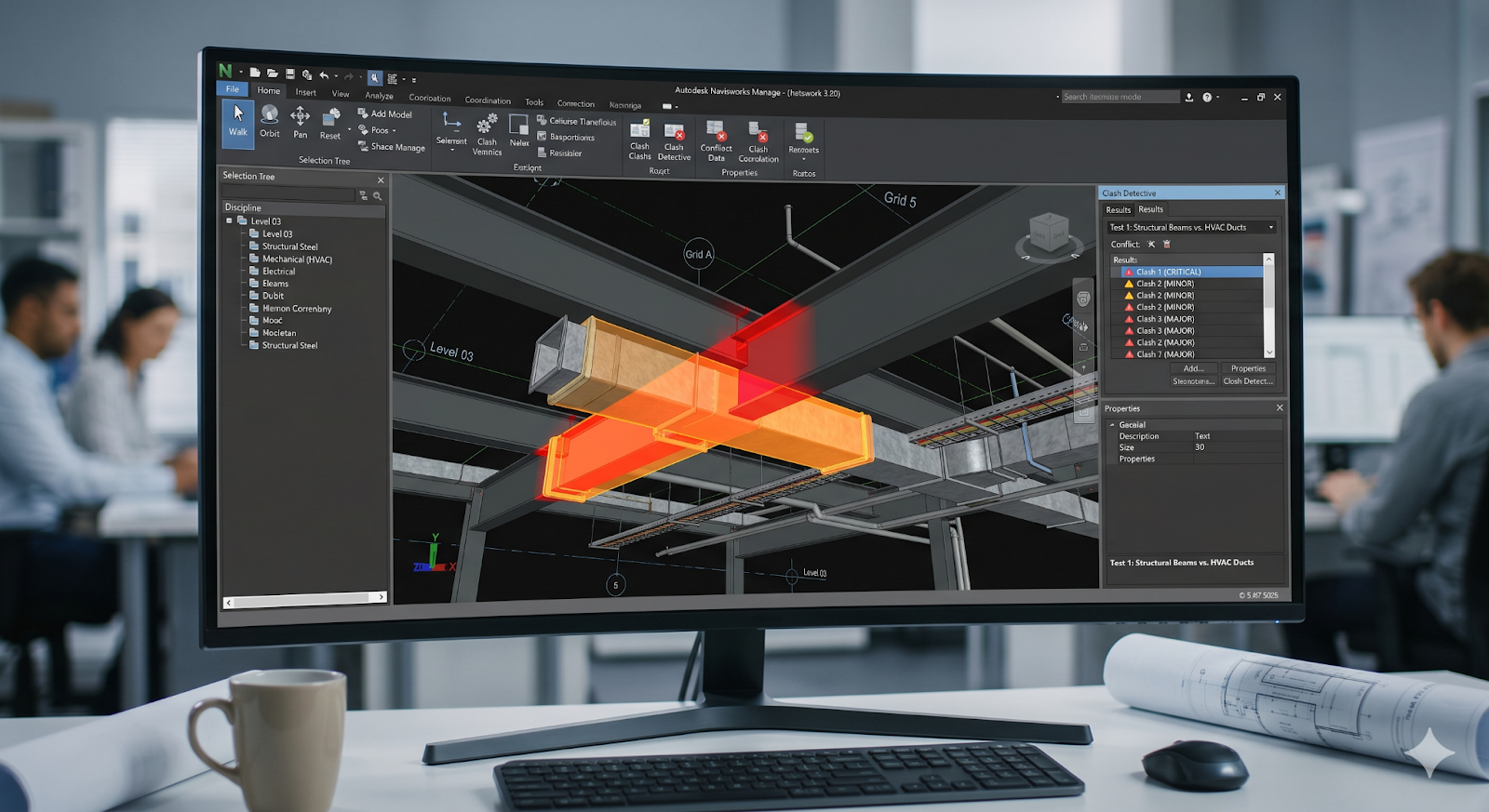
Going through drawings manually takes time, and some conflicts still get missed. Tools like Autodesk Navisworks make this process easier by working with combined models. Instead of reviewing each drawing separately, models from different disciplines are checked together.
This process usually involves:
-
Model Aggregation
Architectural, structural, and MEP systems models are combined into a single environment.
-
Clash detection rules
These rules define how elements are checked against each other. For instance, ducts can be tested against beams, or pipes against walls.
-
Automated clash detection
After that, overlaps start getting picked up automatically by the system.
-
Clash grouping and management
Instead of handling every issue separately, similar clashes are grouped together. This saves time during review.
-
Reporting and tracking
Reports help teams keep track of what has already been resolved. They also show which issues still need attention.
-
Integration with BIM workflow
Teams can coordinate within the same model, improving BIM coordination and collaboration.
This is how clash detection works in BIM workflows and how BIM tools support automated clash detection. In real projects, this reduces manual effort and allows teams to resolve conflicts before construction starts.
What Are the Most Common MEP Design Conflicts Navisworks Helps Identify and Resolve?
Some clashes tend to recur in MEP projects. Spotting them early makes coordination easier later on.
The following are the most common conflicts:
-
Duct vs beam clashes
This usually happens when ceiling space is tight, and ducts end up crossing structural beams.
-
Pipe vs cable tray conflicts
In service areas, plumbing and electrical systems often overlap if routing is not aligned properly.
-
Equipment clearance issues
Equipment may technically fit in place, but there isn't enough room left for access or maintenance.
-
Routing conflicts between MEP systems
Different systems sometimes compete for the same path, especially in congested zones.
-
False ceiling congestion
When ceiling height is limited, ducts, pipes, and lighting all try to fit within the same space.
-
Access and maintenance space issues
Even when systems are installed, insufficient access can create long-term operational problems.
These examples show why clash detection is important in MEP coordination. Handling these issues during the design stage reduces the need for changes later in the project.
How Are AI Tools Transforming Clash Detection and Resolution Beyond Navisworks?
Navisworks is widely used, but newer tools are also changing how clash management is handled. Instead of only identifying conflicts, these tools help decide how to resolve them.
Some changes that are becoming more common include:
-
Prioritizing clashes automatically
Not all clashes have the same impact. Some tools help identify which ones need immediate attention.
-
Suggesting possible solutions
At times, simple design changes are suggested based on system limitations.
-
Identifying recurring patterns
Repeated conflicts can show up earlier and be handled during design.
-
Linking with performance analysis
It also becomes easier to check how design changes affect system performance.
-
Improving coordination between teams
When insights are shared, coordination between different disciplines becomes easier.
How Do Automated Clash Detection Workflows Reduce Rework and Project Delays?
Clash detection can directly affect how a project progresses, especially when it is used early. When issues are picked up during design, they can be addressed before construction starts.
This often results in:
-
Issues are identified early, so problems are resolved before reaching the site.
-
Coordination conflicts are reduced as teams work with coordinated models instead of conflicting drawings.
-
Project timelines improve as delays from rework decrease.
In most cases, this results in better project control and fewer unexpected changes.
How Do MEP Engineers Set Up an Effective Clash Detection Workflow in Navisworks?
For clash detection to work properly, it needs a structured approach. Just running a clash test is usually not enough.
An effective workflow setup should:
-
Bring models from different disciplines into one coordinated setup.
-
Set rules based on how different systems interact.
-
Run Clash tests to pick up conflicts across the model.
-
See the results and prioritize solving critical conflicts.
-
Share every issue with the relevant team for resolution.
-
Update and recheck Models.
-
Track progress through reports over time.
This approach helps improve clash management and keeps coordination smoother within BIM workflows. When followed regularly, clash detection becomes part of the design process rather than a separate step.
What Is the Future of AI-Driven Clash Resolution in MEP Coordination?

Clash detection is gradually moving beyond just identifying issues.
Some changes already becoming visible:
-
Conflicts can be picked up during modeling itself.
-
MEP systems are being planned to avoid clashes from the start.
-
Real-time data is starting to support system performance.
-
Engineers may come across suggestions while working on design decisions.
-
Cloud-based BIM coordination is making collaboration easier across locations.
Overall, the focus is moving towards avoiding clashes early, so there is no need to deal with them later.
.png)