---
title: Build a Strong BIM Portfolio During Your BIM Course 2026
description: Find how to build a professional BIM portfolio with real projects, technical drawings, and BIM workflows that help you stand out to employers.
image: https://blog.novatr.com/hubfs/BIM%20portfolio.png
---
[Blogs](https://www.novatr.com/learning-hub)
- [Architecture & Construction](https://www.novatr.com/learning-hub?category=Architecture+%26+Construction)
- [BIM](https://www.novatr.com/learning-hub?category=BIM)
- [Computational Design](https://www.novatr.com/learning-hub?category=Computational+Design)
- [Company News](https://www.novatr.com/learning-hub?category=Company+News)
- [Expert Talks](https://www.novatr.com/learning-hub?category=Expert+Talks)
Explore Courses
[Just Launched  BIM Professional Program v.2026 Take your career to the next level by mastering the real-world application of BIM. Know More](https://www.novatr.com/courses/bim-professional-program)
[ Master Computational Design Course Break into an advanced career by learning to apply the power of computation to the art of design. Know More](https://www.novatr.com/courses/computational-design)
[Blogs](https://www.novatr.com/learning-hub)
Explore Blogs
- [Architecture & Construction](https://www.novatr.com/learning-hub?category=Architecture+%26+Construction)
- [BIM](https://www.novatr.com/learning-hub?category=BIM)
- [Computational Design](https://www.novatr.com/learning-hub?category=Computational+Design)
- [Company News](https://www.novatr.com/learning-hub?category=Company+News)
- [Expert Talks](https://www.novatr.com/learning-hub?category=Expert+Talks)
Courses
- [BIM Professional Program v.2026](https://www.novatr.com/courses/bim-professional-program)
- [Master Computational Design](https://www.novatr.com/courses/computational-design)
- [BIM/](https://www.novatr.com/learning-hub?category=BIM)
Featured Article
# What Kind of Portfolio Can You Build During a BIM Course?

Bandana Singh
June 29, 2026
8 min read
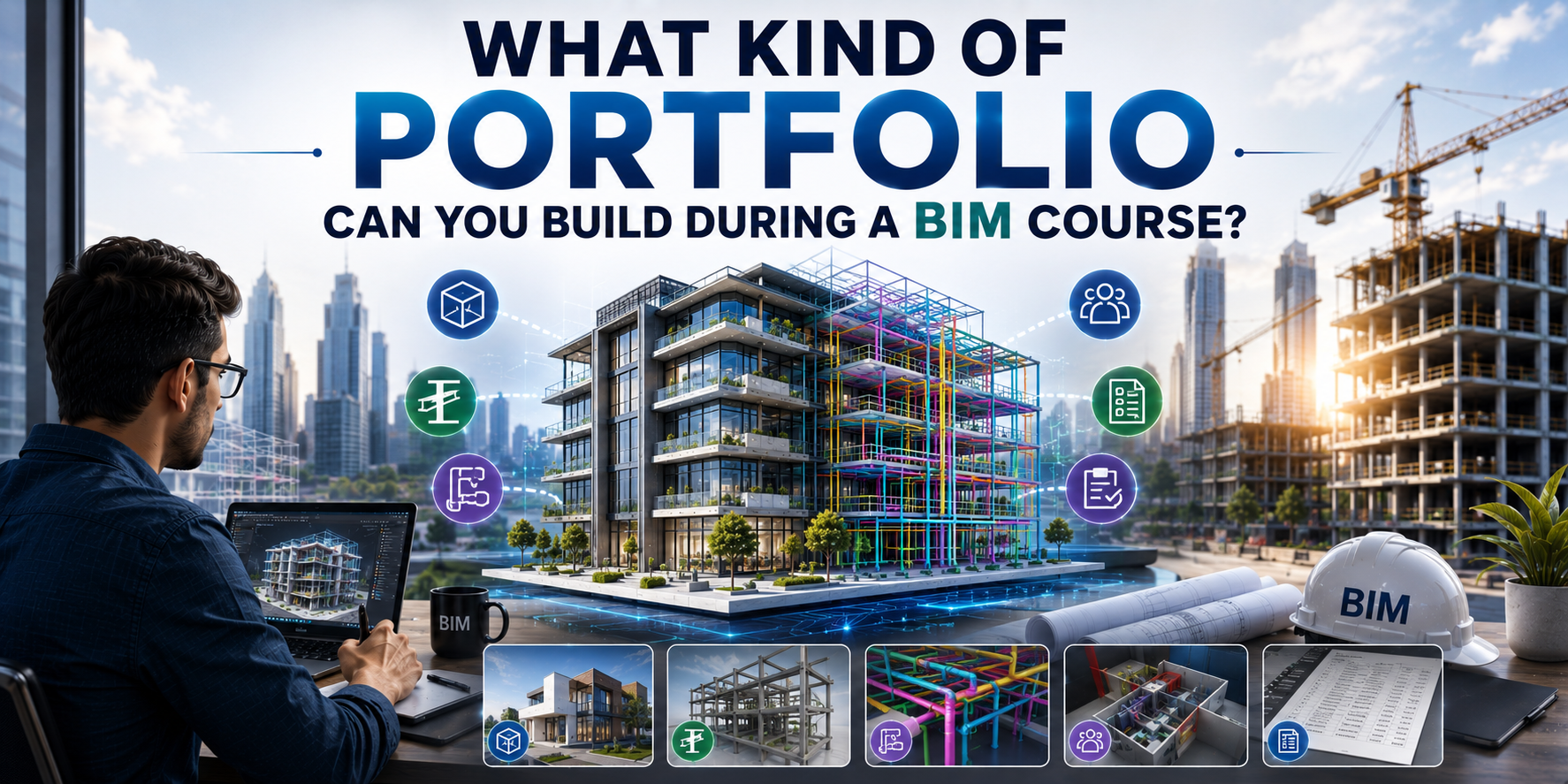

Many BIM students reach the end of their course and face the same question, "What do I actually put in my portfolio?" It's an understandable challenge, as BIM outputs can feel harder to package and present with confidence.
What's worth recognising, though, is that you've been building portfolio-worthy material throughout your training. Coordinated Revit models, clash detection reports, quantity take-offs, and 4D construction sequences, these are outputs that carry real weight in the AEC industry. According to the [NBS National BIM Report](https://www.thenbs.com/about-nbs/press-releases/a-digital-evolution-majority-using-bim), over 73% of UK construction professionals now use BIM on their projects, making portfolio evidence of BIM competency a genuine differentiator.
This blog will walk you through what to document, how to present it professionally, and what genuinely catches a recruiter's attention.
## **Key Takeaways**
- Build an architecture portfolio that showcases complete [BIM projects](https://www.novatr.com/blog/top-bim-projects-in-india) rather than only finished visuals.
- Include BIM workflow evidence through drawings, clash reports, schedules, and construction documentation.
- Explain your contribution to each project to demonstrate practical BIM skills and project understanding.
- Prioritise quality, clear documentation, and organised presentation over the number of projects.
- A well-structured portfolio helps employers assess your technical expertise and readiness for BIM roles.
Unlock High-Paying Careers With BIM
Master BIM workflows, software and skills on real projects.
Apply Now
\*Limited seats available
## **What Projects Can You Include in a BIM Course Portfolio?**
**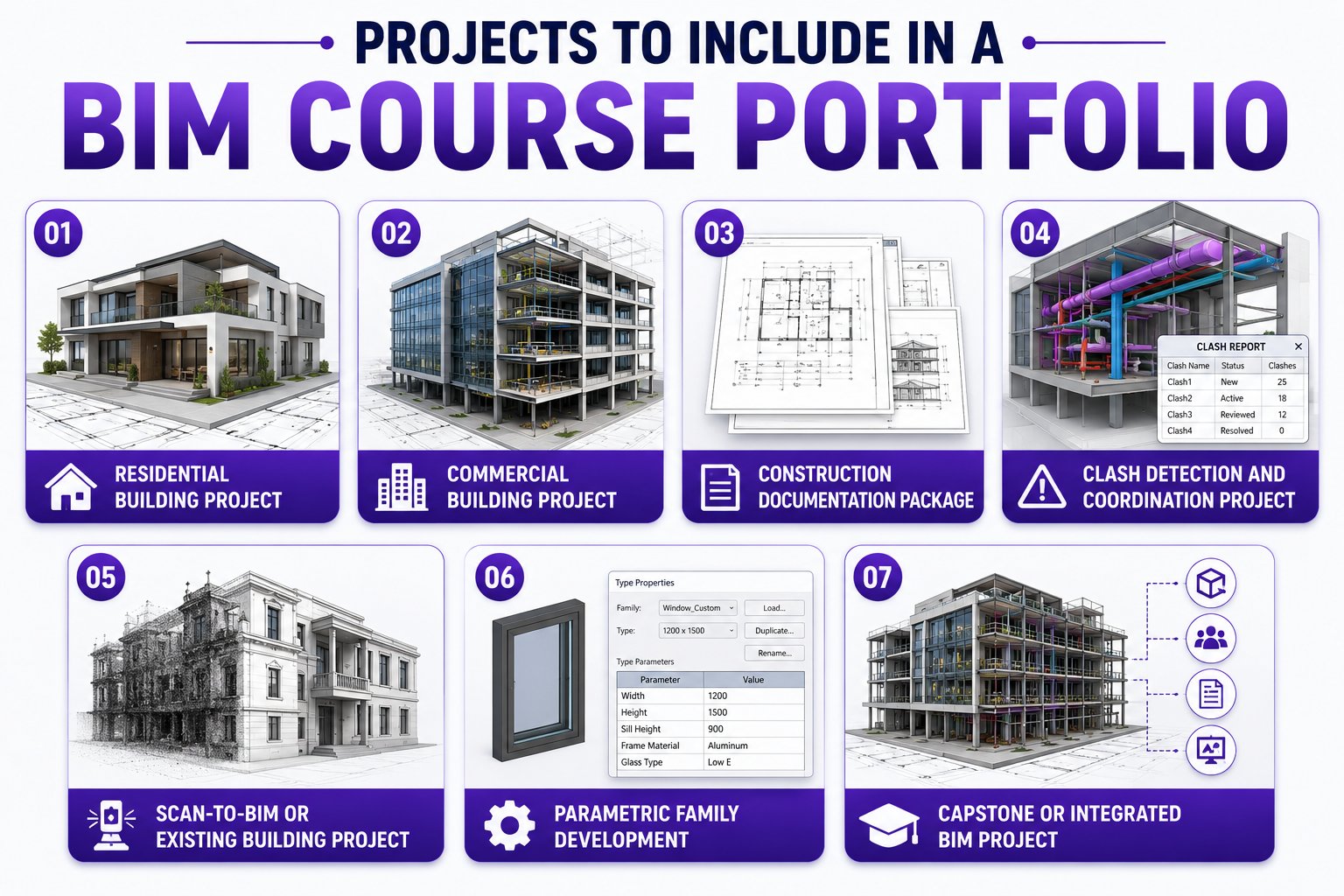**
A strong portfolio from a BIM course should showcase projects that demonstrate both technical ability and problem-solving. Including a variety of project deliverables gives employers a clearer understanding of [how you apply BIM](https://www.novatr.com/blog/top-industry-applications-for-bim-where-is-bim-used-in-construction) in real project environments.
| **Project Type** | **What to Showcase in Your Portfolio** |
| --- | --- |
| **Residential Building Project** | Include architectural Revit projects with floor plans, sections, elevations, schedules, and rendered views to demonstrate modelling accuracy and documentation skills. |
| **Commercial Building Project** | Showcase multidisciplinary coordination between architectural, structural, and MEP models, highlighting how information was organised throughout the project. |
| **Construction Documentation Package** | Present complete construction documentation, including drawing sheets, annotations, legends, schedules, title blocks, and quantity take-offs generated directly from the BIM model. |
| **Clash Detection and Coordination Project** | Display clash reports, issue tracking, coordination views, and the solutions implemented to resolve conflicts between different building systems. |
| **Scan-to-BIM or Existing Building Project** | Demonstrate how survey or point cloud data was converted into an accurate BIM model for renovation, retrofit, or facility management applications. |
| **Parametric Family Development** | Include custom [Revit](https://www.novatr.com/blog/what-is-revit-software) families with adjustable parameters, explaining how they improved model consistency, efficiency, or project requirements. |
| **Capstone or Integrated BIM Project** | Add a complete end-to-end project that combines modelling, coordination, documentation, and presentation into a professional design portfolio suitable for job applications. |
## **Which Deliverables Show Real BIM Skills to Employers?**
**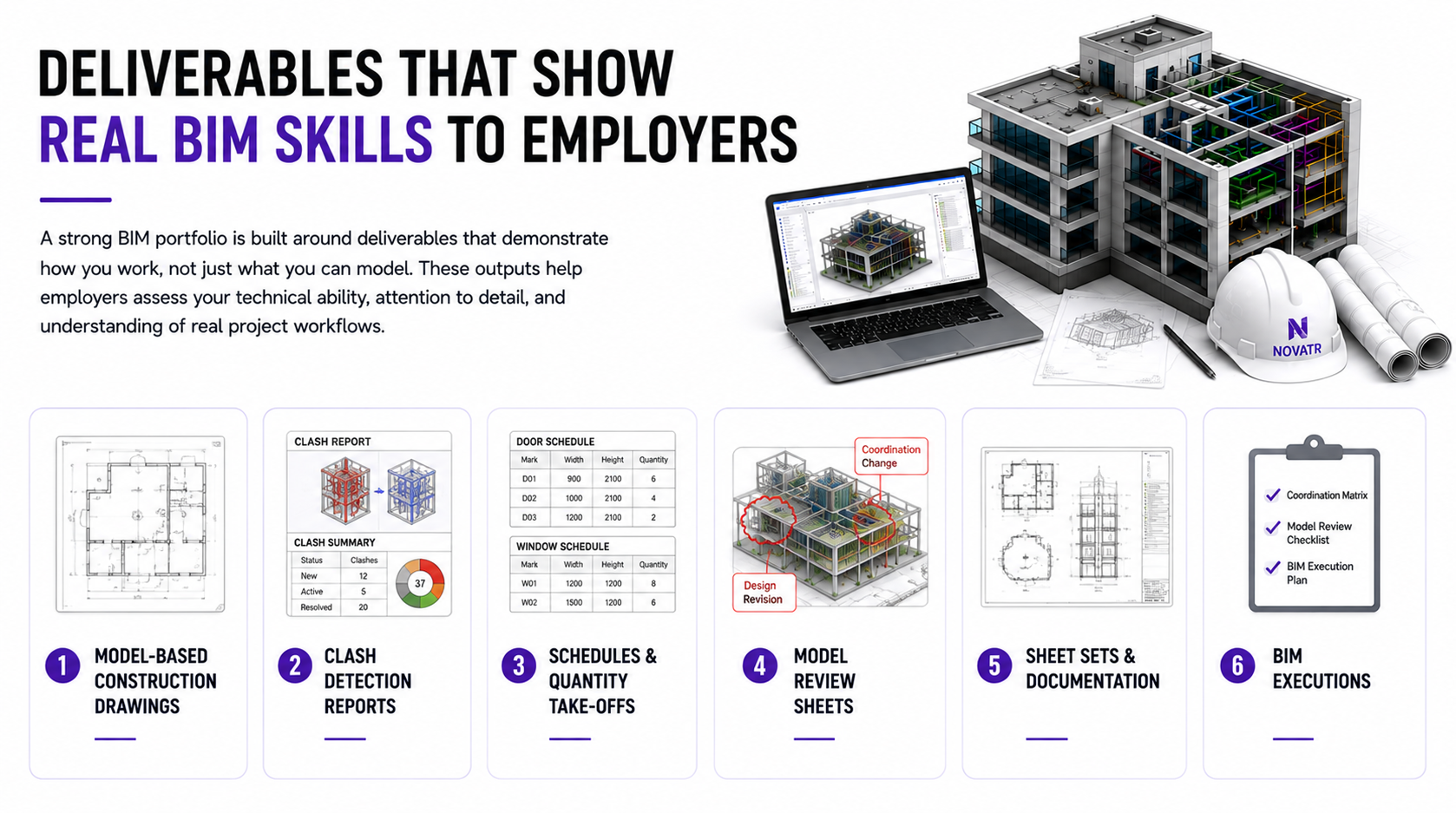**
A strong BIM portfolio is built around deliverables that demonstrate how you work, not just what you can model. These outputs help employers assess your technical ability, attention to detail, and understanding of real project workflows.
- **Model-Based Construction Drawings:** Include technical drawings such as floor plans, elevations, sections, and detail sheets generated directly from your [BIM modelling](https://www.novatr.com/blog/what-is-building-information-modeling-bim) workflow rather than drafted manually.
- **Clash Detection Reports:** Show clash reports with identified conflicts, issue tracking, and the actions taken to resolve coordination problems between different disciplines.
- **Schedules and Quantity Take-Offs:** Add door schedules, window schedules, room schedules, and quantity take-offs that demonstrate how project information is extracted from BIM models.
- **Model Review Sheets:** Include annotated model views that explain design revisions, coordination changes, or quality checks carried out during project development.
- **Sheet Sets and Documentation:** Present complete drawing sheets with title blocks, annotations, dimensions, legends, and view layouts to showcase organised project documentation.
- **BIM Executions:** Include coordination matrices, model review checklists, or BIM execution plans if completed during your course to demonstrate an understanding of professional BIM workflows.
## **How Do Course Projects Translate Into Real-World Work Samples?**
Course projects become valuable work samples when they reflect the tasks performed in professional BIM environments. Well-executed assignments demonstrate not only technical knowledge but also your ability to apply digital construction workflows to real project scenarios.
- **Demonstrate Complete Project Workflows:** Include projects that show the journey from model creation to documentation, coordination, and final deliverables rather than isolated modelling exercises.
- **Show Practical Problem-Solving:** Highlight examples where you resolved coordination issues, updated design changes, or improved project accuracy using [BIM tools and workflows](https://www.novatr.com/blog/13-bim-skills-to-learn-beyond-revit).
- **Present Industry-Standard Deliverables:** Add drawing sheets, schedules, quantity take-offs, and coordination reports that reflect the outputs expected in professional projects.
- **Explain Your Contribution:** Briefly mention your role, the software used, and the project objective so employers can understand how you contributed to the final outcome.
- **Focus on Project Quality:** A few well-documented projects with clear workflows and organised deliverables are often more valuable than a large collection of unfinished or repetitive work.
## **What Makes a BIM Portfolio Stand Out During Hiring?**
**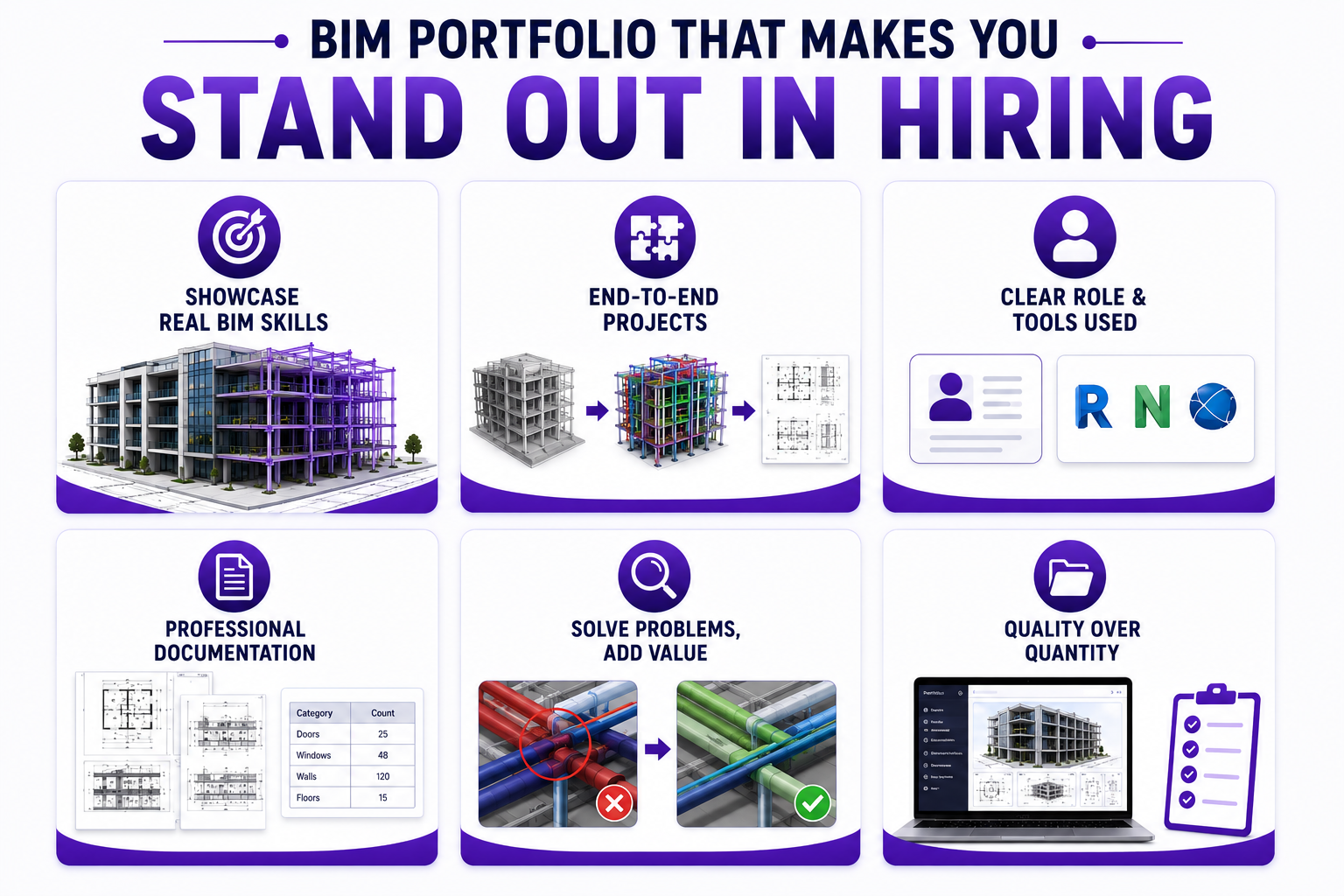**
Beyond software skills, recruiters look for evidence of accuracy, problem-solving, and an understanding of professional workflows.
- Include projects that demonstrate modelling, coordination, and project documentation from start to finish.
- Clearly explain your role, responsibilities, and the BIM tools used in each project.
- Showcase organised drawings, schedules, and reports instead of only rendered images.
- Highlight how you solved coordination challenges or improved project outcomes.
- Keep your portfolio well-structured, concise, and focused on quality rather than the number of projects.
## **How Can Students Build a Strong BIM Portfolio While Learning?**
A strong design portfolio develops gradually through consistent project work and practical learning. Focusing on quality, project coordination, and clear documentation can help students present their skills more effectively.
| **What to Do** | **Why It Matters** |
| --- | --- |
| **Work on Different Project Types** | Include residential, commercial, or mixed-use projects to demonstrate a wider range of BIM capabilities. |
| **Document Your Workflow** | Show how the project progressed from modelling to coordination and final documentation rather than only the finished result. |
| **Include Coordination Examples** | Add evidence of project coordination, such as clash resolution, design updates, or multidisciplinary collaboration. |
| **Present Complete Deliverables** | Showcase drawing sheets, schedules, sections, elevations, and reports instead of only model screenshots. |
| **Explain Your Contribution** | Briefly describe your responsibilities, software used, and the outcomes achieved in each project. |
| **Keep Your Design Portfolio Organised** | Use a consistent layout with clear titles, visuals, and short descriptions to make your work easy for employers to review. |
Master BIM and Get Hired Faster
Join a community of 8500+ Architects and Engineers.
Explore Now
\*Limited seats available
## **Conclusion**
A strong BIM portfolio demonstrates how you apply your skills to real project scenarios, not just your knowledge of software. The more practical and well-documented your work is, the better prepared you are for career opportunities in the AEC industry.
If you want to build a portfolio that reflects current industry expectations, [BIM Professional Program](https://www.novatr.com/courses/bim-professional-program?utm_source=organic_search&utm_medium=blog&utm_campaign=) offered by [Novatr](https://www.novatr.com/) provides hands-on learning, mentor-led projects, and portfolio-focused assignments designed around real workflows.
For more industry updates, join us on our [**WhatsApp channel**](https://whatsapp.com/channel/0029Vb7Gy2LBFLgMx79j7B1b) or head to our [**resource page**](https://www.novatr.com/learning-hub).
## FAQs
### **1. Do BIM courses help students build real project portfolios?**
Yes. Novatr’s BIM courses include hands-on projects that allow learners to create a portfolio with digital models, drawings, and documentation that demonstrate practical skills.
### **2. What projects should be included in a BIM portfolio?**
A strong BIM portfolio should include projects that showcase 3D modelling, project coordination, construction documentation, clash detection, and your role in each project.
### **3. What real-world outputs are created during BIM training?**
BIM training typically includes outputs such as 3D models, floor plans, sections, schedules, quantity take-offs, clash reports, and construction documentation generated from BIM software.
Was this content helpful to you
Like Yes
Dislike No

TABLE OF CONTENTS
BIM Is The New Standard. Are You Certified?
Get Certified in BIM
SHARE ON YOUR SOCIALS
Link Copied Successfully
Related articles
[ BIM Civil Want to Work on Mеtro Projеcts? Lеarn Thеsе BIM Skills 28 May 2026 7 min read](https://blog.novatr.com/blog/bim-skills-for-metro-projects-and-infrastructure-careers) [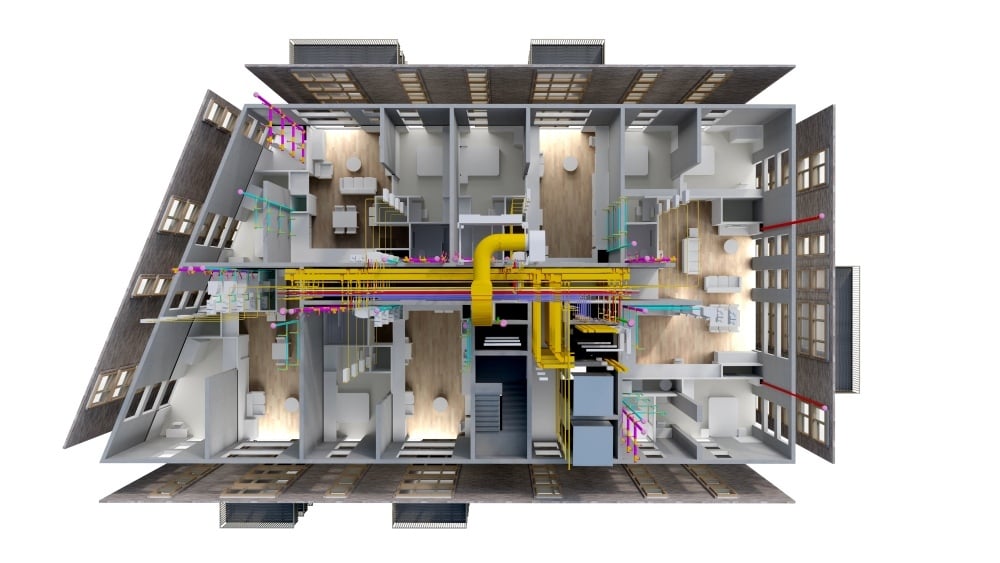 BIM Civil How Real BIM Projects Work: From Design to Construction? 5 May 2026 5 min read](https://blog.novatr.com/blog/the-practicality-of-bim-projects-from-design-to-construction) [ BIM Civil Metro vs Airport Projects: How BIM Workflows Differ? 5 June 2026 9 min read](https://blog.novatr.com/blog/metro-vs-airport-projects-how-bim-workflows-differ) [ BIM Civil How BIM is Used in Metro Projects (Nagpur, Chennai, Ahmedabad)? 28 May 2026 6 min read](https://blog.novatr.com/blog/bim-in-mеtro-projеcts-dеsign-bеnеfits-construction-usе)
Download Syllabus
## BIM Professional Program
Next Cohort
June 2026
Program Duration
7 Months
Premium Program benefits
8 Credentials from Autodesk, NSDC, Novatr
1 program. 10 career paths. Infinite Growth.
40+ ISO 19650 & RIBA real-world projects to practice
1-on-1 guidance. Access 400+ industry experts.
Access the biggest AEC-Tech community on the planet. 8500+ and counting
Curated for you by 100+ global BIM leaders.
Lifelong access to course content
Enter your details to download the program syllabus.
##### BIM Professional Program
June 2026, 7 Months
Your Name Invalid name.
Phone Number Enter a valid phone number
Email Please enter a valid email address.
Select years of experience\* Currently studying 0-1 years 1-2 years 2-4 years 4-8 years 8-10 years 10-12 years 12+ years Invalid selection.
Specialisation Select your background\* Architecture Civil Engineering Mechanical Engineering Electrical Engineering Invalid selection.
Are you professionally trained in interior design?
Yes
No
I agree to the [Terms of Use](https://www.novatr.com/terms-and-conditions) and [Privacy Policy](https://www.novatr.com/privacy-policy), and consent to be contacted by Email, Call, WhatsApp, or SMS.
Submit
Ready to skyrocket your career?
Begin your next chapter in AEC
with Novatr!
We are here to help you take the industry by storm with advanced, tech-first skills.
[Explore Courses](https://www.novatr.com/#courses)
Join our newsletter
Submit
Thank you for signing up.
We’ll send you a nice letter once per week. No spam.

Dare to Disrupt.
Join thousands of people who organise
work and life with Novatr.
Company
- [About Us](https://www.novatr.com/about)
- [BIM Professional Program v.2026](https://www.novatr.com/courses/bim-professional-program)
- [Masters Computational Design](https://www.novatr.com/courses/computational-design)
- [Become a Mentor](https://www.novatr.com/apply-as-mentor)
- [Hiring from Us](https://www.novatr.com/hire-from-us)
- [Careers at Novatr](https://www.novatr.com/career)
Resources
- [Blog](https://www.novatr.com/learning-hub)
- [Media Room](https://www.novatr.com/media-room-home-page)
- [Career Builder](https://www.novatr.com/career-navigator)
- [Events & Webinars](https://www.novatr.com/webinars)
- [FAQs & Support Center](https://www.novatr.com/contact-us)
- [Contact Us](https://www.novatr.com/contact-us)
- [Privacy Policy](https://www.novatr.com/privacy-policy)
- [Terms of Use](https://www.novatr.com/terms-and-conditions)
©2023 Oneistox Network Pvt. Ltd.
All Rights Reserved
```json
{
"@context" : "https://schema.org",
"@type" : "BlogPosting",
"author" : {
"@type" : "Person",
"name" : "Bandana Singh",
"url" : "https://blog.novatr.com/blog/author/bandana-singh"
},
"dateModified" : "2026-06-29T11:57:00.594Z",
"datePublished" : "2026-06-29T11:51:19.000Z",
"headline" : "Build a Strong BIM Portfolio During Your BIM Course {{year}}",
"image" : [ "https://blog.novatr.com/hubfs/BIM%20portfolio.png" ],
"mainEntityOfPage" : {
"@id" : "https://blog.novatr.com/blog/build-a-strong-bim-portfolio-during-bim-course",
"@type" : "WebPage"
},
"publisher" : {
"@type" : "Organization",
"logo" : {
"@type" : "ImageObject",
"url" : "https://blog.novatr.com/hubfs/Novatr%20Prev%20OX-2.svg"
}
}
}
```