---
title: How Nemetschek Software Is Used Alongside Autodesk on Real Projects?
description: Learn how Nemetschek and Autodesk workflow supports hybrid BIM projects using IFC, OpenBIM, and real project collaboration strategies.
image: https://blog.novatr.com/hubfs/How%20Nemetschek%20Software%20Is%20Used%20Alongside%20Autodesk%20on%20Real%20Projects.jpg
---
[Blogs](https://www.novatr.com/learning-hub)
- [Architecture & Construction](https://www.novatr.com/learning-hub?category=Architecture+%26+Construction)
- [BIM](https://www.novatr.com/learning-hub?category=BIM)
- [Computational Design](https://www.novatr.com/learning-hub?category=Computational+Design)
- [Company News](https://www.novatr.com/learning-hub?category=Company+News)
- [Expert Talks](https://www.novatr.com/learning-hub?category=Expert+Talks)
Explore Courses
[Just Launched  BIM Professional Program v.2026 Take your career to the next level by mastering the real-world application of BIM. Know More](https://www.novatr.com/courses/bim-professional-program)
[ Master Computational Design Course Break into an advanced career by learning to apply the power of computation to the art of design. Know More](https://www.novatr.com/courses/computational-design)
[Blogs](https://www.novatr.com/learning-hub)
Explore Blogs
- [Architecture & Construction](https://www.novatr.com/learning-hub?category=Architecture+%26+Construction)
- [BIM](https://www.novatr.com/learning-hub?category=BIM)
- [Computational Design](https://www.novatr.com/learning-hub?category=Computational+Design)
- [Company News](https://www.novatr.com/learning-hub?category=Company+News)
- [Expert Talks](https://www.novatr.com/learning-hub?category=Expert+Talks)
Courses
- [BIM Professional Program v.2026](https://www.novatr.com/courses/bim-professional-program)
- [Master Computational Design](https://www.novatr.com/courses/computational-design)
- [CIVIL/](https://www.novatr.com/learning-hub?category=BIM)
Featured Article
# How Nemetschek Software Is Used Alongside Autodesk on Real Projects?

Deependra Dobriyal
February 19, 2026
5 min read
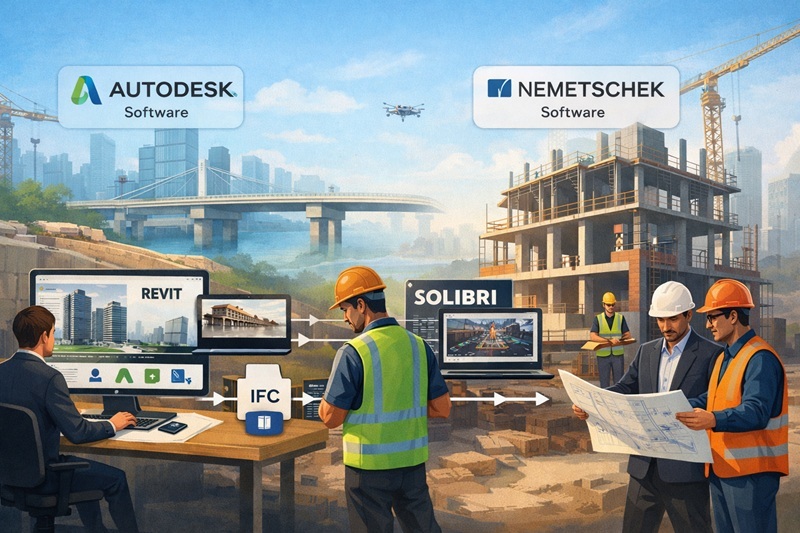

A **Nemetschek and Autodesk workflow** is common in modern BIM projects because firms rarely rely on a single software ecosystem. Large infrastructure and building projects often involve multidisciplinary teams that use different tools for design, coordination, and analysis. The [National Institute of Building Sciences](https://www.nibs.org/projects/national-bim-standard-united-states) highlights BIM as a core requirement for federal construction coordination standards.
These encourage interoperability rather than software exclusivity. As a result, engineering firms increasingly rely on **Hybrid BIM workflows** that combine Autodesk tools with Nemetschek platforms such as Allplan and Solibri.
Unlock High-Paying Careers With BIM
Master BIM workflows, software and skills on real projects.
Apply Now
\*Limited seats available
## Why Hybrid BIM Workflows Exist in Real Projects?
Large construction programs involve architects, structural engineers, MEP consultants, contractors, and facility managers. Each stakeholder often works in a preferred authoring tool. This creates the need for Hybrid BIM workflows, where multiple software ecosystems function within one coordinated delivery strategy.
Autodesk tools such as Revit are widely used for architectural and MEP modeling in U.S. firms. At the same time, Nemetschek solutions such as Allplan and Solibri support structural detailing, infrastructure modeling, and rule-based model checking. Rather than replacing one platform, firms connect them through structured collaboration processes.
A key reason this integration works is OpenBIM with Revit. OpenBIM enables data exchange through neutral file formats instead of proprietary systems. When teams follow standardized data structures, they reduce information loss between platforms.
Contractual requirements also drive this approach. Public infrastructure and transportation projects frequently specify interoperability standards. Teams must submit IFC-compliant models regardless of the software used. This requirement encourages firms to adopt Nemetschek Autodesk interoperability to meet compliance expectations.
## Most Used Autodesk Tools in a BIM Project
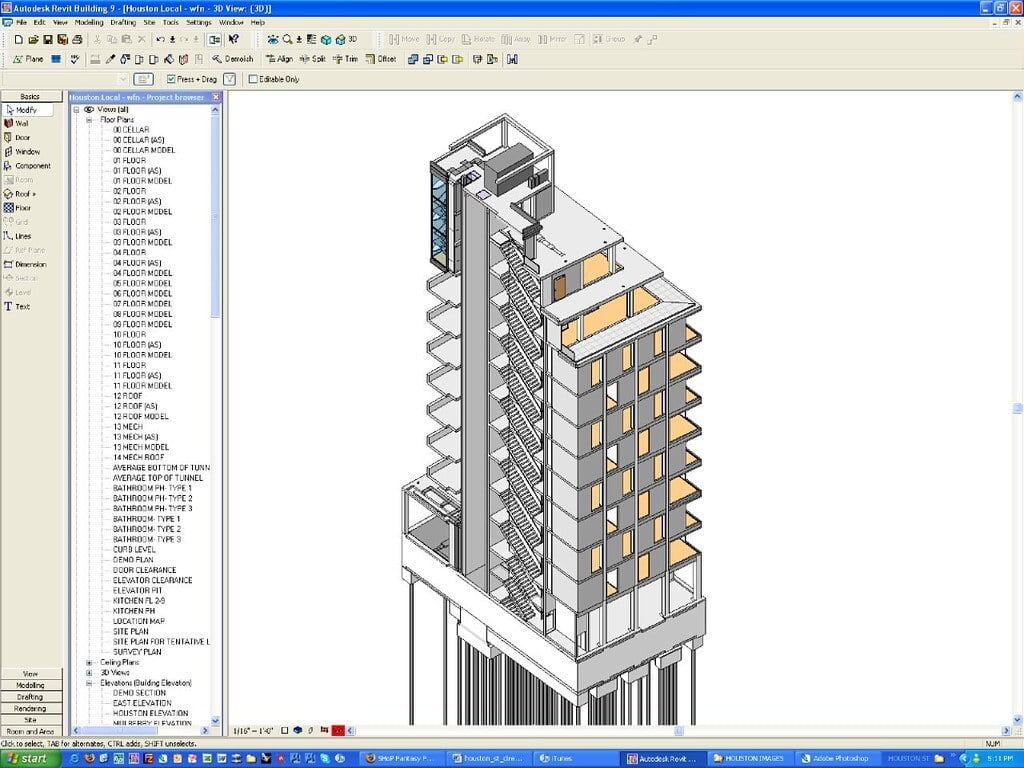
Autodesk tools form the backbone of many BIM-based delivery systems. Below are the most commonly used Autodesk tools in multidisciplinary BIM projects:
- [Autodesk Revit](https://www.novatr.com/blog/detailed-revit-guide)**:** Used for architectural, structural, and MEP modeling. Revit supports parametric modeling and coordinated documentation within a single environment.
- **[Autodesk Navisworks](https://www.novatr.com/blog/navisworks-software):** Primarily used for clash detection and construction coordination. It aggregates models from various disciplines.
- [Autodesk Civil 3D:](https://www.novatr.com/blog/autocad-civil-3d-features-benefits-applications-online-courses) Common in infrastructure and site development projects. It manages terrain modeling, road design, and utility layouts.
- **Autodesk BIM 360 / Autodesk Construction Cloud:** Cloud-based platforms that enable document management, collaboration, and issue tracking across teams.
- **Autodesk InfraWorks:** Used for conceptual infrastructure design and large-scale project visualization.
These tools create a centralized digital environment. However, they often integrate with Nemetschek software when specific workflows require advanced structural detailing, compliance checking, or open-format validation.
[](https://www.novatr.com/courses/bim-for-civil-engineers/l?utm_source=blog&utm_medium=website_course_banner&utm_campaign=bim_civil_course_leads)
## Where Nemetschek Fits into Autodesk-Led Projects?
Nemetschek solutions typically complement Autodesk-based authoring. They are not always replacements but extensions of capability. This is where Nemetschek Autodesk interoperability becomes critical.
For example, using Allplan with Revit is common in structural projects. Architects may develop building models in Revit, while structural engineers use Allplan for reinforcement detailing and precast design. Models are exchanged through IFC files to maintain geometric and data integrity.
Another example involves Solibri. While Revit can perform clash detection, Solibri provides rule-based model checking for code compliance, data validation, and quality assurance. In federally regulated projects, this additional layer of verification supports contractual requirements.
The success of this collaboration depends on a well-managed IFC workflow with Autodesk. IFC, or Industry Foundation Classes, is a neutral data format that allows information exchange between platforms. Engineers export IFC models from Revit, then import them into Allplan or Solibri for further development or validation.
When implemented correctly, OpenBIM with Revit allows structural, architectural, and infrastructure teams to collaborate without forcing all participants onto the same platform.
## Pros of Using Nemetschek Alongside Autodesk
Combining both ecosystems creates measurable operational advantages. These benefits explain why many firms adopt a structured Nemetschek and Autodesk workflow for large-scale delivery.
Advantages include:
- **Improved Interoperability:** A structured IFC workflow with Autodesk ensures models can move between authoring and checking tools without major data loss.
- **Advanced Structural Detailing:** Using Allplan with Revit allows structural engineers to manage reinforcement and precast modeling more efficiently.
- **Enhanced Quality Control:** Solibri supports rule-based validation beyond basic clash detection.
- **Vendor Flexibility:** Teams are not locked into a single ecosystem, reducing dependency risk.
- **Compliance with Open Standards:** OpenBIM with Revit aligns with international BIM standards and public sector procurement guidelines.
## Real Project Workflow Examples

Understanding theory is useful, but examples clarify how hybrid systems function in real environments.
### Example 1: Infrastructure Bridge Project
- Civil engineers model site and [road alignment in Civil 3D](https://www.novatr.com/blog/step-by-step-guide-using-civil-3d-for-highway-alignment-design).
- Structural engineers develop reinforcement in Allplan.
- Architects coordinate support structures in Revit.
- Models are shared through a controlled IFC workflow with Autodesk.
- Solibri validates compliance before submission.
This demonstrates how Nemetschek Autodesk interoperability ensures coordinated delivery across infrastructure and structural teams.
### Example 2: Commercial High-Rise Building
- Architecture and MEP are modeled in Revit.
- Structural detailing is completed through using Allplan with Revit workflows.
- Clash detection is performed in Navisworks.
- Final model validation is done in Solibri.
This process reflects true Hybrid BIM workflows, where collaboration is structured and data exchange is standardized.
In both scenarios, the Nemetschek and Autodesk workflow does not disrupt productivity. Instead, it enhances specialization and quality control across disciplines.
## Upskill as a Civil Engineer With Novatr
Novatr’s [BIM Professional Course for Civil Engineers](https://www.novatr.com/us/courses/bim-for-civil-engineers) is designed to build practical expertise in digital construction and coordinated project delivery. The program is hands-on and aligned with global industry standards, preparing civil engineers to confidently work on infrastructure and building projects using structured BIM workflows.
### Here’s what you’ll learn:
- 5+ industry software tools, including Autodesk Revit, Navisworks, and Autodesk Construction Cloud (Docs, Coordination & Collaboration).
- Essential plugins such as EF-Tools, DiRoots.One, pyRevit, ProSheets, Issue and Model Checker for Revit to automate documentation and improve precision.
- Complete BIM workflows, covering design development, BOQ and estimation, information modeling, clash detection, sequencing, and multidisciplinary coordination.
- Real project experience aligned with ISO 19650 standards and guided by global AEC mentors.
- Professional documentation and audits matching international BIM practices.
Learners earn a Novatr Course Certificate signed by the Academic Director, Autodesk User Certification, and an NSDC Certificate. After completing the core program, you can choose two optional specializations such as Dynamo automation, 4D–6D BIM integration, Civil 3D infrastructure modeling, Tekla RCC modeling, Enscape visualization, or Twinmotion storytelling.
Master BIM and Get Hired Faster
Join a community of 8500+ Architects and Engineers.
Explore Now
\*Limited seats available
## **Conclusion**
A structured **Nemetschek and Autodesk workflow** reflects how real-world BIM projects operate today. Hybrid collaboration, open standards, and IFC-based coordination allow multidisciplinary teams to work efficiently without being limited to one ecosystem. Firms that adopt Hybrid BIM workflows benefit from improved specialization, compliance validation, and data consistency across project stages.
To build these capabilities, explore the [BIM professional Course for Civil Engineers](https://www.novatr.com/us/courses/bim-for-civil-engineers) offered by [Novatr](https://www.novatr.com/us) and develop hands-on experience in industry-aligned workflows.
Visit our [resource page](https://www.novatr.com/learning-hub) to access detailed program information, learning pathways, and career insights.
## **FAQs**
### **1. Can Solibri work with Revit models?**
Solibri can review Revit models when they are exported in IFC format. This supports model checking, compliance validation, and coordination processes.
### **2. Is IFC reliable for real projects?**
IFC is widely adopted for structured data exchange in large projects. When managed properly, it maintains geometry and metadata consistency across platforms.
### **3. Do firms really use both ecosystems together?**
Many multidisciplinary teams combine Autodesk and Nemetschek tools to optimize analysis, validation, and detailing tasks within shared BIM environments.
### **4. Should engineers learn Nemetschek if they already know Autodesk?**
Engineers benefit from understanding cross-platform workflows. Knowledge of interoperability, IFC exchange, and validation tools improves collaboration in complex project environments.
Was this content helpful to you
Like Yes
Dislike No

TABLE OF CONTENTS
BIM Is The New Standard. Are You Certified?
Get Certified in BIM
SHARE ON YOUR SOCIALS
Link Copied Successfully
Related articles
[ CIVIL Top 8 Construction Project Engineer Interview Questions with Answers 15 July 2025 5 min read](https://blog.novatr.com/blog/construction-project-engineer-interview-questions-with-answers) [.png) CIVIL Using BIM Effectively for Efficient Project Management in Civil Engineering 29 May 2024 13 min read](https://blog.novatr.com/blog/bim-for-project-management) [ CIVIL 10 Most Used Software Tools for Construction Project Engineers in USA (2026) 16 July 2025 6 min read](https://blog.novatr.com/blog/10-most-used-software-tools-for-construction-project-engineers-in-usa) [ CIVIL 10 Best Online Courses To Upskill as a Highway Engineer in the USA 16 July 2025 6 min read](https://blog.novatr.com/blog/10-best-online-courses-to-upskill-as-a-highway-engineer-in-the-usa)
Download Syllabus
## BIM Professional Program
Next Cohort
June 2026
Program Duration
7 Months
Premium Program benefits
8 Credentials from Autodesk, NSDC, Novatr
1 program. 10 career paths. Infinite Growth.
40+ ISO 19650 & RIBA real-world projects to practice
1-on-1 guidance. Access 400+ industry experts.
Access the biggest AEC-Tech community on the planet. 8500+ and counting
Curated for you by 100+ global BIM leaders.
Lifelong access to course content
Enter your details to download the program syllabus.
##### BIM Professional Program
June 2026, 7 Months
Your Name Invalid name.
Phone Number Enter a valid phone number
Email Please enter a valid email address.
Select years of experience\* Currently studying 0-1 years 1-2 years 2-4 years 4-8 years 8-10 years 10-12 years 12+ years Invalid selection.
Specialisation Select your background\* Architecture Civil Engineering Mechanical Engineering Electrical Engineering Invalid selection.
Are you professionally trained in interior design?
Yes
No
I agree to the [Terms of Use](https://www.novatr.com/terms-and-conditions) and [Privacy Policy](https://www.novatr.com/privacy-policy), and consent to be contacted by Email, Call, WhatsApp, or SMS.
Submit
Ready to skyrocket your career?
Begin your next chapter in AEC
with Novatr!
We are here to help you take the industry by storm with advanced, tech-first skills.
[Explore Courses](https://www.novatr.com/#courses)
Join our newsletter
Submit
Thank you for signing up.
We’ll send you a nice letter once per week. No spam.

Dare to Disrupt.
Join thousands of people who organise
work and life with Novatr.
Company
- [About Us](https://www.novatr.com/about)
- [BIM Professional Program v.2026](https://www.novatr.com/courses/bim-professional-program)
- [Masters Computational Design](https://www.novatr.com/courses/computational-design)
- [Become a Mentor](https://www.novatr.com/apply-as-mentor)
- [Hiring from Us](https://www.novatr.com/hire-from-us)
- [Careers at Novatr](https://www.novatr.com/career)
Resources
- [Blog](https://www.novatr.com/learning-hub)
- [Media Room](https://www.novatr.com/media-room-home-page)
- [Career Builder](https://www.novatr.com/career-navigator)
- [Events & Webinars](https://www.novatr.com/webinars)
- [FAQs & Support Center](https://www.novatr.com/contact-us)
- [Contact Us](https://www.novatr.com/contact-us)
- [Privacy Policy](https://www.novatr.com/privacy-policy)
- [Terms of Use](https://www.novatr.com/terms-and-conditions)
©2023 Oneistox Network Pvt. Ltd.
All Rights Reserved
```json
{
"@context" : "https://schema.org",
"@type" : "BlogPosting",
"author" : {
"@type" : "Person",
"name" : "Deependra Dobriyal",
"url" : "https://blog.novatr.com/blog/author/deependra-dobriyal"
},
"dateModified" : "2026-02-19T11:41:43.810Z",
"datePublished" : "2026-02-19T11:40:02.000Z",
"headline" : "How Nemetschek Software Is Used Alongside Autodesk on Real Projects?",
"image" : [ "https://blog.novatr.com/hubfs/How%20Nemetschek%20Software%20Is%20Used%20Alongside%20Autodesk%20on%20Real%20Projects.jpg" ],
"mainEntityOfPage" : {
"@id" : "https://blog.novatr.com/blog/how-nemetschek-software-is-used-alongside-autodesk-on-real-projects",
"@type" : "WebPage"
},
"publisher" : {
"@type" : "Organization",
"logo" : {
"@type" : "ImageObject",
"url" : "https://blog.novatr.com/hubfs/Novatr%20Prev%20OX-2.svg"
}
}
}
```