---
title: How D5 Scatter Tool Revolutionizes Landscape and Urban Scene Design
description: Learn what is Scatter Tool in D5 Render, how it transforms landscape and urban context creation, and its role in real-time rendering workflows.
image: https://blog.novatr.com/hubfs/A%203D%20architectural%20visualization%20of%20an%20urban%20city..jpg
---
[Blogs](https://www.novatr.com/learning-hub)
- [Architecture & Construction](https://www.novatr.com/learning-hub?category=Architecture+%26+Construction)
- [BIM](https://www.novatr.com/learning-hub?category=BIM)
- [Computational Design](https://www.novatr.com/learning-hub?category=Computational+Design)
- [Company News](https://www.novatr.com/learning-hub?category=Company+News)
- [Expert Talks](https://www.novatr.com/learning-hub?category=Expert+Talks)
Explore Courses
[Just Launched  BIM Professional Program v.2026 Take your career to the next level by mastering the real-world application of BIM. Know More](https://www.novatr.com/courses/bim-professional-program)
[ Master Computational Design Course Break into an advanced career by learning to apply the power of computation to the art of design. Know More](https://www.novatr.com/courses/computational-design)
[Blogs](https://www.novatr.com/learning-hub)
Explore Blogs
- [Architecture & Construction](https://www.novatr.com/learning-hub?category=Architecture+%26+Construction)
- [BIM](https://www.novatr.com/learning-hub?category=BIM)
- [Computational Design](https://www.novatr.com/learning-hub?category=Computational+Design)
- [Company News](https://www.novatr.com/learning-hub?category=Company+News)
- [Expert Talks](https://www.novatr.com/learning-hub?category=Expert+Talks)
Courses
- [BIM Professional Program v.2026](https://www.novatr.com/courses/bim-professional-program)
- [Master Computational Design](https://www.novatr.com/courses/computational-design)
- [BIM/](https://www.novatr.com/learning-hub?category=BIM) [BIM/](https://www.novatr.com/learning-hub?category=BIM)
Featured Article
# How D5 Scatter Tool Revolutionizes Landscape and Urban Scene Design
.jpg)
Tanmay Gadade
November 12, 2025
5 min read
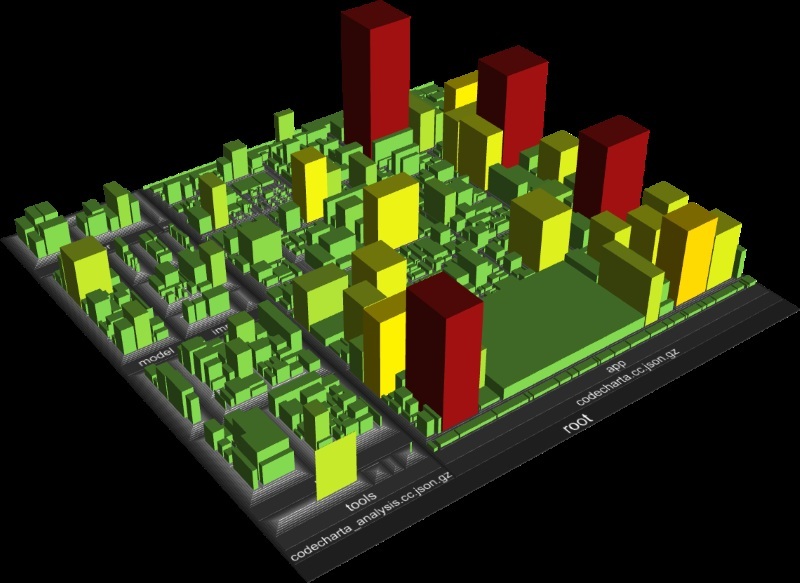

Creating natural and detailed environments is a challenge in architectural visualization. The growing use of tools like D5 Render has simplified this process by combining speed, accuracy, and realism. The [global 3D rendering market size](https://www.gminsights.com/industry-analysis/3d-rendering-market) was estimated at USD 4.4 billion in 2026 and is projected to grow rapidly through the coming decade, showing how essential visualization tools have become in architecture and design.
Understanding **what is scatter tool in D5 Render** helps architects and designers create dynamic scenes faster, improving the overall D5 Render environment design workflow for both landscapes and urban visuals.
Unlock High-Paying Careers With BIM
Master BIM workflows, software and skills on real projects.
Apply Now
\*Limited seats available
## What is D5 Scatter and Why It’s a Game Changer?
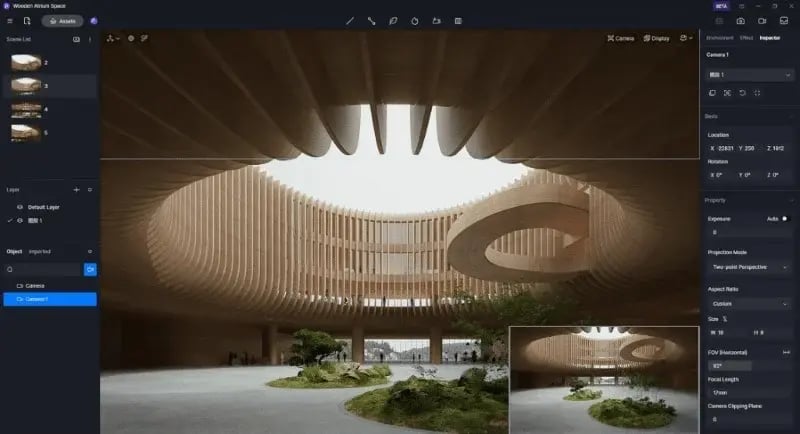
The Scatter tool in D5 Render automates the placement of vegetation, rocks, or props over selected surfaces. Instead of manually positioning each object, users can distribute hundreds of items, such as grass, trees, benches, or street elements, across a defined area within seconds. This automation saves time while keeping the visual output realistic.
In landscape or city models, a single click can spread different objects with varying sizes, rotations, and densities. This ensures that the natural randomness found in real environments is captured digitally. Whether working on [real-time landscape rendering](https://www.novatr.com/blog/landscape-design-softwares) in D5 or complex urban settings, Scatter eliminates the repetitive manual work involved in asset distribution.
The tool’s flexibility is enhanced by built-in AI behavior that reads surface elevation and slope to ensure realistic object alignment. It also supports custom asset libraries, allowing users to maintain design consistency across multiple projects.
By integrating Scatter into the D5 Render environment design workflow, designers achieve faster scene setup, improved accuracy, and a more immersive outcome that mimics natural growth patterns.
## Step-by-Step: How to Use D5 Scatter for Natural Context
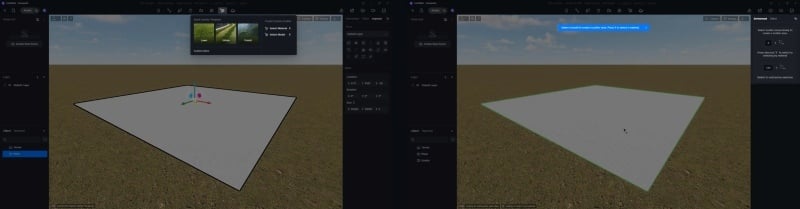
The Scatter tool’s strength lies in its simplicity. With only a few steps, you can transform a plain model into a living environment.
1. ### Choose the Base Surface
Select the terrain, ground, or any surface where you want to distribute assets. Ensure the geometry has correct normals and scale to maintain accurate placement.
2. ### Add Asset Types
Pick the vegetation or object types, trees, bushes, flowers, rocks, or furniture, that will populate the area. Use a mix to avoid visual repetition.
3. ### Adjust Density and Scale
Control how closely the objects appear and vary their size using sliders. Balanced density adds realism and prevents visual clutter.
4. ### Define Scatter Area and Pattern
Outline the specific region using the brush or polygon selection tool. Choose between uniform or random scatter modes depending on the design intent.
5. ### Randomize Rotation and Height
Small differences in angle and elevation prevent patterns from looking artificial. This ensures assets integrate naturally with the terrain.
6. ### Preview in Real Time
Activate the viewport preview to see results instantly. D5’s GPU-based engine provides immediate visual feedback, aligning with real-time landscape rendering in D5 workflows.
7. ### Save and Reuse Presets:
Save frequently used scatter configurations for future projects, ensuring consistency in large-scale master plans or residential landscapes.
Efficient scene population leads to better time management and creative freedom. Each scatter setup becomes part of a reusable toolkit within the [best 3D model rendering tool](https://www.novatr.com/blog/best-rendering-software), helping designers focus more on design quality and less on repetitive modeling tasks.
Using Scatter in this way creates scenes that reflect real spatial diversity, where every plant or urban object feels like part of a naturally evolving environment.
## Smart Randomization: Making Every Scene Look Unique
Even the most detailed 3D models can appear repetitive without variation. D5’s Smart Randomization system was created to fix this, giving every render a sense of individuality. This feature works with both natural and man-made assets, supporting vegetation, street objects, and building components.
1. ### Variable Scaling
Objects automatically change in size within a set range. This random variance mirrors real growth differences among plants or urban fixtures.
2. ### Direction and Rotation Control
Each item rotates at a slightly different angle, ensuring no visible repetition when viewed from multiple perspectives.
3. ### Texture Variation
Through random material assignment, each instance uses slight tonal or brightness differences. This highlights the strength of D5 Render textures, which adapt naturally to diverse environments.
4. ### Adaptive Placement to Terrain
Assets adjust their alignment based on slope or uneven ground. This keeps elements grounded, avoiding unrealistic floating or sinking.
5. ### AI-Driven Distribution Balance
An integrated algorithm analyzes spacing and overlap, redistributing elements to avoid clustering. It works like an [AI tool for architecture rendering](https://www.novatr.com/blog/top-ai-tools-for-architectural-design), learning from previous setups to optimize new ones.
Together, these features prevent monotony and keep the render dynamic. Designers can populate entire cityscapes or parks while maintaining authenticity. This smart variation makes D5 Render scenes look convincingly organic, reducing post-production edits and improving visual impact.
Integrating such AI-driven features reflects the ongoing evolution of AI tools for 3D rendering, where automation supports both speed and realism.
## Master Architectural Rendering Along With Computational Design!
For professionals aiming to go beyond rendering and explore advanced digital design systems, a structured computational design course offers the next step in innovation and career growth. Transform how you design and think with Novatr’s [Master in Computational Design](https://www.novatr.com/courses/computational-design); a hands-on program built to help architects and designers future-proof their careers. Through expert-led training, you’ll learn how to combine creativity with technology to solve complex design challenges.
[](https://www.novatr.com/courses/computational-design/l?utm_source=blog&utm_medium=website_card_after_intro&utm_campaign=mcd_course_leads)
Here’s what you’ll learn in detail:
- 5 powerful industry tools; Grasshopper, Rhino 3D, Flux.ai, ComfyUI, and D5 Render.
- Master plugins like Paneling Tools, DeCoding Spaces, Anemone, Galapagos, Wallacei, LunchBox, Open Nest, and Horster Animation to create smarter workflows.
- Understand how to build parametric and generative design systems used by global firms.
- Learn to automate repetitive design tasks, explore AI-driven creativity, and create high-quality renders for presentations.
- Develop a professional computational design portfolio showcasing your project-based learning.
- Earn dual certification from Novatr and NSDC (National Skill Development Corporation) upon completion, and step confidently into the world of future-ready architecture and design.
Disclaimer – Course details, including curriculum, duration, fees, and related information, are for informational purposes only and may change at the company’s discretion without prior notice. Please visit the official [course page](https://www.novatr.com/courses/computational-design) or contact our admissions team for the latest updates.
Master BIM and Get Hired Faster
Join a community of 8500+ Architects and Engineers.
Explore Now
\*Limited seats available
# Conclusion
The D5 Scatter Tool changes how designers approach context creation by bringing automation, AI precision, and realism into one interface. By understanding what is scatter tool in D5 Render and applying it within the D5 Render environment design workflow, architects can design landscapes and urban settings that feel authentic and data-driven.
Features like random scaling, adaptive placement, and AI distribution improve efficiency while ensuring every render looks unique. Whether for a city square, a public park, or a residential masterplan, the Scatter tool reduces repetitive modeling while strengthening creative outcomes.
To advance your rendering and computational design expertise, explore the [Master Computational Design Course](https://www.novatr.com/courses/computational-design) offered by [Novatr](https://www.novatr.com/), a program that empowers architects and designers to merge creativity with intelligent automation.
Visit our [resource page](https://www.novatr.com/learning-hub) to learn more about tools, case studies, and insights that connect D5 Render scenes with future-ready workflows.
Was this content helpful to you
Like Yes
Dislike No

TABLE OF CONTENTS
BIM Is The New Standard. Are You Certified?
Get Certified in BIM
SHARE ON YOUR SOCIALS
Link Copied Successfully
Related articles
[ BIM Interior vs Exterior Rendering in D5: Proven Techniques for Architectural Perfection 12 November 2025 5 min read](https://blog.novatr.com/blog/interior-vs-exterior-rendering-in-d5-proven-techniques-for-architectural-perfection) [ BIM D5 Render for Rhino: Workflow, Key Uses & Integration Guide 12 November 2025 5 min read](https://blog.novatr.com/blog/d5-render-for-rhino-workflow-key-uses-integration-guide) [ BIM 5 Reasons To Choose D5 Render For Architectural Visualization 12 November 2025 4 min read](https://blog.novatr.com/blog/5-reasons-to-choose-d5-render-for-architectural-visualization) [ MCD D5 Render vs Corona Renderer – Which Delivers Better Photoreal Interiors? 13 November 2025 5 min read](https://blog.novatr.com/blog/d5-render-vs-corona-renderer-which-delivers-better-photoreal-interiors)
Download Syllabus
## BIM Professional Program
Next Cohort
June 2026
Program Duration
7 Months
Premium Program benefits
8 Credentials from Autodesk, NSDC, Novatr
1 program. 10 career paths. Infinite Growth.
40+ ISO 19650 & RIBA real-world projects to practice
1-on-1 guidance. Access 400+ industry experts.
Access the biggest AEC-Tech community on the planet. 8500+ and counting
Curated for you by 100+ global BIM leaders.
Lifelong access to course content
Enter your details to download the program syllabus.
##### BIM Professional Program
June 2026, 7 Months
Your Name Invalid name.
Phone Number Enter a valid phone number
Email Please enter a valid email address.
Select years of experience\* Currently studying 0-1 years 1-2 years 2-4 years 4-8 years 8-10 years 10-12 years 12+ years Invalid selection.
Specialisation Select your background\* Architecture Civil Engineering Mechanical Engineering Electrical Engineering Invalid selection.
Are you professionally trained in interior design?
Yes
No
I agree to the [Terms of Use](https://www.novatr.com/terms-and-conditions) and [Privacy Policy](https://www.novatr.com/privacy-policy), and consent to be contacted by Email, Call, WhatsApp, or SMS.
Submit
Ready to skyrocket your career?
Begin your next chapter in AEC
with Novatr!
We are here to help you take the industry by storm with advanced, tech-first skills.
[Explore Courses](https://www.novatr.com/#courses)
Join our newsletter
Submit
Thank you for signing up.
We’ll send you a nice letter once per week. No spam.

Dare to Disrupt.
Join thousands of people who organise
work and life with Novatr.
Company
- [About Us](https://www.novatr.com/about)
- [BIM Professional Program v.2026](https://www.novatr.com/courses/bim-professional-program)
- [Masters Computational Design](https://www.novatr.com/courses/computational-design)
- [Become a Mentor](https://www.novatr.com/apply-as-mentor)
- [Hiring from Us](https://www.novatr.com/hire-from-us)
- [Careers at Novatr](https://www.novatr.com/career)
Resources
- [Blog](https://www.novatr.com/learning-hub)
- [Media Room](https://www.novatr.com/media-room-home-page)
- [Career Builder](https://www.novatr.com/career-navigator)
- [Events & Webinars](https://www.novatr.com/webinars)
- [FAQs & Support Center](https://www.novatr.com/contact-us)
- [Contact Us](https://www.novatr.com/contact-us)
- [Privacy Policy](https://www.novatr.com/privacy-policy)
- [Terms of Use](https://www.novatr.com/terms-and-conditions)
©2023 Oneistox Network Pvt. Ltd.
All Rights Reserved
```json
{
"@context" : "https://schema.org",
"@type" : "BlogPosting",
"author" : {
"@type" : "Person",
"name" : "Tanmay Gadade",
"url" : "https://blog.novatr.com/blog/author/tanmay"
},
"dateModified" : "2025-11-12T08:11:10.790Z",
"datePublished" : "2025-11-12T08:09:39.000Z",
"headline" : "How D5 Scatter Tool Revolutionizes Landscape and Urban Scene Design",
"image" : [ "https://blog.novatr.com/hubfs/A%203D%20architectural%20visualization%20of%20an%20urban%20city..jpg" ],
"mainEntityOfPage" : {
"@id" : "https://blog.novatr.com/blog/how-d5-scatter-tool-revolutionizes-landscape-and-urban-scene-design",
"@type" : "WebPage"
},
"publisher" : {
"@type" : "Organization",
"logo" : {
"@type" : "ImageObject",
"url" : "https://blog.novatr.com/hubfs/Novatr%20Prev%20OX-2.svg"
}
}
}
```