---
title: Your Guide to BIM Clash Detection 2026
description: Master BIM clash detection for AEC projects. Learn how to save time, cost, and rework in every phase from design to construction.
image: https://blog.novatr.com/hubfs/ChatGPT%20Image%20Jul%2027%2c%202026%2c%2012_02_08%20PM.png
---
[Blogs](https://www.novatr.com/learning-hub)
- [Architecture & Construction](https://www.novatr.com/learning-hub?category=Architecture+%26+Construction)
- [BIM](https://www.novatr.com/learning-hub?category=BIM)
- [Computational Design](https://www.novatr.com/learning-hub?category=Computational+Design)
- [Company News](https://www.novatr.com/learning-hub?category=Company+News)
- [Expert Talks](https://www.novatr.com/learning-hub?category=Expert+Talks)
Explore Courses
[Just Launched  BIM Professional Program v.2026 Take your career to the next level by mastering the real-world application of BIM. Know More](https://www.novatr.com/courses/bim-professional-program)
[ Master Computational Design Course Break into an advanced career by learning to apply the power of computation to the art of design. Know More](https://www.novatr.com/courses/computational-design)
[Blogs](https://www.novatr.com/learning-hub)
Explore Blogs
- [Architecture & Construction](https://www.novatr.com/learning-hub?category=Architecture+%26+Construction)
- [BIM](https://www.novatr.com/learning-hub?category=BIM)
- [Computational Design](https://www.novatr.com/learning-hub?category=Computational+Design)
- [Company News](https://www.novatr.com/learning-hub?category=Company+News)
- [Expert Talks](https://www.novatr.com/learning-hub?category=Expert+Talks)
Courses
- [BIM Professional Program v.2026](https://www.novatr.com/courses/bim-professional-program)
- [Master Computational Design](https://www.novatr.com/courses/computational-design)
- [BIM/](https://www.novatr.com/learning-hub?category=BIM)
Featured Article
# How Clash Detection in BIM Saves Time, Cost, and Rework in Construction Projects

Pragya Sharma
July 27, 2026
6 min read


Traditional clash detection in Architecture, Engineering, and Construction (AEC) projects was a fairly demanding exercise. Professionals would compare 2D drawings from various disciplines (design, structural, MEP) by placing them side by side. To determine clashes, the team solely relied on visual examination and professional expertise. This manual approach made room for human error and oversight.
But the advent of BIM transformed this game by digitalising clash detection. Newer, faster, and more accurate tools were introduced to identify overlaps, interferences, and spatial conflicts. A [report by Autodesk](https://damassets.autodesk.net/content/dam/autodesk/www/pdfs/autodesk-bim-roi-report-2025.pdf) confirms “BIM-enabled project coordination can reduce design duration by 32.6%, improve productivity by 36.5%, and deliver 24% cost savings on infrastructure projects.”
This affirms that BIM is not only a better way to detect clashes, but also a smarter approach to improving project efficiency and delivery.
## **Key Takeaways**
- BIM simplifies clash detection by automating the process. It brings all drawings into a shared environment for easy error identification and resolution.
- Clash detection software such as Navisworks, Solibri, Revizto, and Autodesk Cloud Collaboration (ACC) are the most popular tools for project coordination.
- The best practices for clash detection include using early integration, clearly defining clash rules, and standardising layer and naming conventions.
- Clash detection optimises project costs, prevents delays, and improves efficiency throughout the construction lifecycle.
Master BIM Before You Fall Behind
Join 8500+ AEC professionals building BIM careers.
Explore the Program
## **What Is Clash Detection and Why Does It Matter?**
**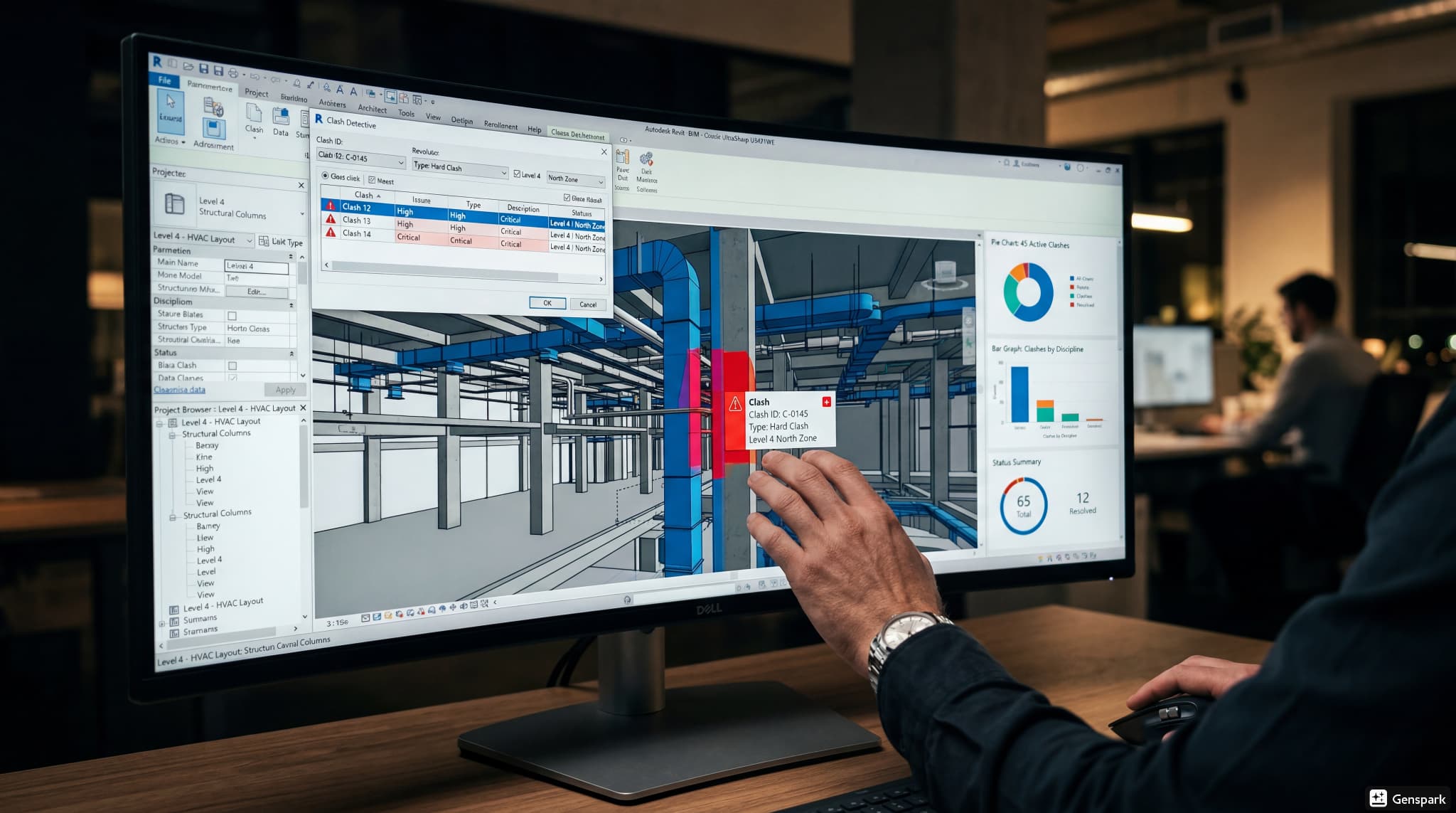**
Clash detection is the process of identifying conflicts between various building elements before construction commences. When architectural, structural, and [MEP 3D models](https://www.novatr.com/blog/revit-vs-sketchup-for-mep-modelling) are overlaid, the software highlights areas where:
- components are either physically intersecting, resulting in a hard clash, or
- passing too close to each other, causing a soft clash, or
- where there is a discrepancy in the construction schedule, creating a workflow clash.
This allows project teams to resolve conflicts digitally and ensure seamless model coordination.
By catching these issues early, clash detection reduces delays, minimises material waste, and improves communication between stakeholders.
## **How Does Clash Detection Reduce Project Costs and Delays?**
[Construction coordination](https://www.novatr.com/blog/how-bim-coordination-works-in-real-projects) becomes easier with clash detection tools. Here’s how this helps improve project management and execution:
**Early Issue Resolution:** Clash detection identifies conflicts during the design stage instead of on-site. Resolving problems before construction begins prevents expensive design revisions, material wastage, and project disruptions.
**Less Rework:** Undetected clashes result in the dismantling and rebuilding of completed work. By addressing these issues in advance, teams reduce labour costs, minimise material waste, and avoid unnecessary rework.
**Faster Project Delivery:** Fewer design conflicts lead to fewer construction delays. Teams spend less time resolving unexpected issues on-site, helping projects stay on schedule and reducing the risk of timeline overruns.
**Better Resource Planning:** When clashes are resolved promptly, materials, equipment, and labour can be scheduled more accurately. This improves site productivity and reduces idle time caused by design-related interruptions.
**Improved Team Coordination:** Architects, [structural engineers](https://www.novatr.com/blog/structural-engineering-career-guide), and MEP consultants can review and resolve clashes together using a shared model. This streamlines communication, reduces misunderstandings, and enables faster decision-making.
**Greater Cost Predictability:** Identifying design conflicts early helps teams avoid unexpected construction expenses and change orders. This makes project budgets more reliable and reduces the financial impact of unforeseen issues.
## **Where Does Clash Detection Fit in the BIM Workflow?**
**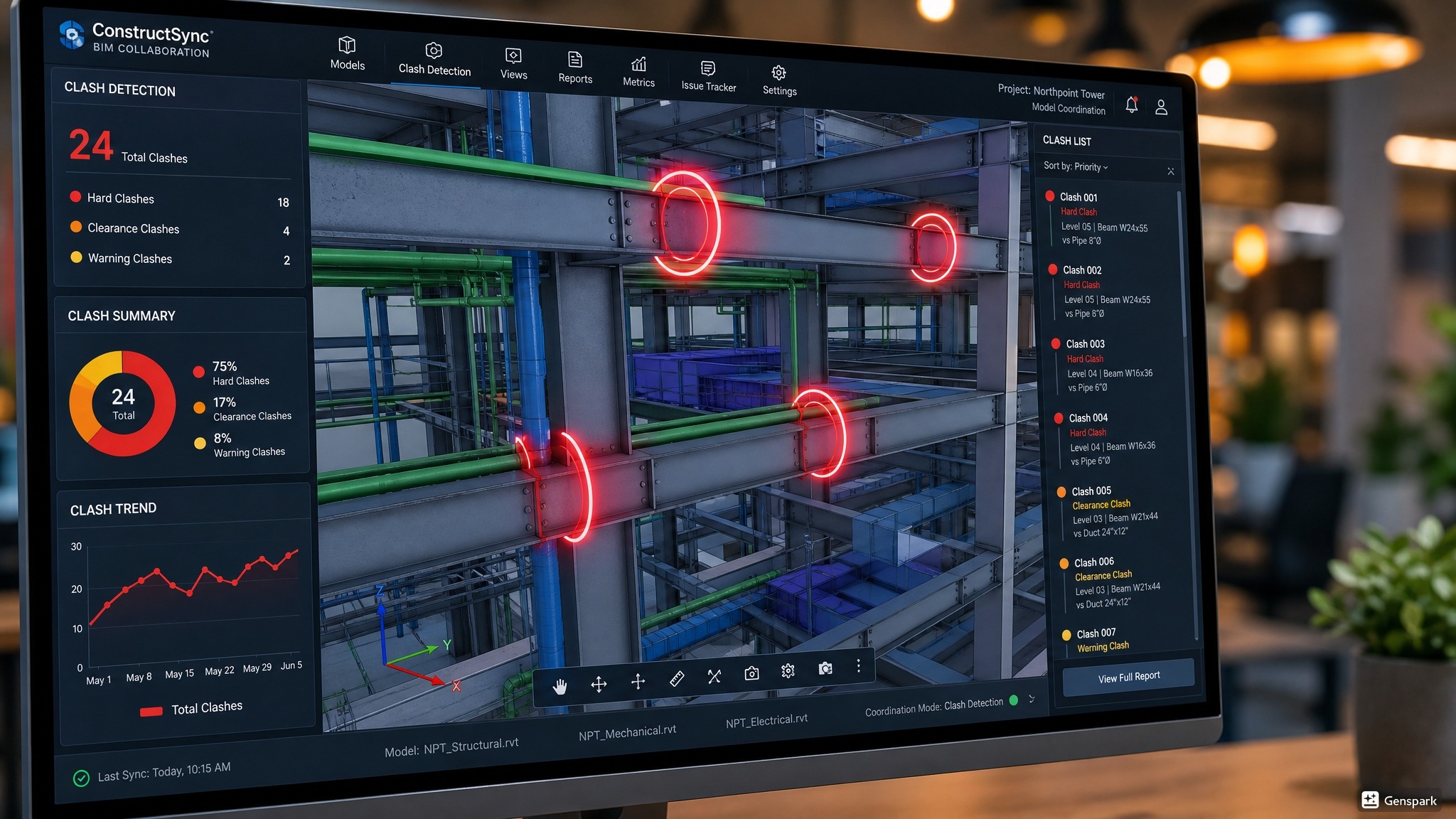**
As AEC projects advance from design to execution, clash detection finds its place right at the heart of the [digital construction](https://www.novatr.com/blog/digital-construction-shift-with-cpwd) process. Let’s explore how:
**Model Coordination:** Clash detection begins once architectural, structural, and MEP models are federated into a single model. Bringing every discipline together makes it easier to identify conflicts that are difficult to detect in isolated models.
**Design Validation:** Before construction documents are finalised, teams run clash detection to verify that all building systems work together as intended. This allows designers to refine their models before work reaches the construction site.
**Issue Resolution:** Once clashes are identified, they are assigned to the relevant teams for review and correction. The updated models are then rechecked to ensure conflicts have been resolved without introducing new coordination issues.
**Construction Planning:** A coordinated model gives confidence to contractors when planning installation sequences, procurement, and site activities. This reduces delays during execution and helps keep construction progressing smoothly.
**Continuous Coordination:** Clash detection is a recurring activity. As the design evolves, teams perform regular coordination reviews to identify new conflicts. This ensures the model remains accurate throughout the BIM workflow.
**Project Handover:** A clash-free model contributes to more reliable as-built documentation and digital asset information. This provides [facility managers](https://www.novatr.com/blog/bim-mep-integration-for-facility-managers) accurate building data for operations, maintenance, and future renovations.
## **Which BIM Tools Are Used for Clash Detection?**
**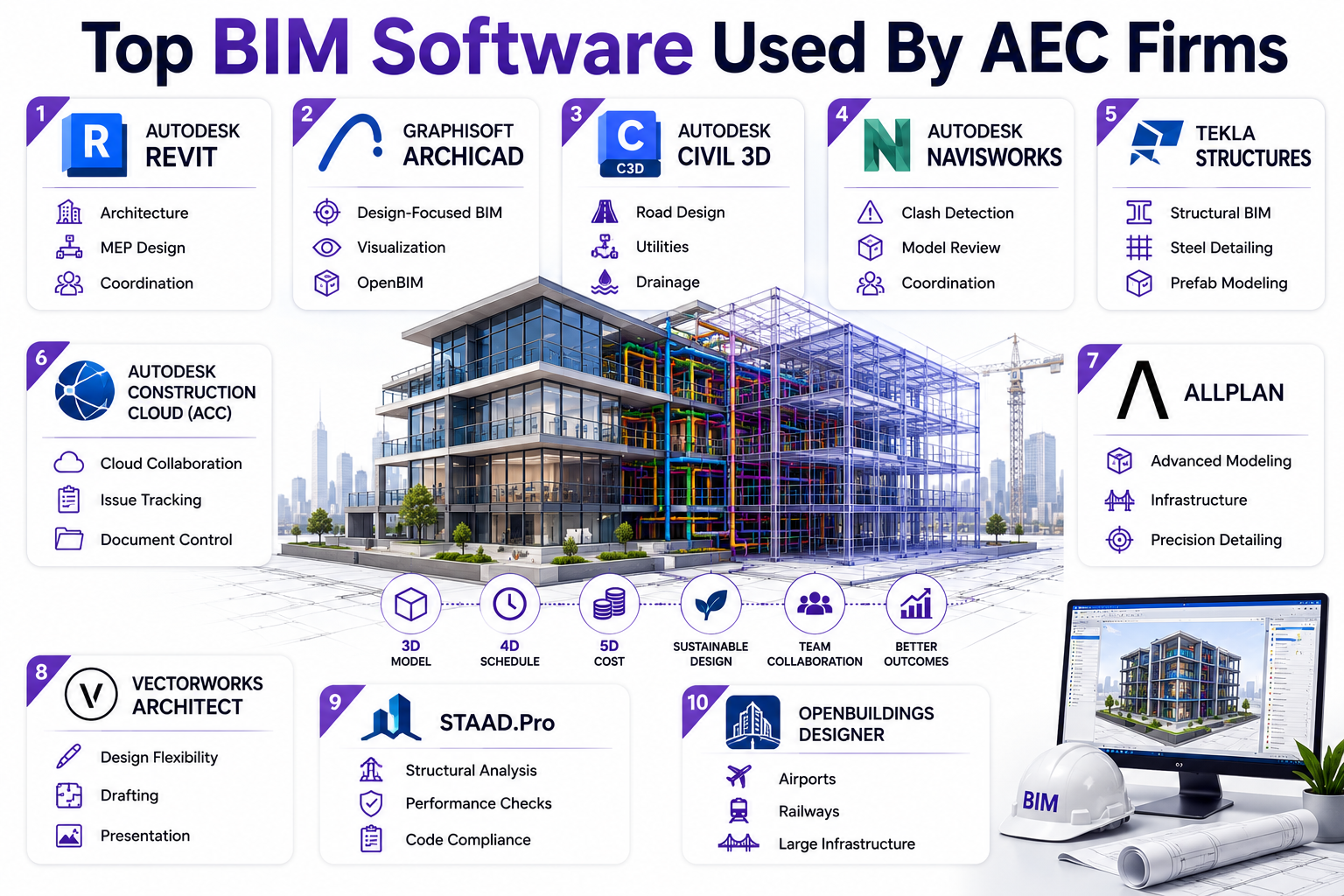**
Every AEC organisation uses a software stack, which is essentially an assortment of tools they use from the phases of design to construction. Here’s the list of the most popular BIM software:
**Navisworks:** It is one of the most widely used clash detection software by AEC professionals. It brings models from multiple domains, detects clashes, and generates reports. This helps teams resolve coordination issues before construction commences.
**Revit:** While [Revit](https://www.novatr.com/blog/detailed-revit-guide) software is primarily a design modelling tool, it also allows users to perform basic interference checks between building systems. Designers can identify and fix coordination issues during modelling before exporting the model for comprehensive clash detection.
**Solibri:** Solibri goes beyond identifying clashes by checking models against predefined quality standards and BIM requirements. It enables teams to validate design accuracy, improve model quality, and ensure compliance with project and industry standards.
**Revizto:** It combines clash detection with cloud-based issue tracking and collaboration. Using Revizto, teams can review clashes in 2D or 3D, assign issues to stakeholders, and maintain communication throughout the project lifecycle.
**Trimble Connect:** This software provides a cloud-based platform for model sharing and team coordination. Professionals can review federated models, identify clashes, assign issues, and collaborate in real time regardless of project location.
[**Autodesk Construction Cloud**](https://www.novatr.com/blog/autodesk-construction-cloud-acc-complete-guide)**:** ACC brings together design, coordination, and construction workflows in a unified platform. Its Model Coordination module automatically identifies clashes between discipline models and keeps teams informed as new conflicts emerge.
## **What Best Practices Improve Clash Detection Results?**
Effective BIM collaboration enhances clash detection outcomes. Let’s understand how that can be achieved:
- Developing models using consistent [BIM standards](https://www.novatr.com/blog/bim-standards-and-best-practices-for-architects), naming conventions, and Levels of Development (LOD) makes clash detection more accurate.
- Running clash detection from the early design stages gives project teams more time to resolve coordination issues before they impact construction.
- Rather than reviewing the entire model at once, creating discipline-specific clash tests helps teams identify and prioritise the most relevant conflicts.
- Since [BIM models](https://www.novatr.com/blog/bim-modeling-software) evolve throughout a project, clash detection should be performed regularly to ensure new design changes do not introduce additional conflicts.
## **How Can You Build Strong BIM Coordination Skills?**
Excelling in BIM coordination demands regular upskilling and practice. Architects and engineers can consider the following path to sharpen their aptitudes:
**Free Resources:** Individuals can start learning BIM modelling through blogs, YouTube videos, and tutorials on various software websites. They can also practice newly learnt skills through self-assessment projects, which can be added to their professional portfolio.
**Short Courses:** To further understand BIM processes, professionals can register for short-term programs available on Coursera, Udemy, and LinkedIn Learning. This can provide fundamental knowledge on the subject and take individuals a step closer to a lucrative BIM career.
**Comprehensive Courses:** Long-term training like [BIM Professional Program](https://www.novatr.com/courses/bim-professional-program?utm_source=organic_search&utm_medium=blog&utm_campaign=) by [Novatr](https://www.novatr.com/) guides students through an exhaustive curriculum of BIM concepts, workflow, and documentation. The course also teaches 10+ software and add-ons, allowing students to become industry-ready.
BIM is Advancing. Are You?
Get BIM certified and open doors to a better career.
Join the Program
## **Conclusion**
BIM is a construction technology that puts time back into AEC professionals’ pockets by letting them automate repetitive tasks. This allows them to focus on tasks that require critical thinking and judgement. Hence, upskilling in BIM clash detection can help professionals perform better at work, become more valuable to their organisation, and command higher salaries.
To achieve this, we suggest you explore the [BIM Professional Program](https://www.novatr.com/courses/bim-professional-program?utm_source=organic_search&utm_medium=blog&utm_campaign=) by [Novatr](https://www.novatr.com/). Its curriculum teaches BIM fundamentals, coordination, software, workflows, and how to prepare client-ready deliverables. Participants also get the opportunity to apply their learnings on capstone projects and benefit from live sessions with industry experts. Additionally, Novatr’s BIM training supports students through resume-building and placement assistance activities. This ensures all participants are well-prepared to enter the AEC industry with job-ready BIM skills.
For additional industry insights and learning resources, join us on our [WhatsApp channel](https://whatsapp.com/channel/0029Vb7Gy2LBFLgMx79j7B1b?tblci=GiaDFMKB) or visit our [Resources Page](https://www.novatr.com/learning-hub) to learn about the latest trends in architecture and engineering.
## **FAQs**
### **1. Why is clash detection important in construction projects?**
In construction projects, clash detection helps eliminate on-site coordination errors that lead to demolition and rework.
### **2. How does clash detection work in BIM?**
Software such as Navisworks helps conduct clash detection in BIM. When models are brought into a shared environment, the software automatically flags potential clashes.
### **3. At what stage should clash detection be performed?**
Clash detection should be performed once the design, working, and MEP drawings are ready in the pre-construction stage.
Was this content helpful to you
Like Yes
Dislike No

TABLE OF CONTENTS
BIM Is The New Standard. Are You Certified?
Get Certified in BIM
SHARE ON YOUR SOCIALS
Link Copied Successfully
Related articles
[.png) BIM BIM Freelancing Vs Full-Time Career: The Complete Guide 22 July 2026 9 min read](https://blog.novatr.com/blog/bim-freelancing-or-full-time-career) [ BIM Your Guide to BIM Clash Detection in 2026: Types, Tools, and Best Practices 21 July 2026 7 min read](https://blog.novatr.com/blog/types-of-clashes-in-bim-coordination) [ BIM Revit for Beginners: Everything You Need to Start Your First BIM Project 24 July 2026 8 min read](https://blog.novatr.com/blog/revit-for-beginners) [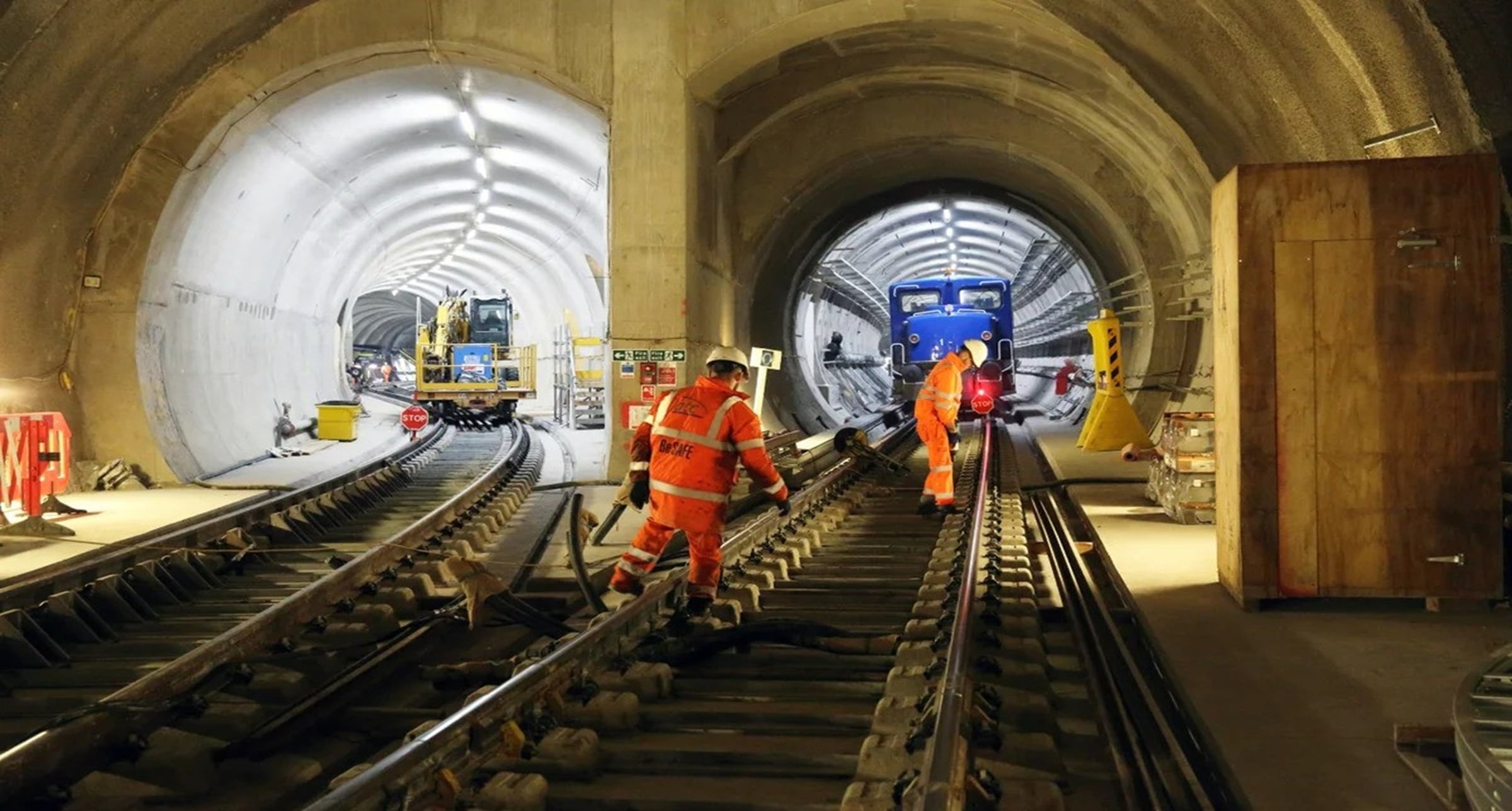 BIM BIM Lessons from the London Crossrail Project 18 June 2026 6 min read](https://blog.novatr.com/blog/key-bim-lessons-from-the-london-crossrail-project)
Download Syllabus
## BIM Professional Program
Next Cohort
June 2026
Program Duration
7 Months
Premium Program benefits
8 Credentials from Autodesk, NSDC, Novatr
1 program. 10 career paths. Infinite Growth.
40+ ISO 19650 & RIBA real-world projects to practice
1-on-1 guidance. Access 400+ industry experts.
Access the biggest AEC-Tech community on the planet. 8500+ and counting
Curated for you by 100+ global BIM leaders.
Lifelong access to course content
Enter your details to download the program syllabus.
##### BIM Professional Program
June 2026, 7 Months
Your Name Invalid name.
Phone Number Enter a valid phone number
Email Please enter a valid email address.
Select years of experience\* Currently studying 0-1 years 1-2 years 2-4 years 4-8 years 8-10 years 10-12 years 12+ years Invalid selection.
Specialisation Select your background\* Architecture Civil Engineering Mechanical Engineering Electrical Engineering Invalid selection.
Are you professionally trained in interior design?
Yes
No
I agree to the [Terms of Use](https://www.novatr.com/terms-and-conditions) and [Privacy Policy](https://www.novatr.com/privacy-policy), and consent to be contacted by Email, Call, WhatsApp, or SMS.
Submit
Ready to skyrocket your career?
Begin your next chapter in AEC
with Novatr!
We are here to help you take the industry by storm with advanced, tech-first skills.
[Explore Courses](https://www.novatr.com/#courses)
Join our newsletter
Submit
Thank you for signing up.
We’ll send you a nice letter once per week. No spam.

Dare to Disrupt.
Join thousands of people who organise
work and life with Novatr.
Company
- [About Us](https://www.novatr.com/about)
- [BIM Professional Program v.2026](https://www.novatr.com/courses/bim-professional-program)
- [Masters Computational Design](https://www.novatr.com/courses/computational-design)
- [Become a Mentor](https://www.novatr.com/apply-as-mentor)
- [Hiring from Us](https://www.novatr.com/hire-from-us)
- [Careers at Novatr](https://www.novatr.com/career)
Resources
- [Blog](https://www.novatr.com/learning-hub)
- [Media Room](https://www.novatr.com/media-room-home-page)
- [Career Builder](https://www.novatr.com/career-navigator)
- [Events & Webinars](https://www.novatr.com/webinars)
- [FAQs & Support Center](https://www.novatr.com/contact-us)
- [Contact Us](https://www.novatr.com/contact-us)
- [Privacy Policy](https://www.novatr.com/privacy-policy)
- [Terms of Use](https://www.novatr.com/terms-and-conditions)
©2023 Oneistox Network Pvt. Ltd.
All Rights Reserved
```json
{
"@context" : "https://schema.org",
"@type" : "BlogPosting",
"author" : {
"@type" : "Person",
"name" : "Pragya Sharma",
"url" : "https://blog.novatr.com/blog/author/pragya-sharma"
},
"dateModified" : "2026-07-27T06:40:04.290Z",
"datePublished" : "2026-07-27T06:32:54.000Z",
"headline" : "Your Guide to BIM Clash Detection {{year}}",
"image" : [ "https://blog.novatr.com/hubfs/ChatGPT%20Image%20Jul%2027%2c%202026%2c%2012_02_08%20PM.png" ],
"mainEntityOfPage" : {
"@id" : "https://blog.novatr.com/blog/guide-to-bim-clash-detection",
"@type" : "WebPage"
},
"publisher" : {
"@type" : "Organization",
"logo" : {
"@type" : "ImageObject",
"url" : "https://blog.novatr.com/hubfs/Novatr%20Prev%20OX-2.svg"
}
}
}
```