.jpg)

What is D5 Render?
D5 Render is a real-time rendering tool for architectural visualization, offering intuitive features and advanced graphics to produce realistic lighting, materials, and environments. It also supports panorama views, enabling immersive experiences with minimal setup.
D5 Render is available in three models, designed for different levels of professional use, each with its D5 render cost:
COMMUNITY:
- Unlimited Projects: Manage an unlimited number of projects without restrictions, allowing continuous experimentation and creative exploration.
- Cost: Available at no charge, making it accessible for individuals or small-scale projects.
PRO:
- Expanded Library & Tools: Access 15,000+ models, materials, and particles, City Generator, VR walkthroughs, and enhanced export options to refine visualizations.
- Cost: Priced at USD $30 per month (Rs 2660.08), suitable for professional users needing advanced features.
TEAMS:
- Team Collaboration & Integrations: Simultaneous editing, member access control, resource sharing, and 100GB cloud workspace to streamline multi-user workflows.
- Cost: Priced at USD $59 per month (Rs 5231.48), designed for teams requiring full collaboration and cloud support.
Key Features That Make D5 Ideal for Architects
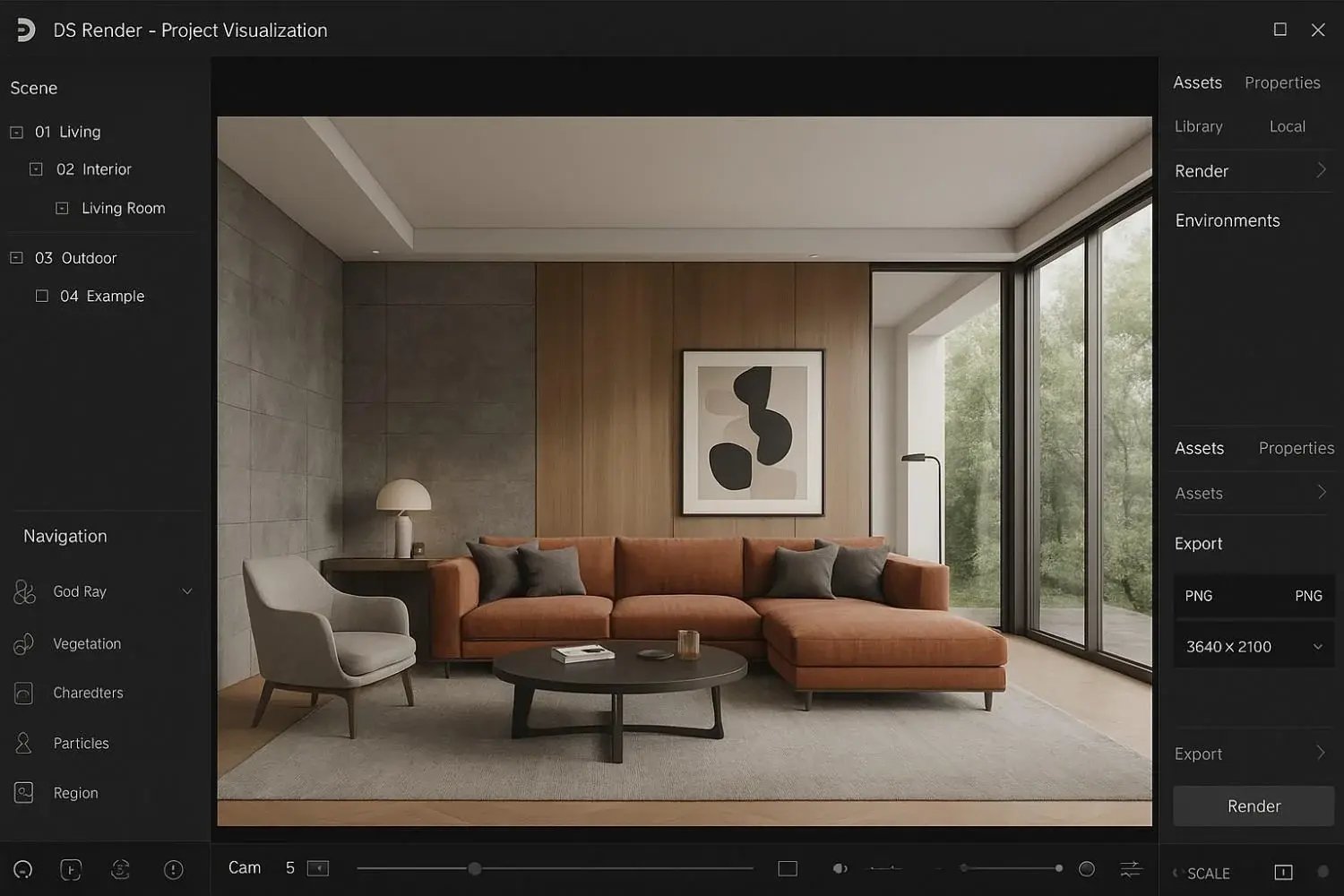
Architects rely on tools that combine speed, realism, and ease of use. Below are the key features of D5 that make it particularly suited for architectural workflows:
- Real-Time Rendering: D5 allows architects to visualize changes instantly, enabling faster decision-making and accurate design evaluation throughout the project lifecycle.
- Interactive Environment Creation: Adjust landscapes, skies, and environmental elements dynamically to improve spatial understanding.
- Integration with Plugins: Connect seamlessly with other design tools, allowing smoother workflows and efficient project coordination.
- Industry-Recognized Standards: Regarded as one of the best rendering software for architecture, D5 ensures outputs meet professional quality expectations while simplifying complex visualization tasks.
D5 Render Workflow for Architectural Projects
Understanding the D5 render workflow is essential for efficiently turning architectural designs into realistic visualizations. This workflow guides architects through each stage, from importing models to producing high-quality renderings, ensuring accuracy and clarity in every project.
1. Importing Design Files
Architects start by importing 3D models into D5 Render, carefully aligning and scaling all elements. Using guidance on how to use D5 Render in SketchUp helps ensure accurate integration and a seamless workflow across platforms.
2. Scene Setup and Camera Placement
The environment is arranged by setting camera angles, backgrounds, and landscapes. This step defines the project context and ensures that lighting and material effects are properly showcased.
3. Material Application
Surfaces are assigned materials, adjusting texture, reflectivity, and transparency to achieve realistic results. Designers can also learn how to copy material in D5 Render, making it easier to replicate materials across multiple objects efficiently.
4. Lighting Configuration
Natural and artificial lighting are strategically placed to create realistic illumination. By carefully adjusting shadows and intensity, the final render clearly communicates the architectural vision.
5. Asset and Element Placement
Furniture, vegetation, and decor are added to enhance scene detail, creating a more realistic and immersive environment. Combining this with architectural rendering with SketchUp and D5 Render allows designers to integrate elements efficiently across platforms.
6. Previewing and Adjustments
The scene is reviewed in real-time to correct materials, lighting, and composition. Iterative previews allow architects to refine the project before committing to the final render.
7. Final Rendering and Export
Once the scene is ready, high-resolution images, panoramas, or animations are produced. For projects using Rhino, applying techniques for D5 Render for Rhino ensures outputs are accurate and compatible with the original design.
Practical Use Cases of D5 for Architects
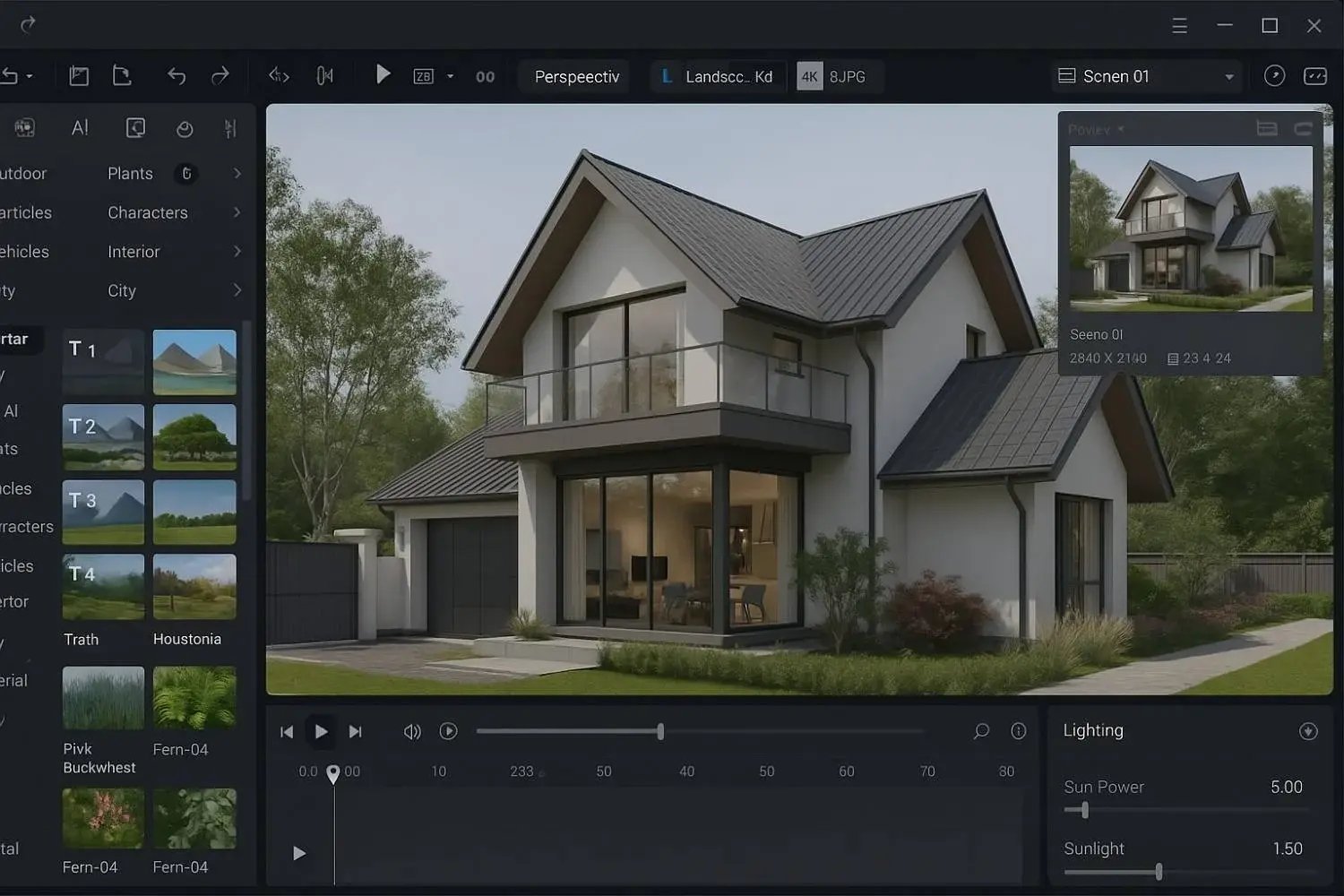
Here are practical ways architects can use D5 Render to improve visualization, presentations, and workflow efficiency:
-
Client Presentations: Create realistic renderings to help clients understand layouts, materials, and lighting.
-
Interior Design Visualization: Explore interior layouts, furniture, and materials for accurate design decisions.
-
Landscape and Exterior Scenes: Visualize outdoor spaces and environmental elements to plan context and orientation.
-
Virtual Reality Walkthroughs: Convert designs into interactive VR experiences for immersive client reviews.
Master D5 Render Along with 8+ Computational Design Tools

Novatr’s Master Computational Design Course offers architects the opportunity to learn advanced visualization and computational workflows, including D5 Render. The course builds practical skills for managing complex projects, integrating design tools, and creating realistic interior and exterior renderings.
Here’s what you’ll learn in detail:
- Five powerful industry tools: Grasshopper, Rhino 3D, Flux.ai, ComfyUI, and D5 Render.
- Master popular plugins like Paneling Tools, DeCoding Spaces, Anemone, Galapagos, Wallacei, LunchBox, Open nest, and Horster Animation to create smarter and faster design workflows.
- Understand how to build parametric and generative design workflows used by top global firms.
- Learn how to automate repetitive design tasks, explore AI-driven creativity, and produce high-quality renders for presentations.
- Develop a professional computational design portfolio showcasing your project-based learning.
- Earn dual certification from Novatr and NSDC (National Skill Development Corporation) upon completion and step confidently into the world of future-ready architecture and design.
Disclaimer – Course details, including curriculum, duration, fees, and related information, are for informational purposes only and may change at the company’s discretion without prior notice. Please visit the official course page or contact the admissions team for the latest updates.